


Skip to Content

IFRS Total Committed and Company Total Committed in Sales Subscription

Add IFRS Total Committed and Company Total Committed in Sales Subscription
87.21 € 87.21 € (Tax excluded)
US$ 100.00 (Tax excluded)

  • Versions
Terms and Conditions
30-day money-back guarantee
Shipping: 2-3 Business Days

ODOO'S FUNCTION

In Odoo, Subscriptions do not include the IFRS Total Committed and Company Total Committed fields at the end of the subscription.

CLUEDOO'S FUNCTION

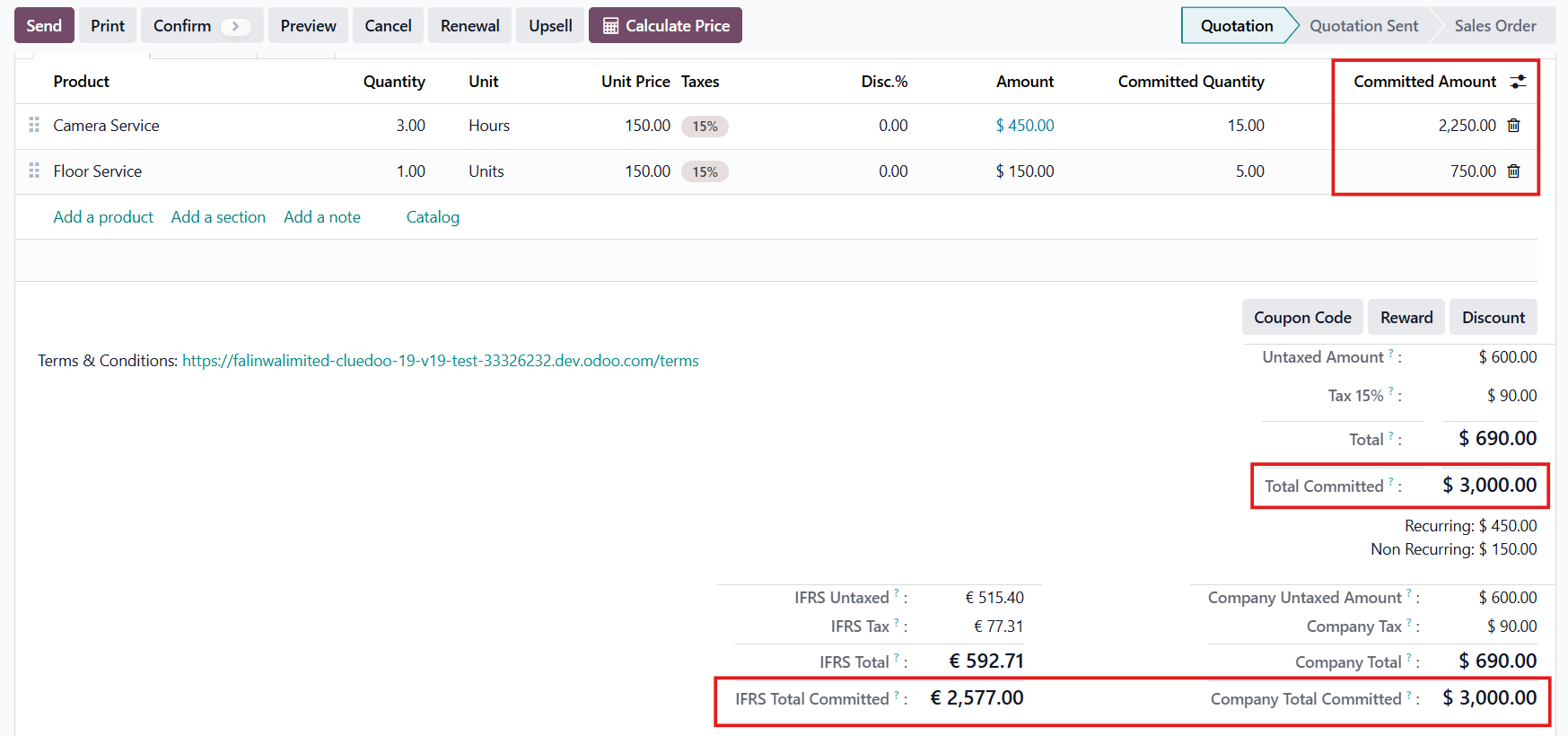
CLuedoo enhances this by automatically displaying the total committed amounts for the entire subscription period, in IFRS currency (IFRS Total Committed) and in Company currency (Company Total Committed).

Go to Subscriptions and create a new one > Fill in the necessary information.

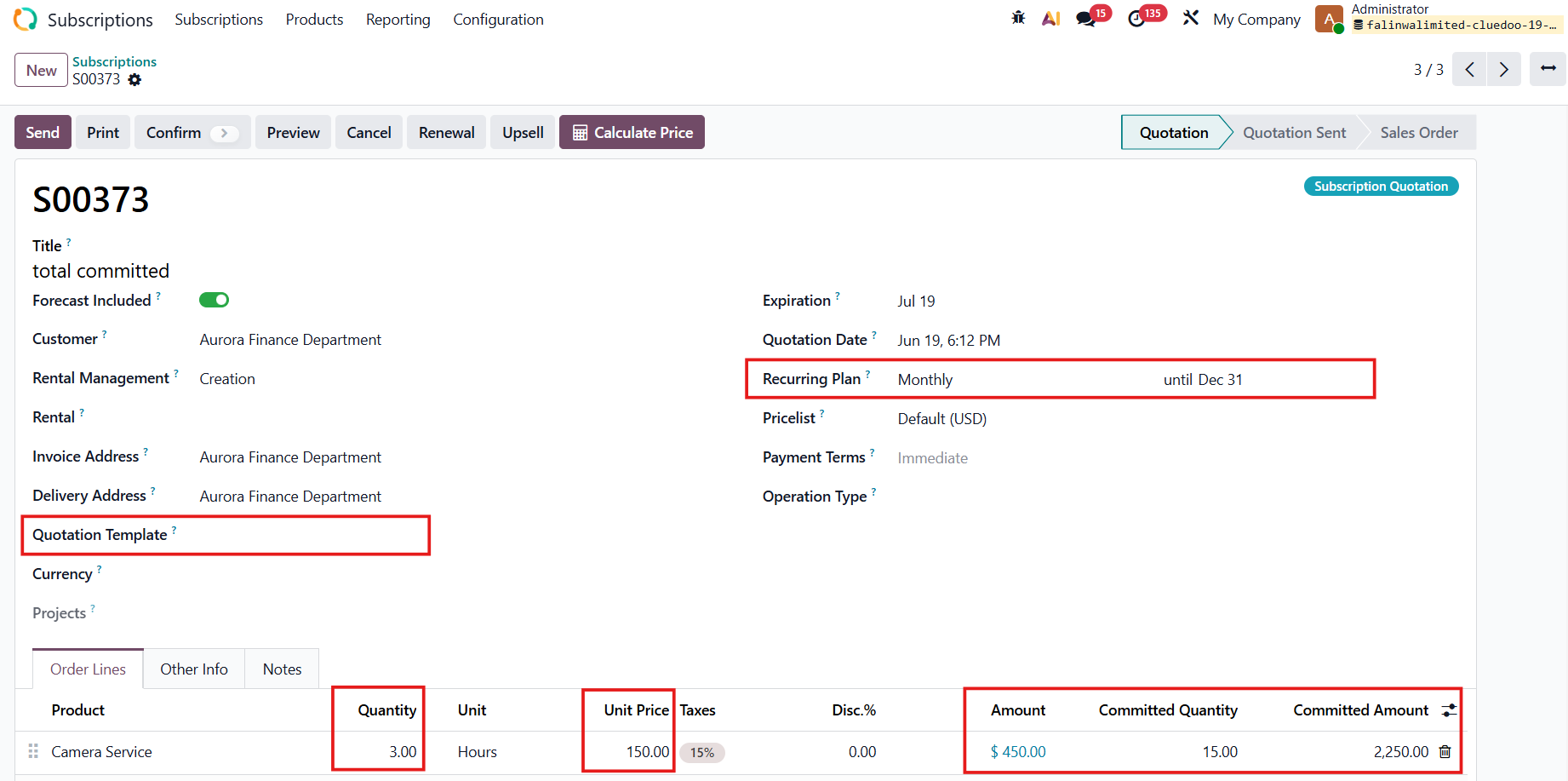
In the Order Lines, we have 2 new columns:
  • Committed Quantity = ODS Quantity*Number of Periods
e.g., ODS Quantity [3]*Number of Periods [5] = 15
  • Committed Amount = ODS Amount*Number of Periods
e.g., ODS Amount [450]*Number of Periods [5] = 2250

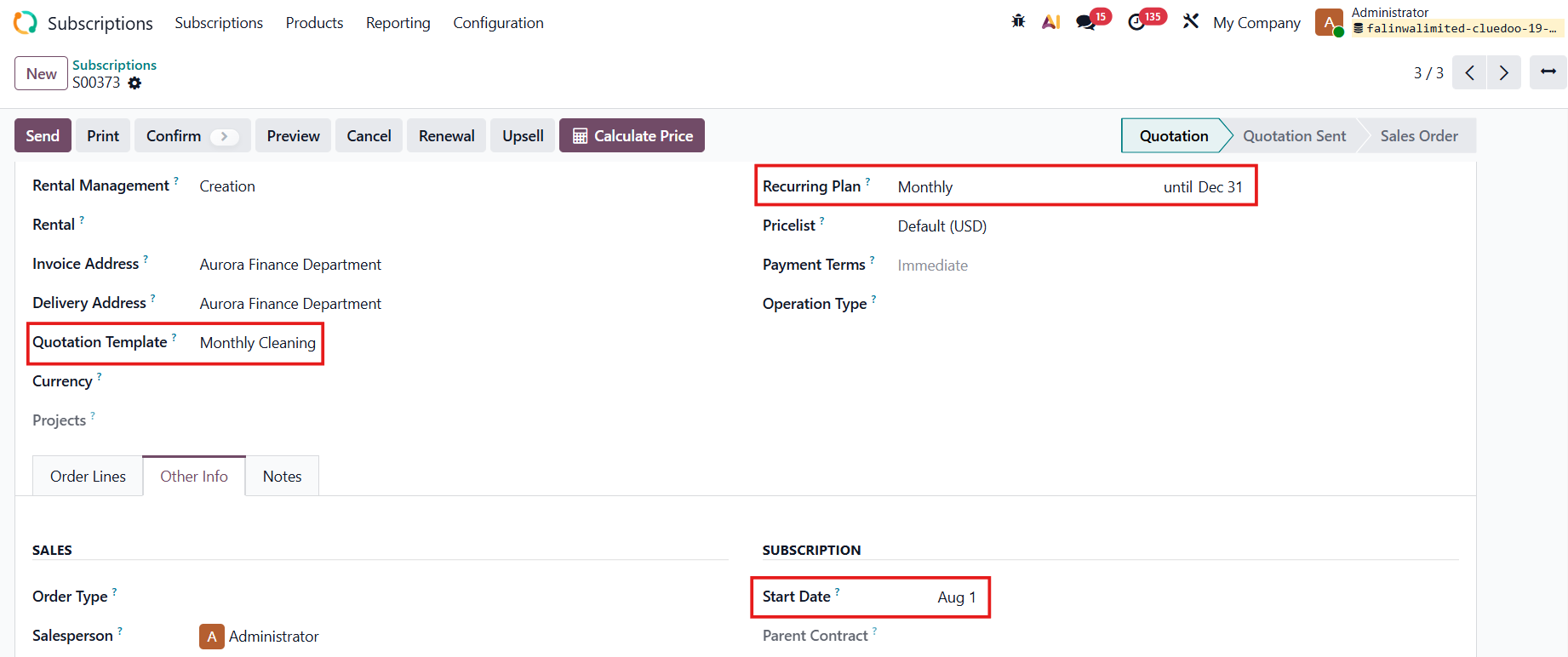
Choose the Start Date in the Other Info tab.

For End Date:
  • If we have a Quotation Template that lasts forever or do not have a Quotation Template at all > we input the End Date manually
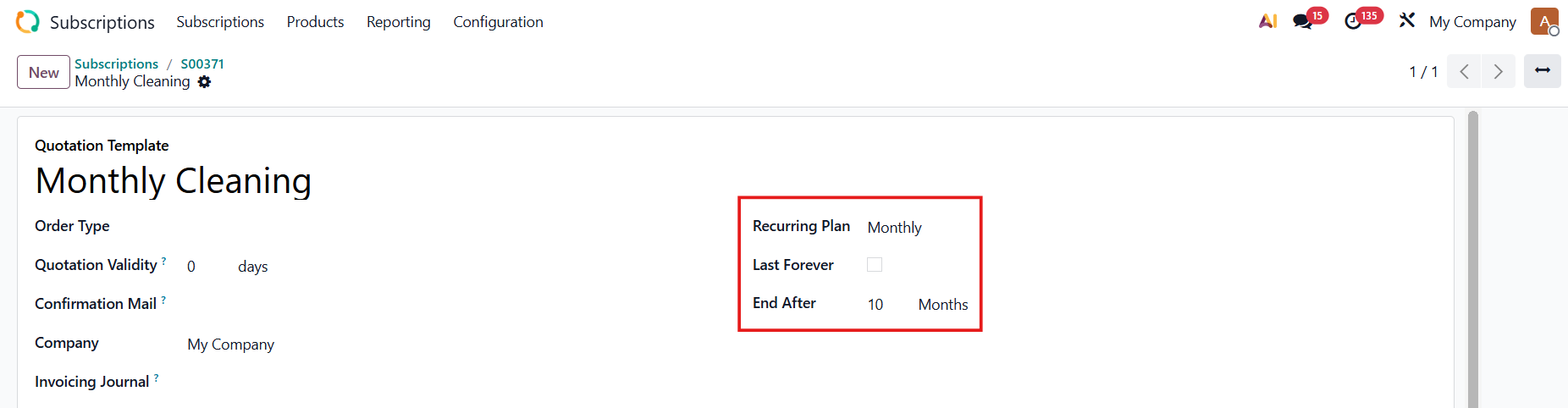
  • If we have a Quotation Template that does not last forever > the End Date of the subscription will be calculated automatically based on the Quotation Template's End After 

Note: 
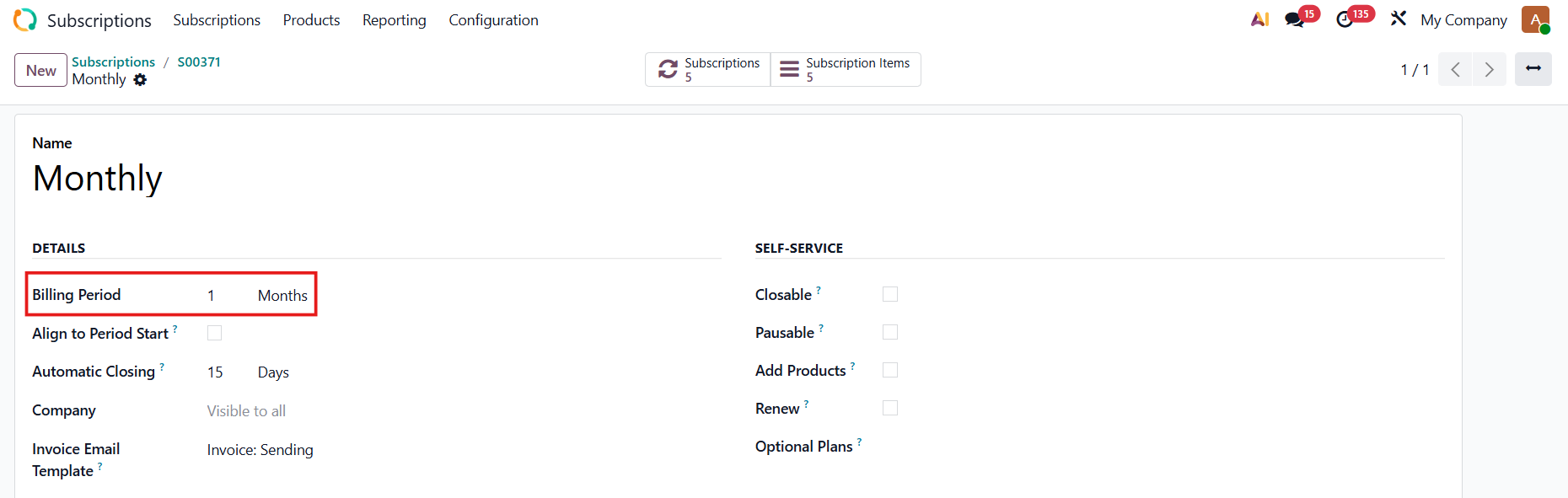
  • To calculate the Number of Periods, we check the Start Date and End Date, as well as the Recurring Plan
e.g., Start Date = 1 Aug 2025, End Date = 31 Dec 2025
Billing Period for Recurring Plan = 1 month
→ Number of Periods = 5
  • If we have a Quotation Template that does not last forever, the Number of Periods is calculated based on the Recurring Plan and End After fields 

At the end of the subscription, we have:

  • Total Committed to show the total subscription amount for the whole period.
  • IFRS Total Committed is the total committed amount in the IFRS currency.
  • Company Total Committed  is the company's total committed amount.