



STORY BEHIND THE FEATURE
ODOO BEHAVIOR
By default, Odoo calculates the on-hand quantity in the Master Production Schedule using the formula:
Current Available Quantity – Incoming Quantity Done (MO, Reception)+ Outgoing Quantity Done (Delivery out).
CLUEDOO BEHAVIOR
CLuedoo changes the logic and removes also the consumed MO line during the period from the opening on-hand quantity.
This consumed MO line will be put in a separate column (required another module)
OUR FEATURES AS SOLUTIONS
On-hand Quantity = Available Quantity – Incoming Quantity Done + Outgoing Quantity Done + MOL Quantity Done
HOW TO USE THIS MODULE
Open the Master Production Schedule and the MPS view appears. We can see the on-hand quantity is auto-calculated with the formula: On-hand quantity = Available quantity - Incoming quantity done + Outgoing quantity done + Manufacturing Order line done Where: Incoming quantity done = - Actual quantity in MPS Outgoing quantity done = + Actual quantity in MPS | 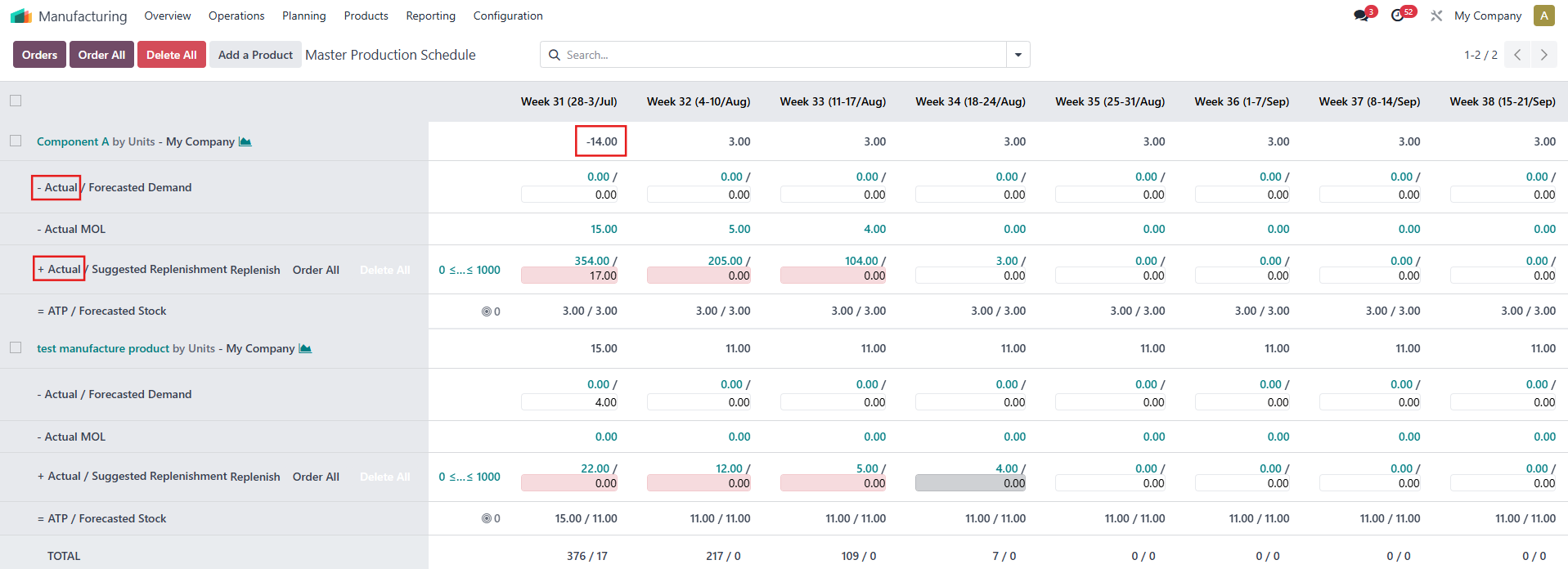 |
For example, the on-hand quantity of product "Component A" is -14 and it is calculated as follows: On-hand quantity in MPS = Product quantity + (-Actual) - (+Actual) + MO quantity done in the same period = -17 - 0 + 0 + 3 = -14 | 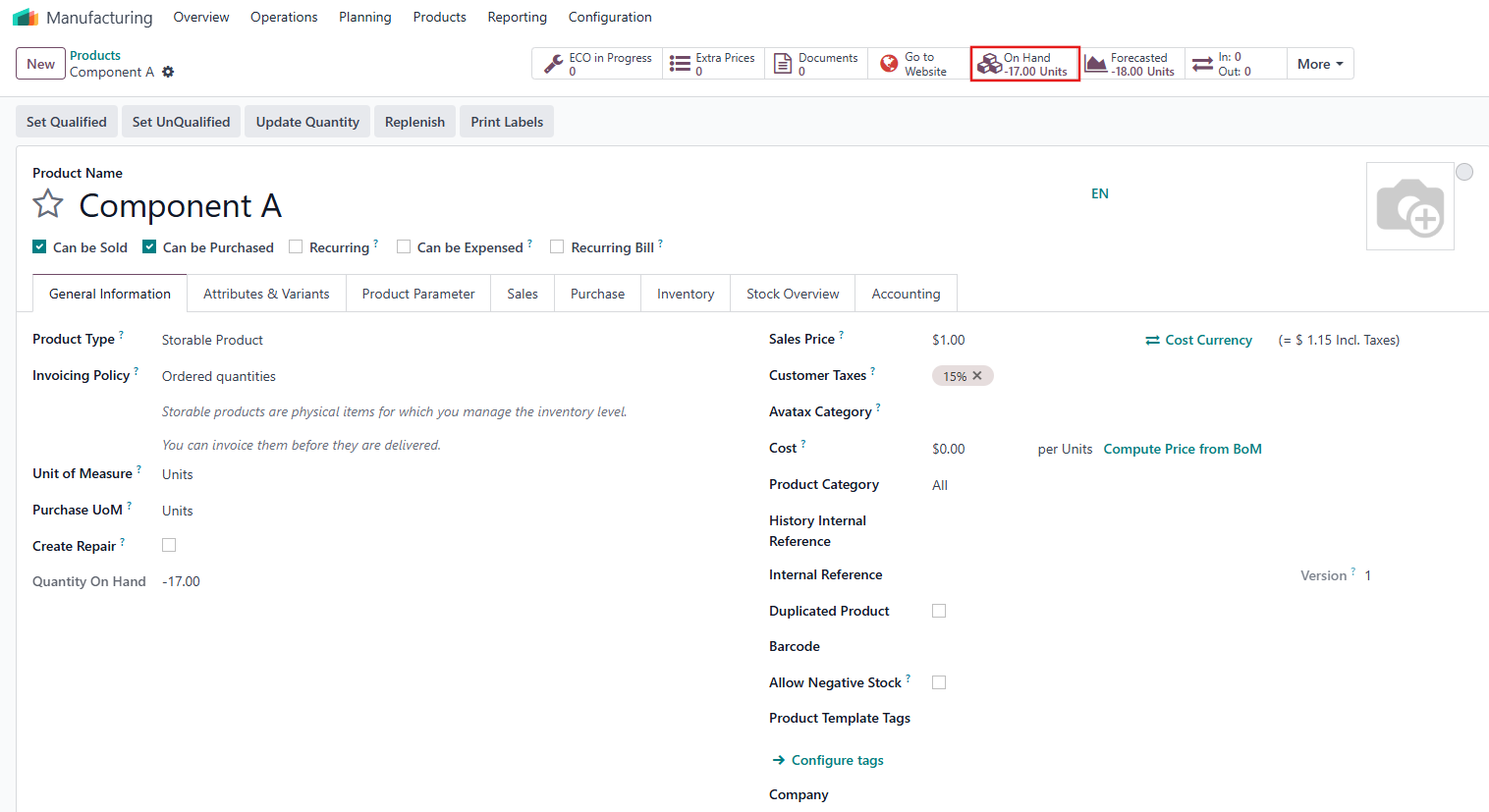  |