



ODOO'S FUNCTION
In Odoo, a Payment Method can be set on Contacts, but this field is not included in SOs or POs, so no value is inherited from the Contact.
CLUEDOO'S FUNCTION
In CLuedoo, the Payment Method on a Sales Order or Purchase Order is automatically inherited from the default Payment Method configured on the Contact.
Go to Contacts > Access a particular partner > Set up a Payment Method in the Sales & Purchase tab | 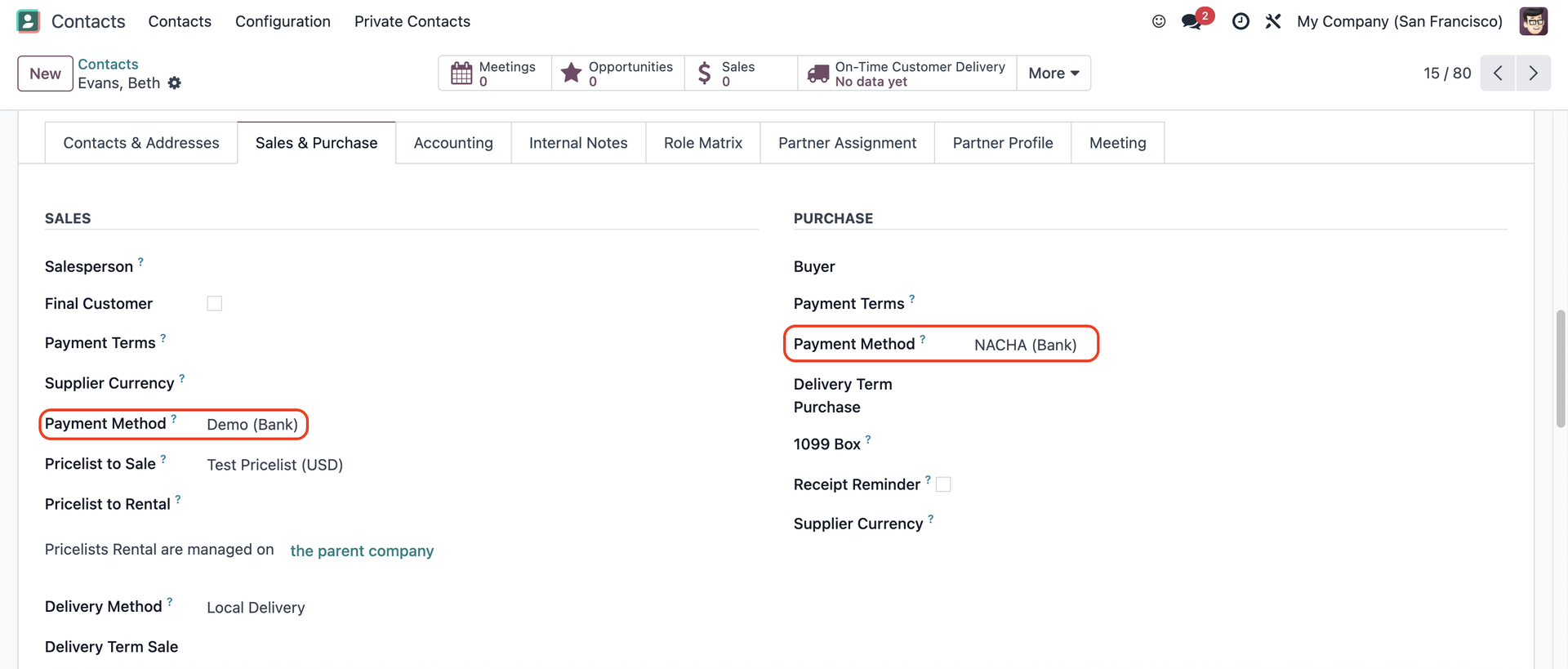 |
SALES ORDERSGo to Sales > Create a new quotation > Select the configured parter > Payment Method Customer is automatically inherited from the contact form, with posibility to change. Note: from v19, this function is removed as it is available in ODS | 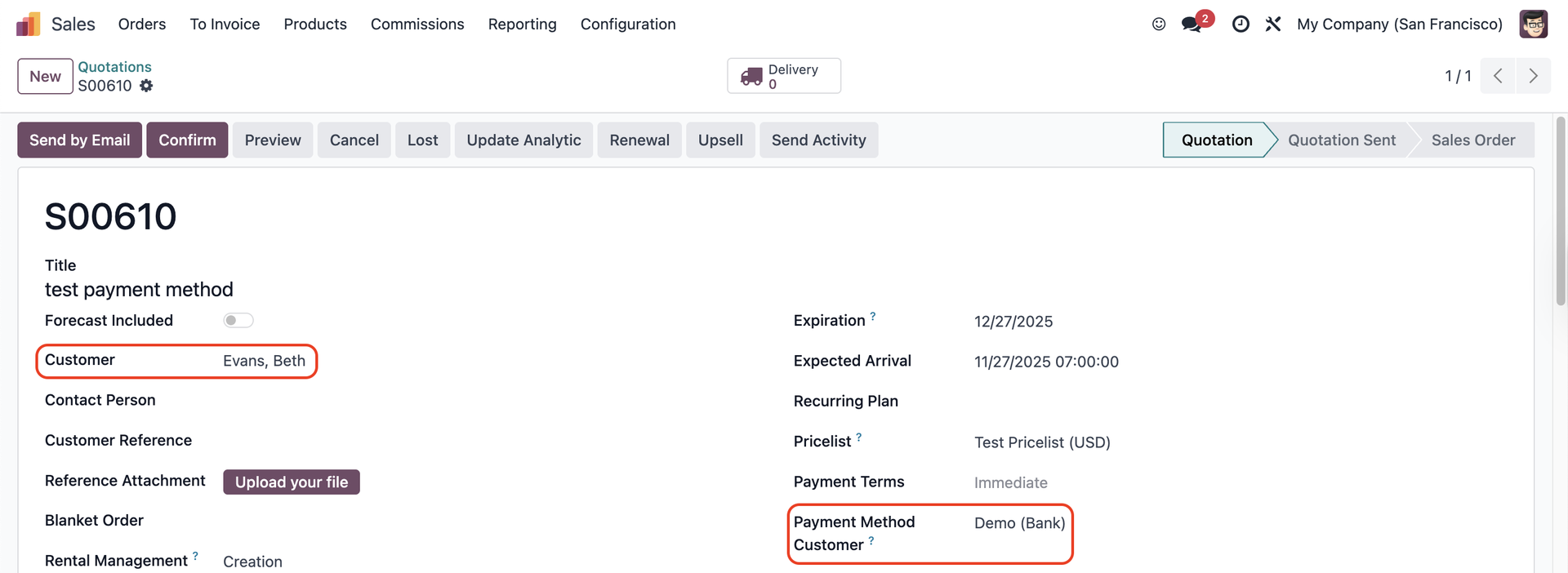 |
Confirm the order > Create Invoice > In the invoice, under the Other Info tab, you can see that the Payment Method has been inherited from the SO | 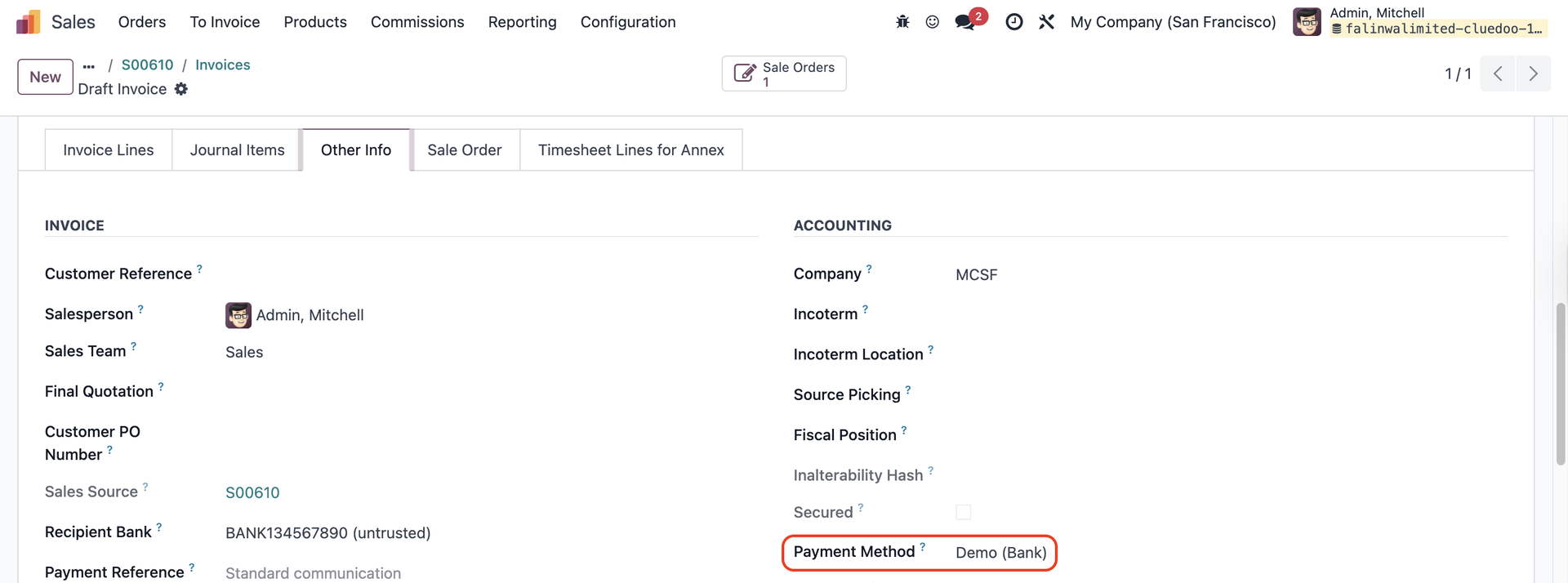 |
PURCHASE ORDERSGo to Purchase > Create a new RFQ > Select the configured parter > Payment Method Vendor is automatically inherited from the contact form, with posibility to change. | 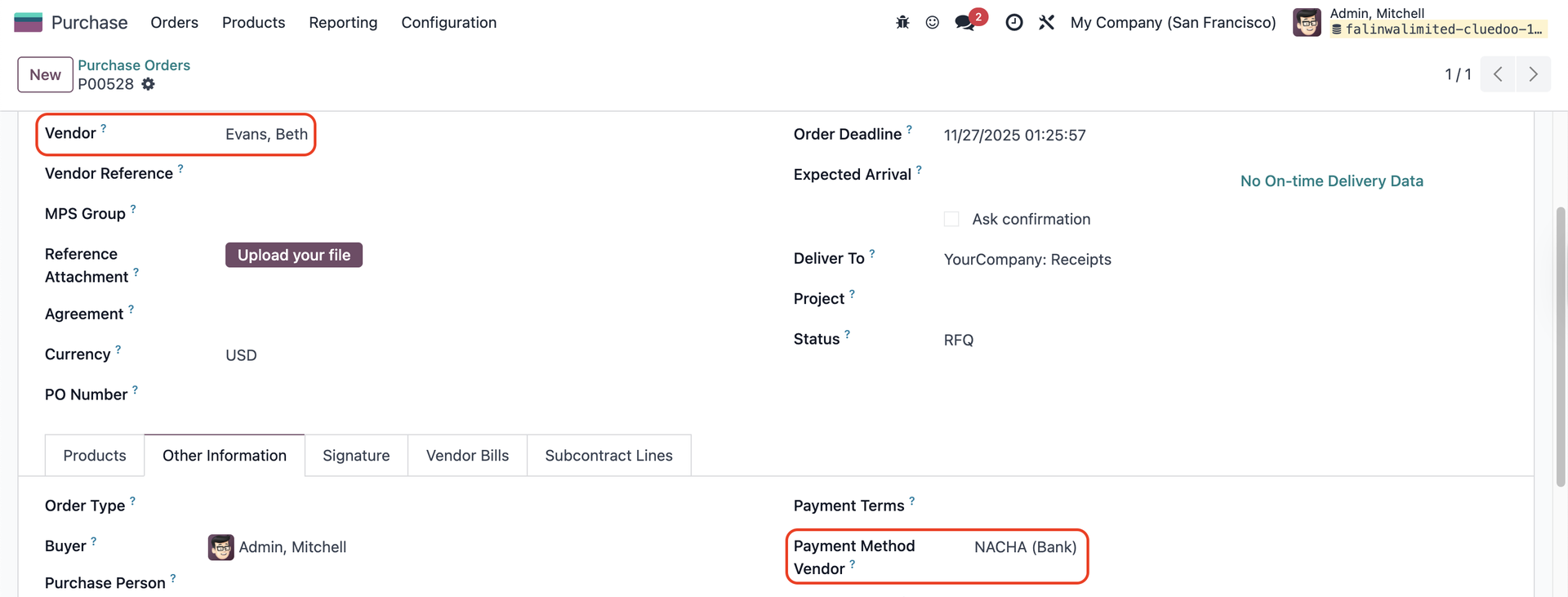 |
Confirm the order > Create Bill > In the bill, under the Other Info tab, you can see that the Payment Method has been inherited from the PO | 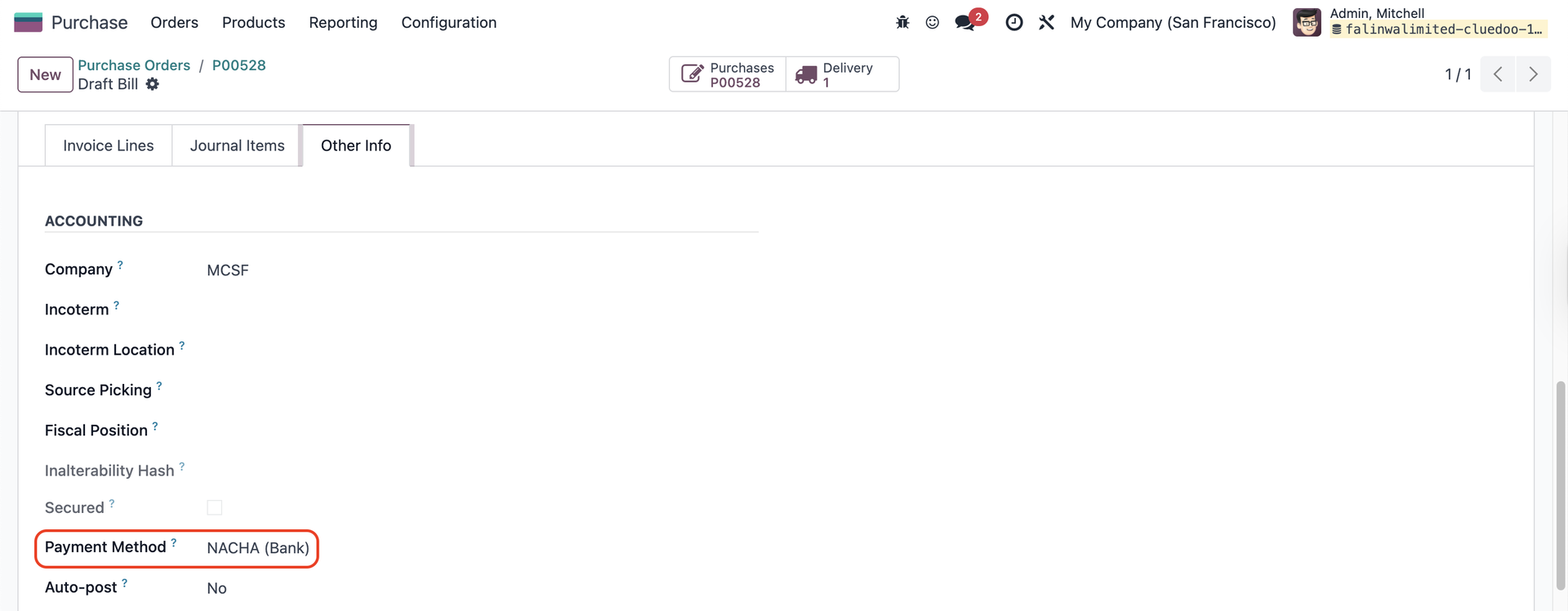 |