

ODOO'S FUNCTION
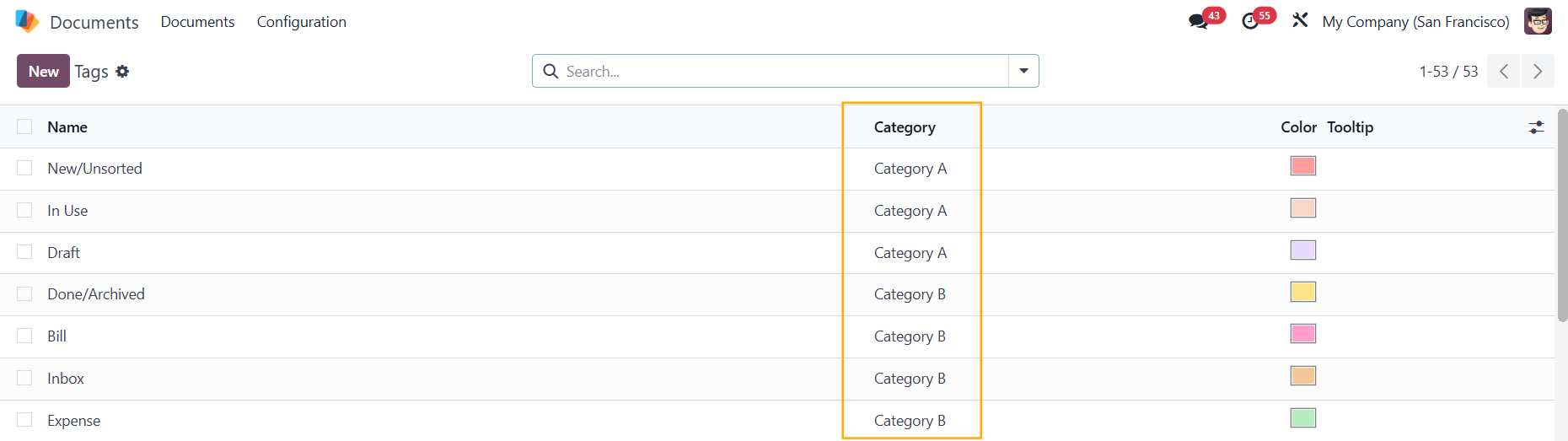
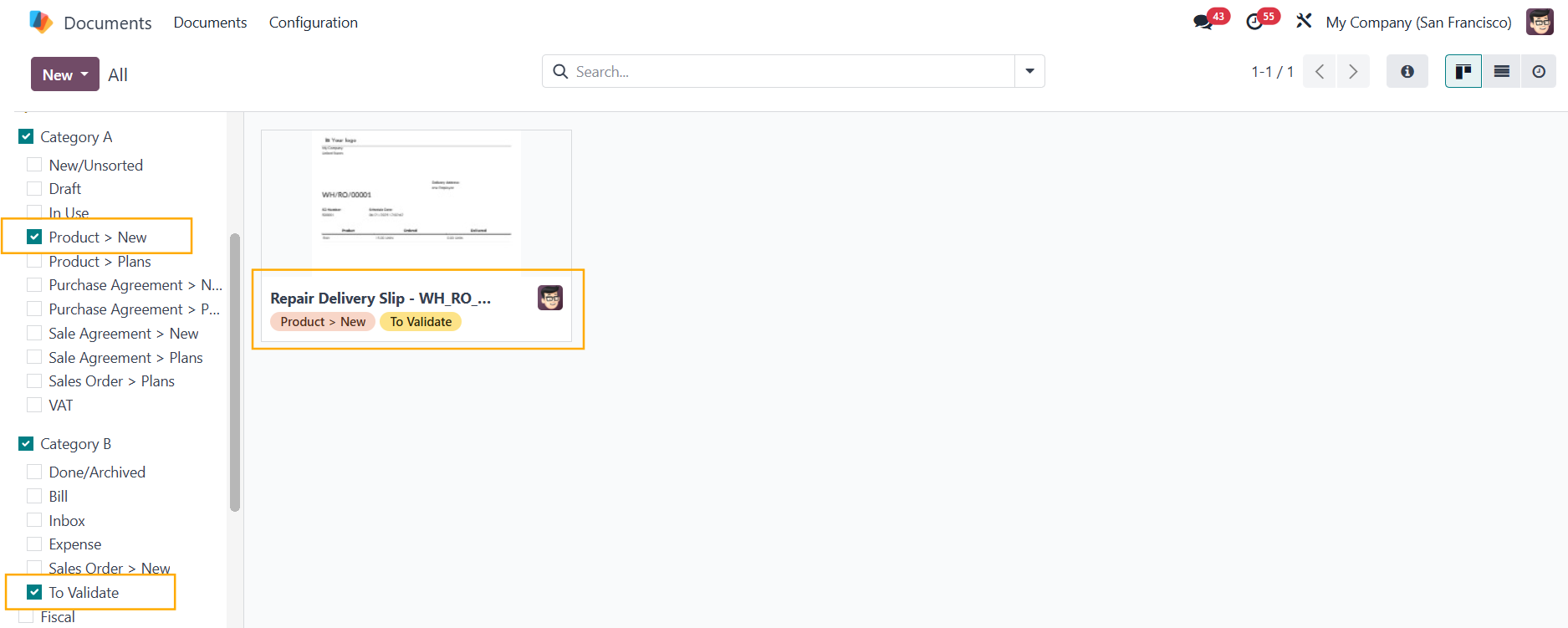
In Odoo 18, tags can be created and assigned to documents for better categorization and organization. However, the tags are not organized into categories, and there is no dedicated filter panel on the left side to easily sort documents by tags.
CLUEDOO'S FUNCTION
Cluedoo brings back the Odoo 16 feature with the following improvements:
✅ Tag Categories: Group related tags for enhanced organization and navigation.
✅ Tag Filter Panel: Provides a left-side panel for quick access and filtering of documents by tags.
✅ Automatic Tag Assignment: Automatically assigns selected tags to uploaded documents when tag filters are active, streamlining the tagging process.
TAG CATEGORIES 1. Go to Documents > Configuration > Tag Categories > Create a new category and add the tags |  |
2. Navigate to the Tags menu, and you can see a new column for Category has been added |
|
You can select a Category directly in a tag as well |  |
TAG FILTERS Go to Documents > There is a Tags filter added to the left panel | 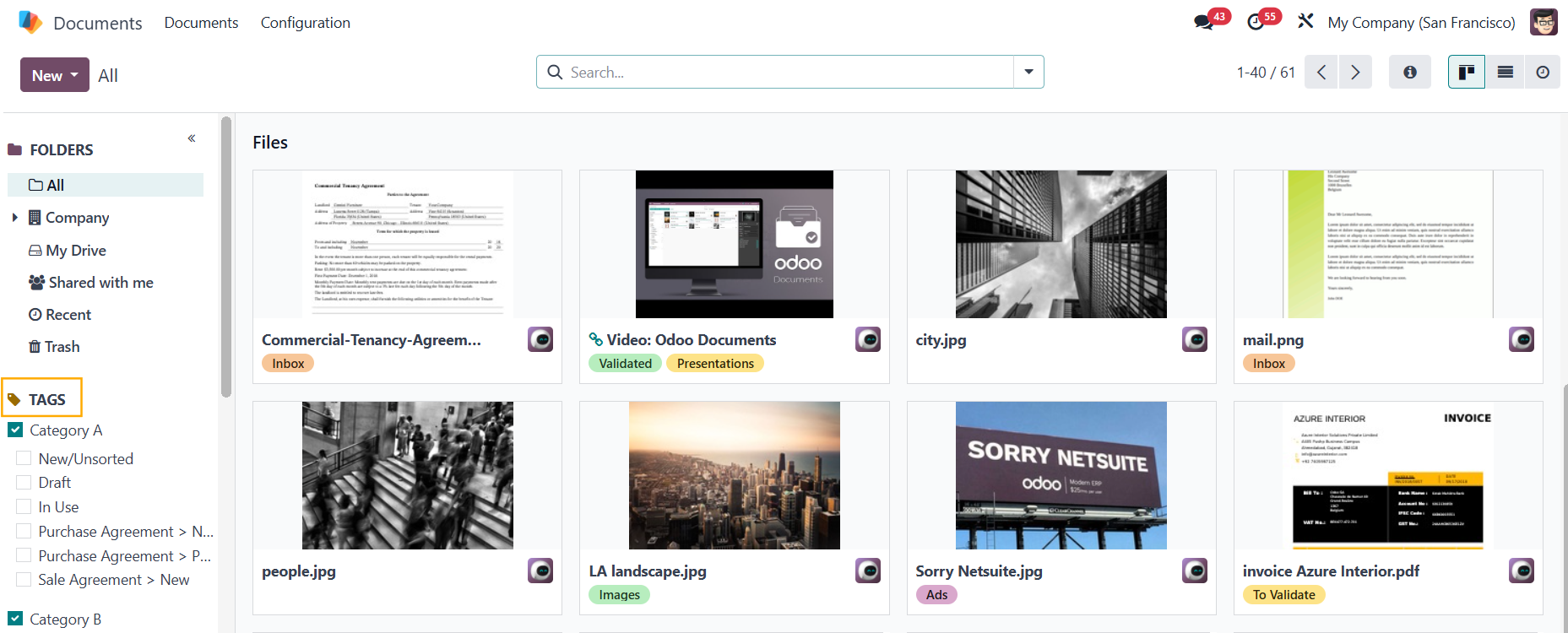 |
Select the tags that you want to filter > The files with those tags will show up Note: In the same category, the logical condition is "or" Between different categories, the logical condition is "and" | 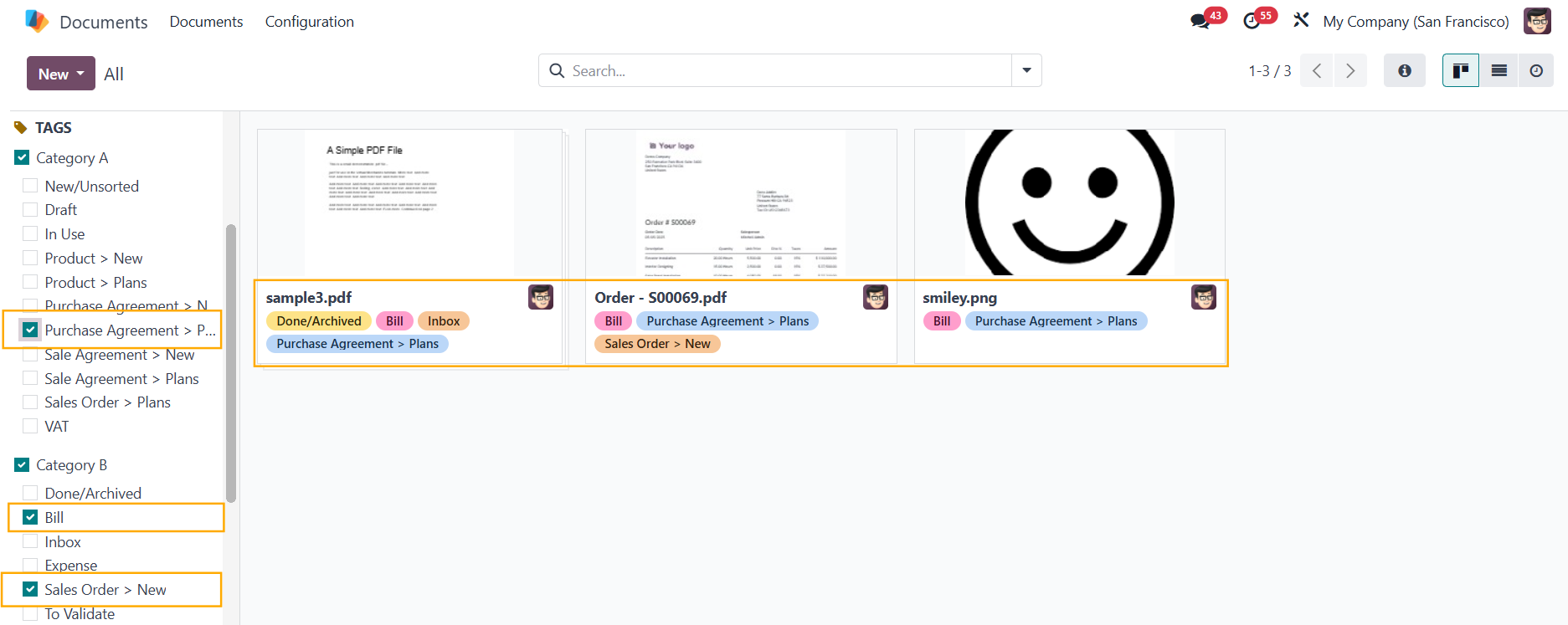 |
AUTOMATIC TAG ASSIGNMENT Select a/some tag(s) that you want to assign to the new document > Upload the file and it will automatically have the tag(s) |
|