


Se rendre au contenu

Draft MO in MPS and Total quantity at view end

Show Draft MOs in MPS +Actual Column Provides a total summary for +Actual and +Suggested Replenishment
171,69 € 171,69 € (Hors taxes)
US$ 200,00 (Hors taxes)

  • Versions
Conditions générales
Garantie satisfait ou remboursé de 30 jours
Livraison : 2-3 jours ouvrables

ODOO'S FUNCTION

In standard Odoo MPS, only confirmed MOs appear in the +Actual column, excluding drafts used during planning. This can mislead users into thinking no progress is made since unconfirmed MOs don’t count. Odoo also lacks totals for +Actual or Suggested Replenishment, making it hard to review overall capacity or demand.


CLUEDOO'S FUNCTION

The fal_mps_mo_ext module improves MPS by:

✅ Including both Draft and Confirmed MOs in +Actual.

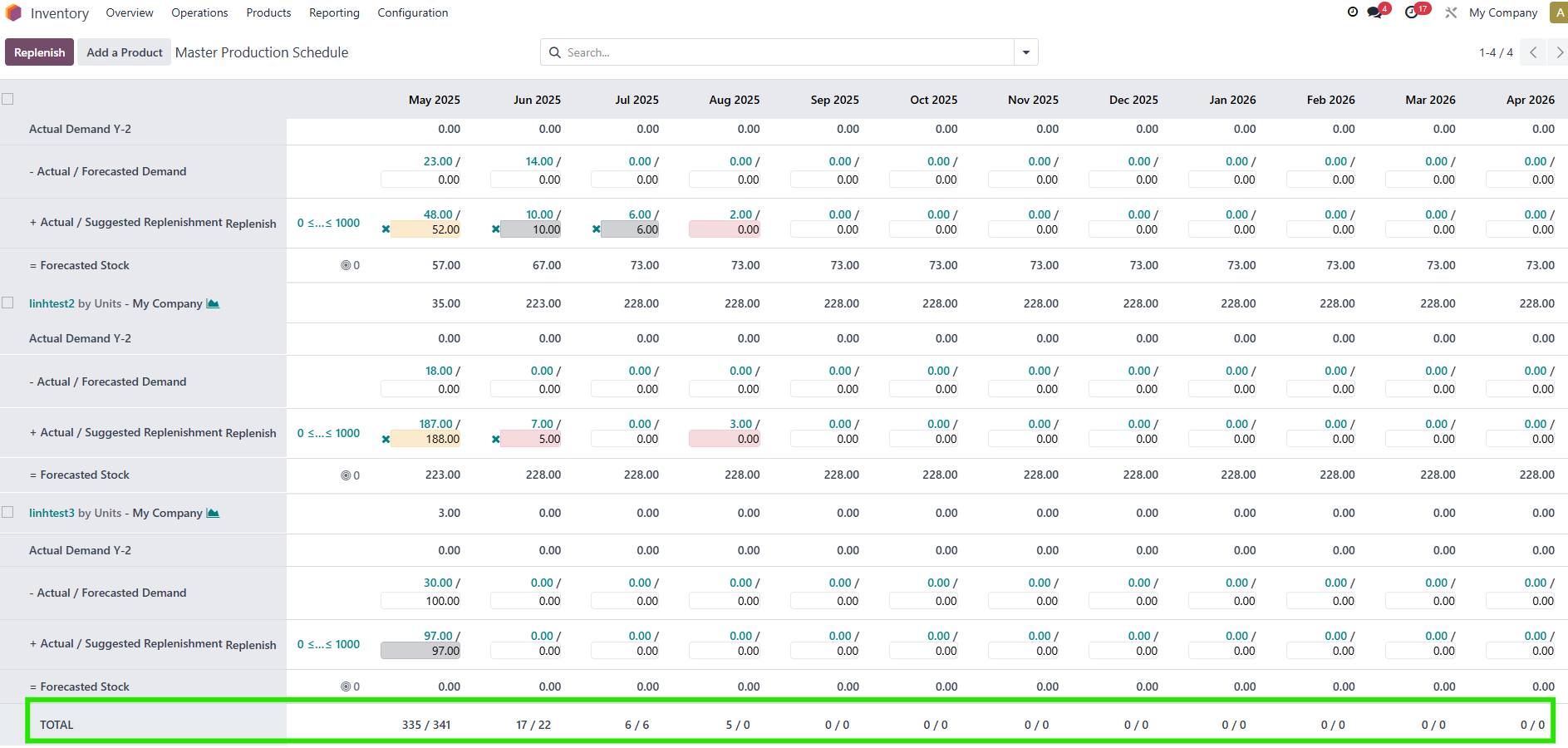
✅ Adding totals for +Actual and Suggested Replenishment.

✅ Enhancing the wizard to show quantities for both MO types.

✅ Allowing filtering of Draft MOs by period.

✅ Giving a fuller view of planned vs confirmed production.


I. Include Draft and Confirmed MOs in +Actual

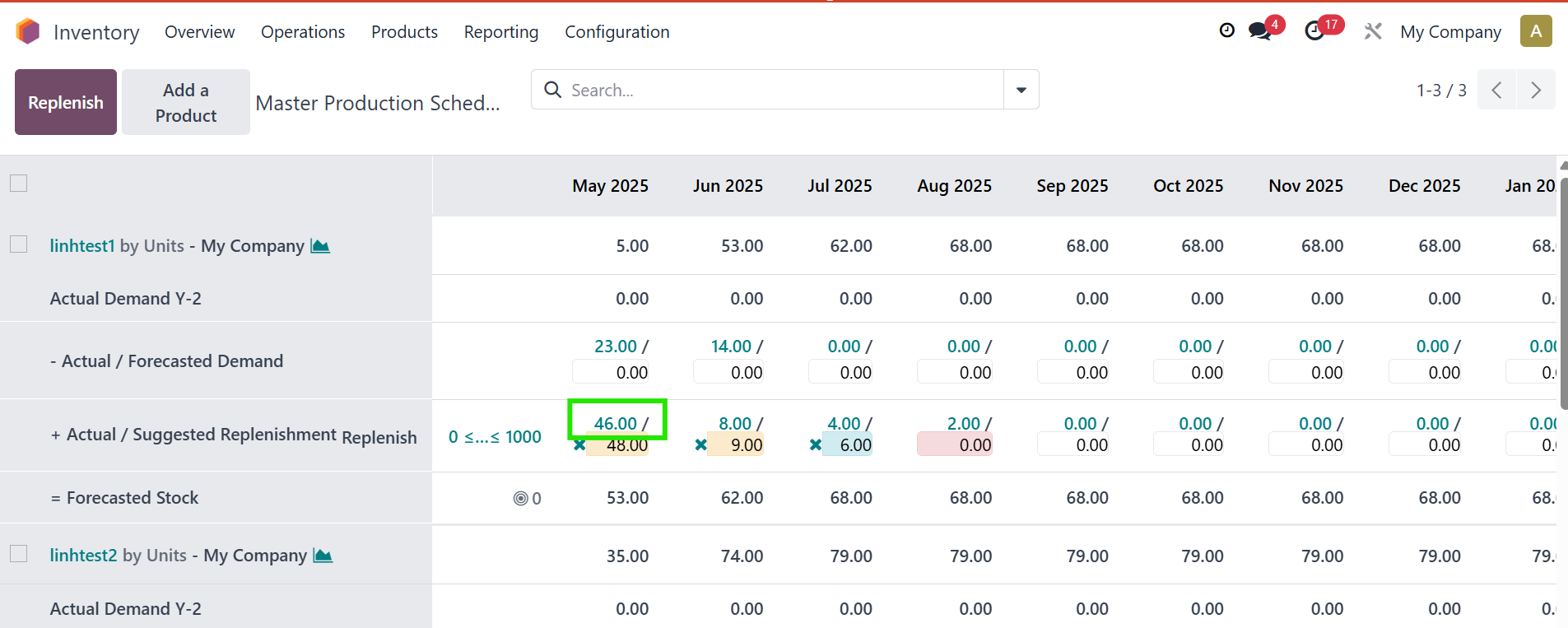
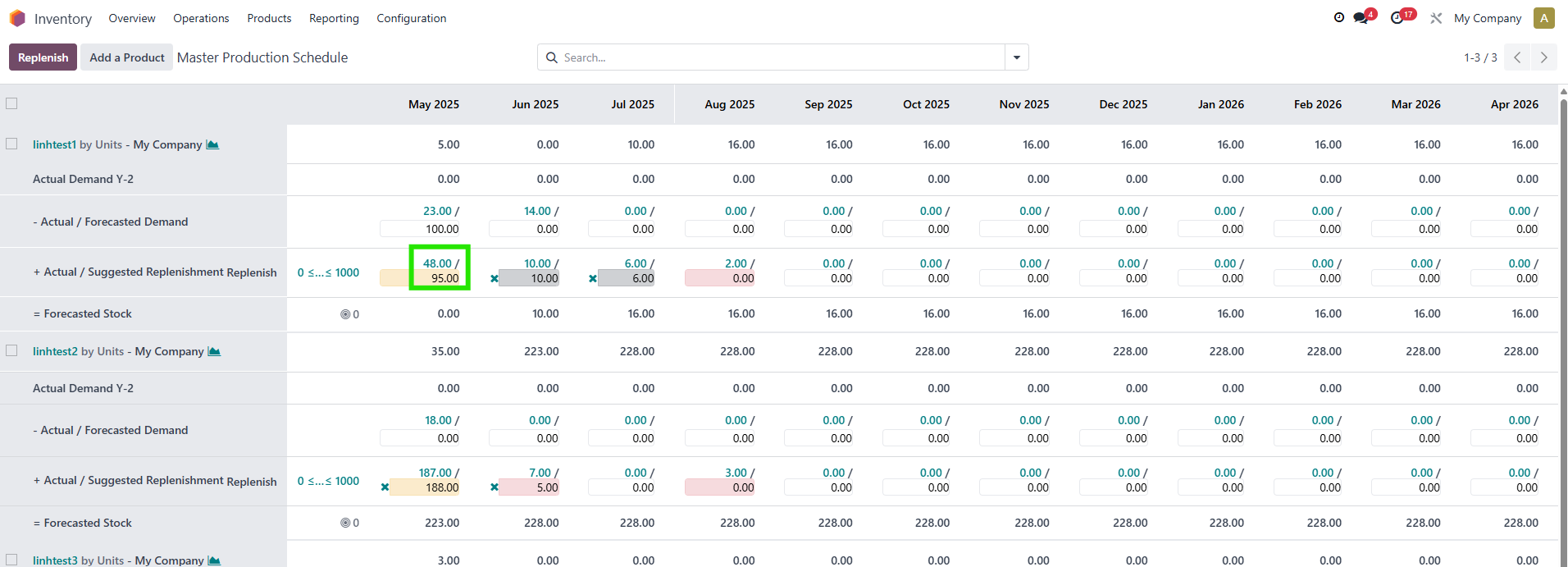
  1. Go to Manufacturing > Master Production Schedule from the main menu > You can see that both draft and confirmed MOs are included in +Actual/Suggested Replenishment

2. 
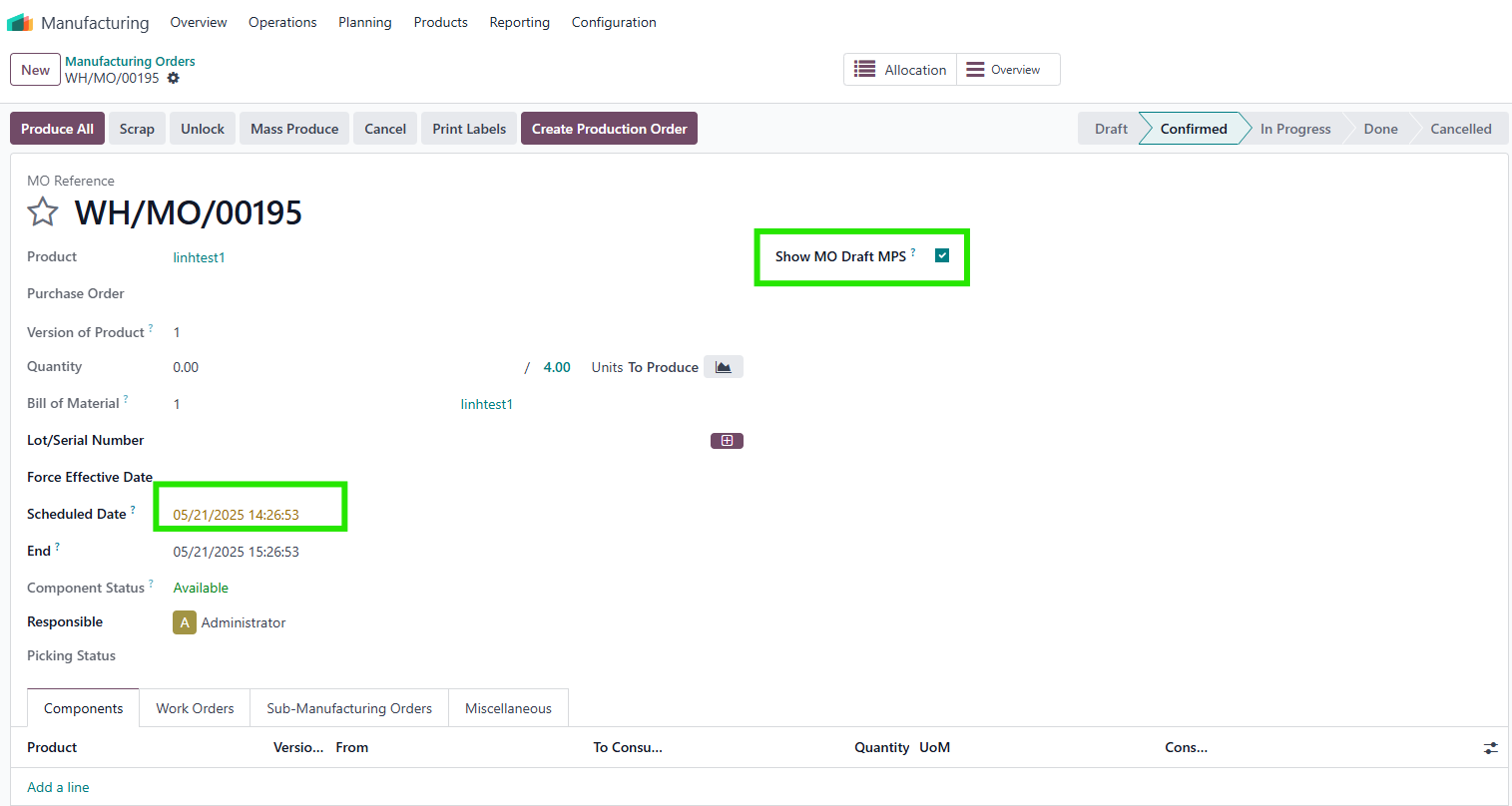
  • Create a Draft MO via Manufacturing > Manufacturing Orders > Create.
  • Set the schedule date to fall within the desired MPS period in past/current/future period (e.g., May 2025).
  • Enable the "Show MO Draft MPS" option (If you unable it, your MO will not be caculated in MPS)


3. Refresh the MPS view; draft MOs will now appear in the +Actual column for the scheduled period. 

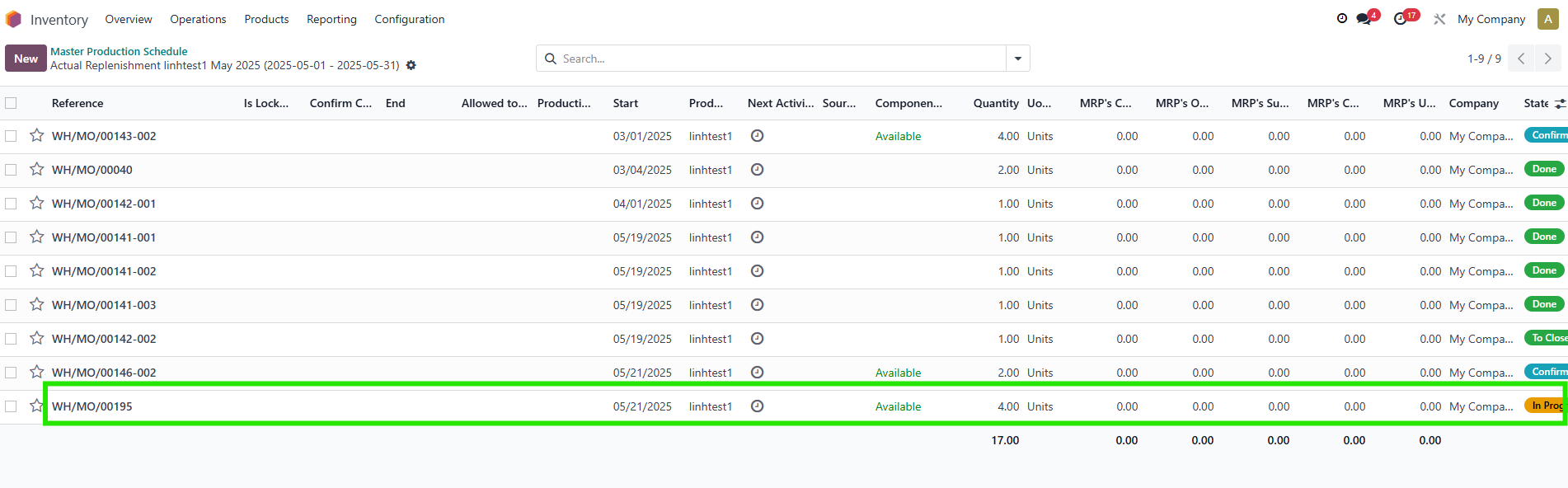
In the wizard:

  • Confirmed Manufacturing Order: Shows the total of confirmed MOs.
  • Draft Manufacturing Order (New): Shows the total of draft MOs.

Note:
  • If a draft MO (e.g., WH/MO/00046) with "Show MO Draft MPS" enabled is not counted, verify the schedule date aligns with the MPS period (e.g., 11/05 should count if within 1-31/05 week). Adjust the date if needed and recheck.
  • Clicking "Replenish" multiple times creates only one RFQ with the exact quantity
  • Replenish rule: If Demand is 50, On Hand is 6, and Actual is 25, replenishing creates an RFQ/MO for 19 (50 - 6 - 25), and Actual updates to 44.


II. View Total Summary at the Bottom of MPS

  1. Scroll to the bottom of the MPS view to see Actual and Suggested Replenishment Total

III. Customize Date Filters

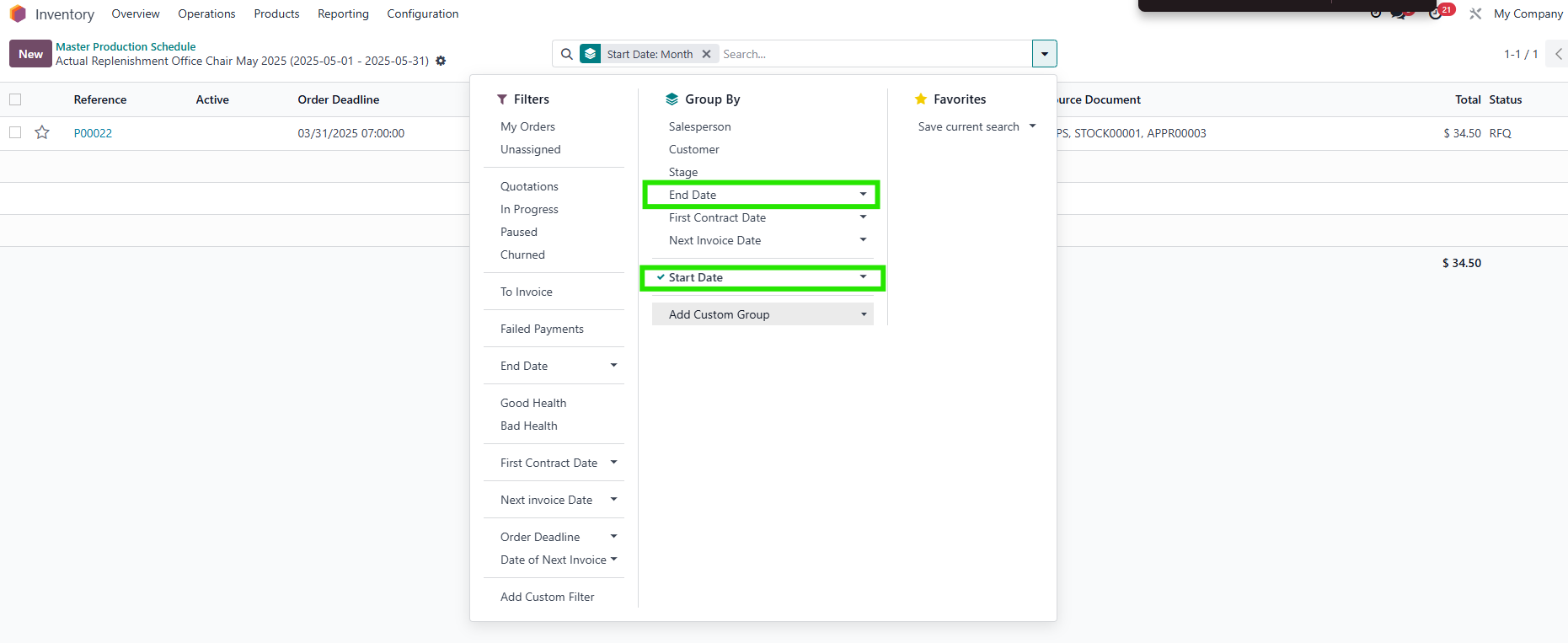
  1. In the MPS search bar, adjust "Date" to "Start Date" and "End" to "End Date" for precise filtering