



ODOO'S FUNCTION
By default, Odoo’s Master Production Schedule (MPS) does not provide any column that displays the total across all periods, and the Forecasted Stock line is shown in the same plain style as other lines. This makes it harder to quickly read overall figures and to visually distinguish the key stock level information in the grid.
CLUEDOO'S FUNCTION
Cluedoo enhances the standard MPS by:
1️⃣ Adding a new column at the beginning of the view that automatically calculates and displays the total of all period columns.
2️⃣ Visually highlighting the Forecasted Stock line so it clearly stands out from other lines, making stock levels easier to spot and interpret at a glance.
Go to Manufacturing > Planning > Master Planning Schedule > We can see the "Total Quantity" column which is the total of all columns behind. | 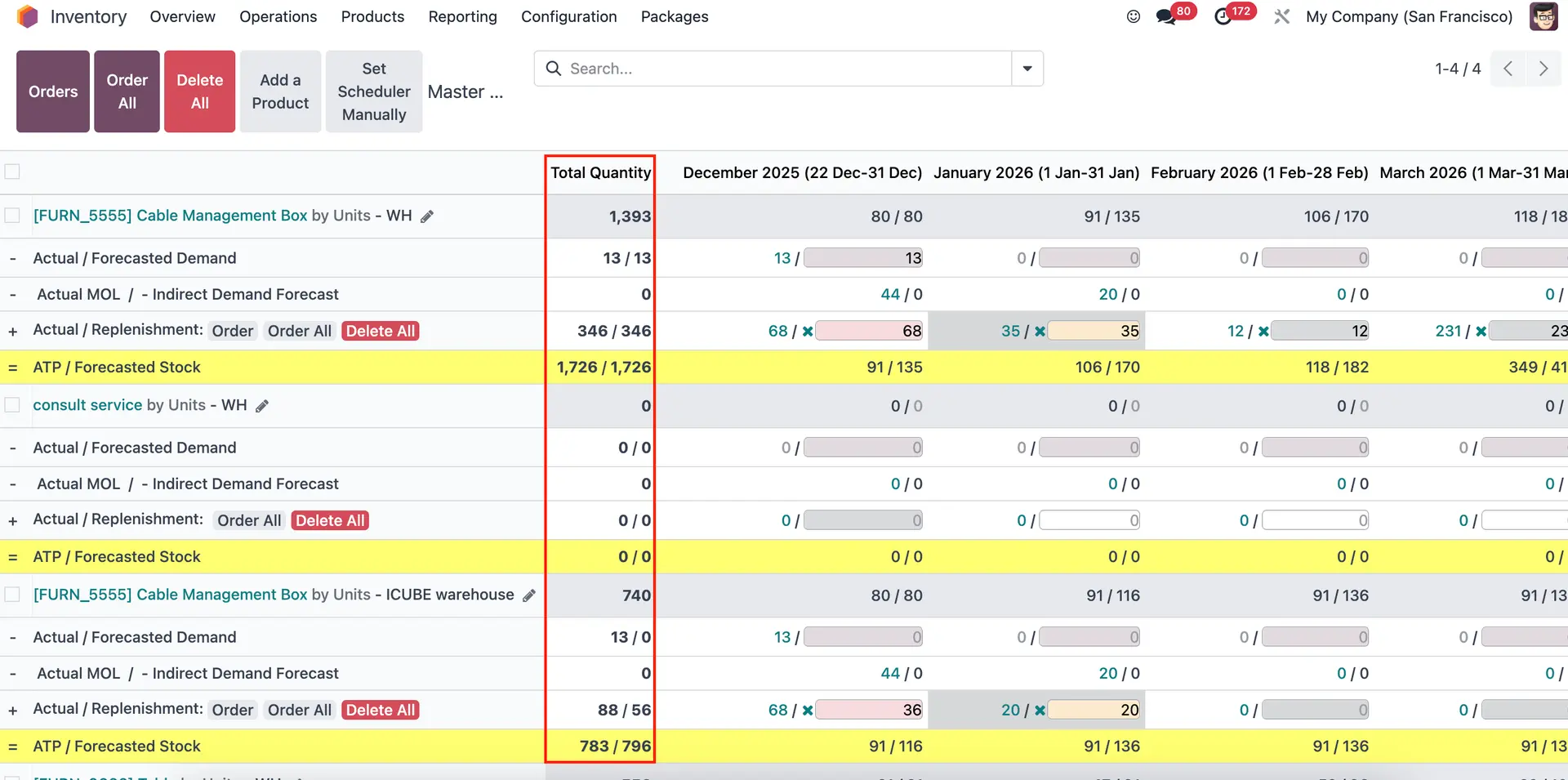 |
Note: Forecast Stock line is highlighted. | 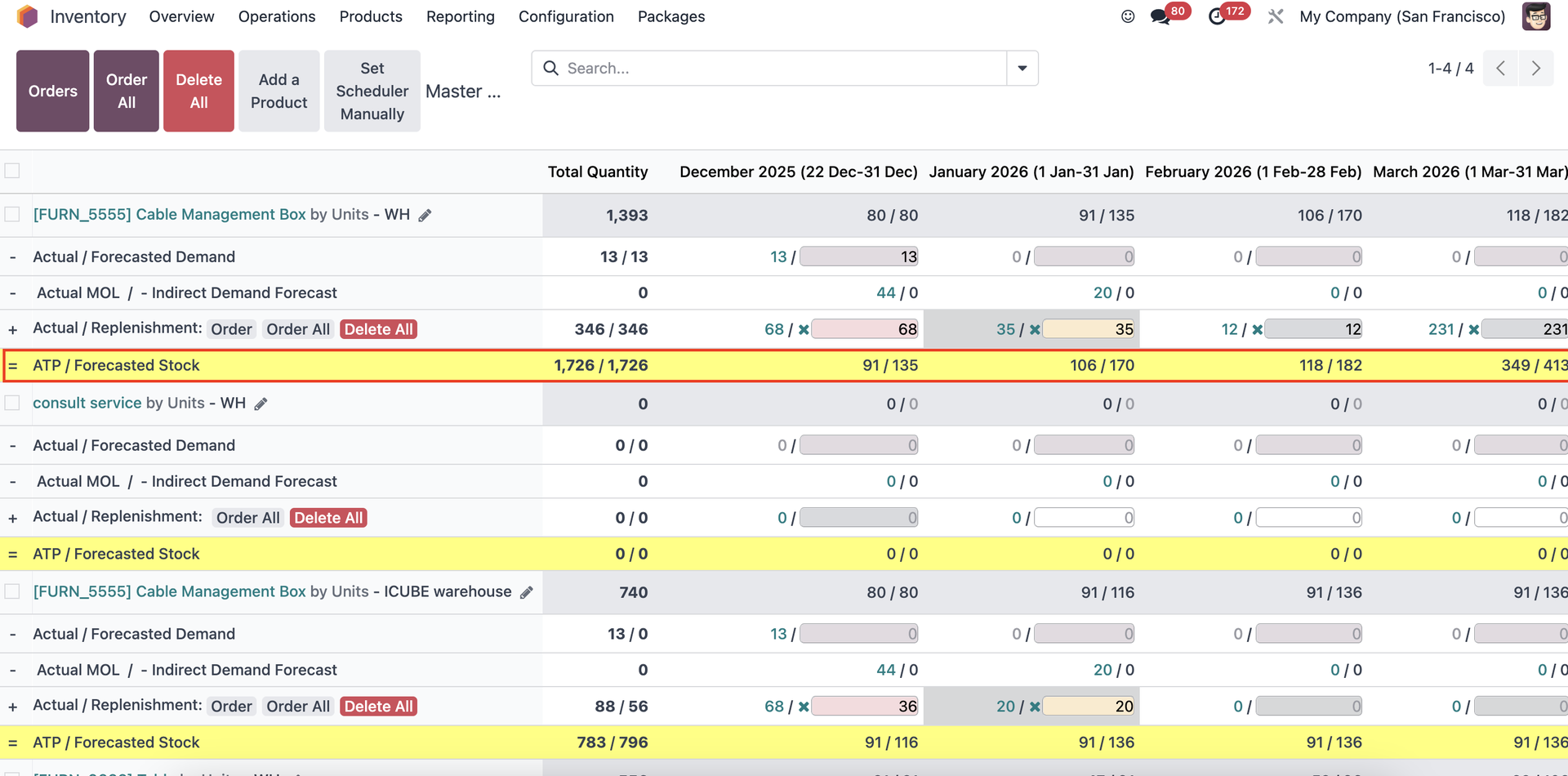 |