ODOO'S FUNCTION
Odoo does not filter product availability by order context, meaning all active products can be selected on any order regardless of its order type.
CLUEDOO'S FUNCTION
CLuedoo now allows users to control which products appear based on the Sales and Purchase order type. By assigning an order type to a product, user can ensure that only the right products show up at the right time - keeping your sales and purchase workflows clean and focused.
1. Navigate to Products, then open any product template > A new tab labeled Order Types will appear in the product form. Under this tab, fill in the Available Order Types field to specify which order types this product belongs to. | 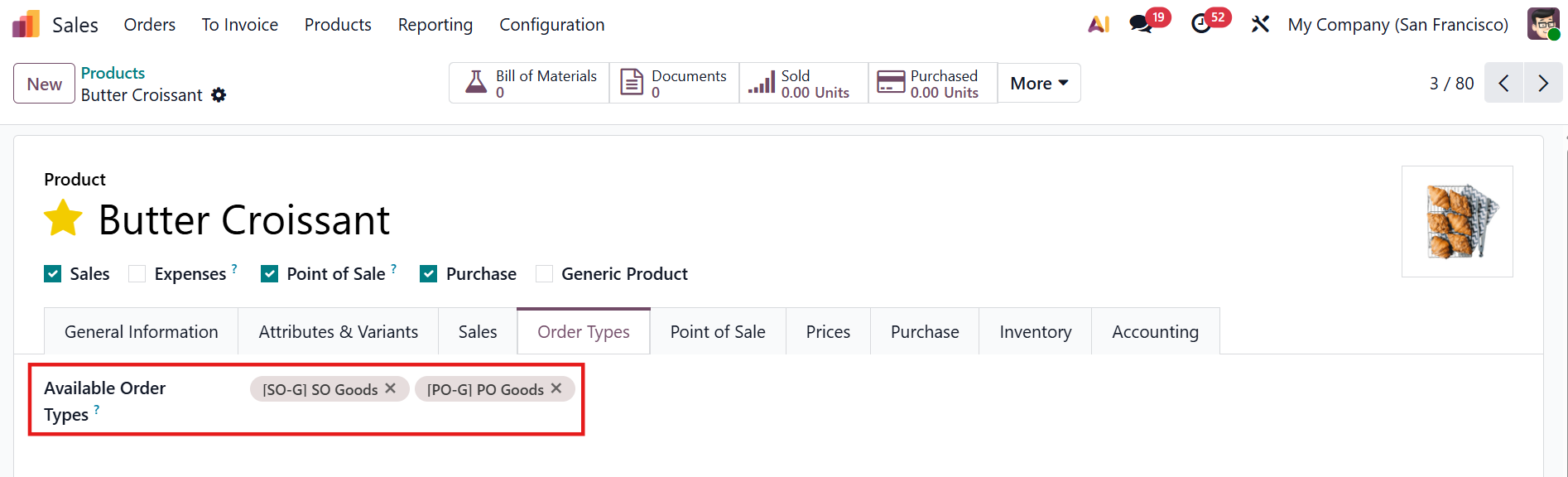 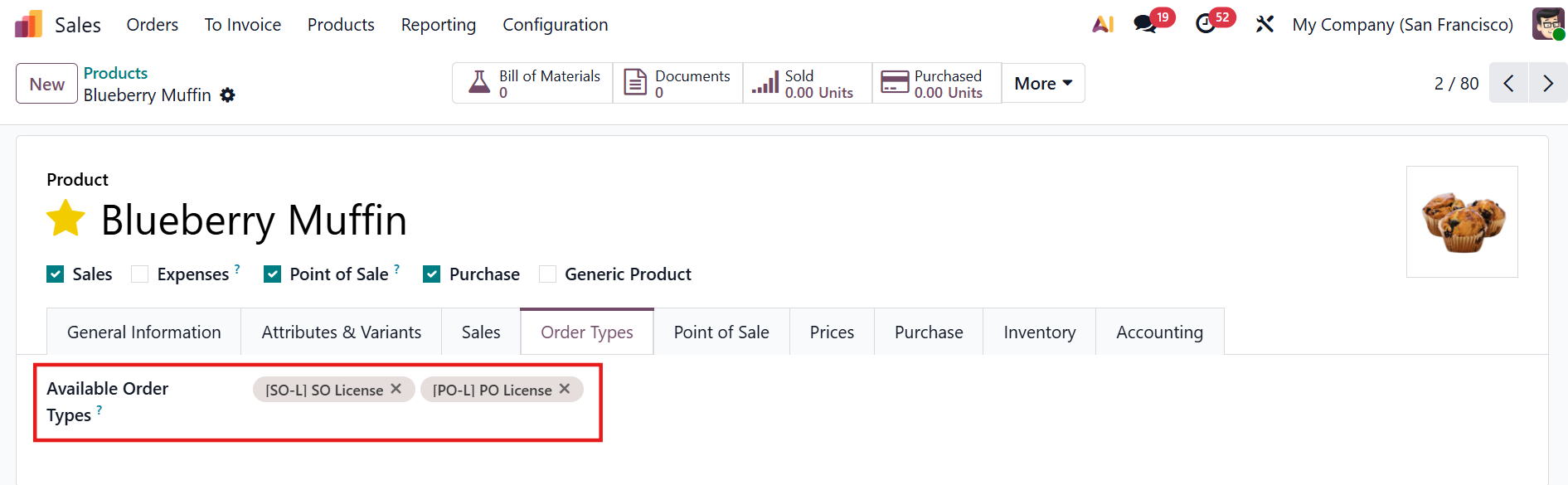 |
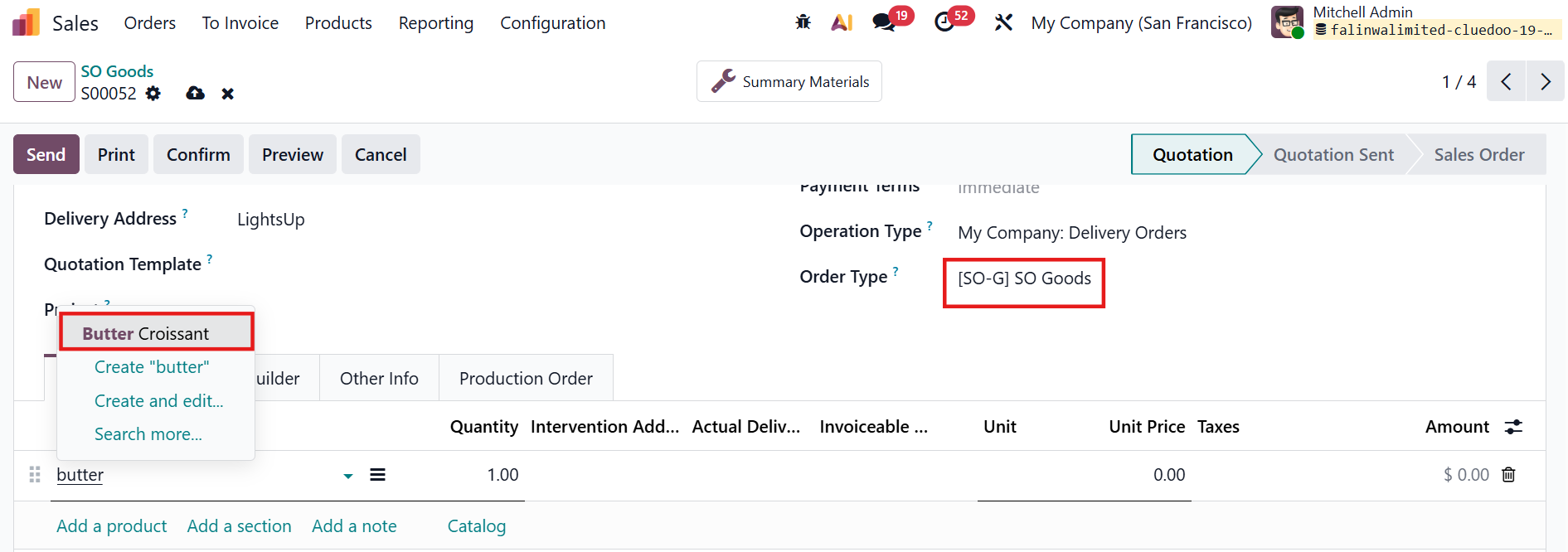
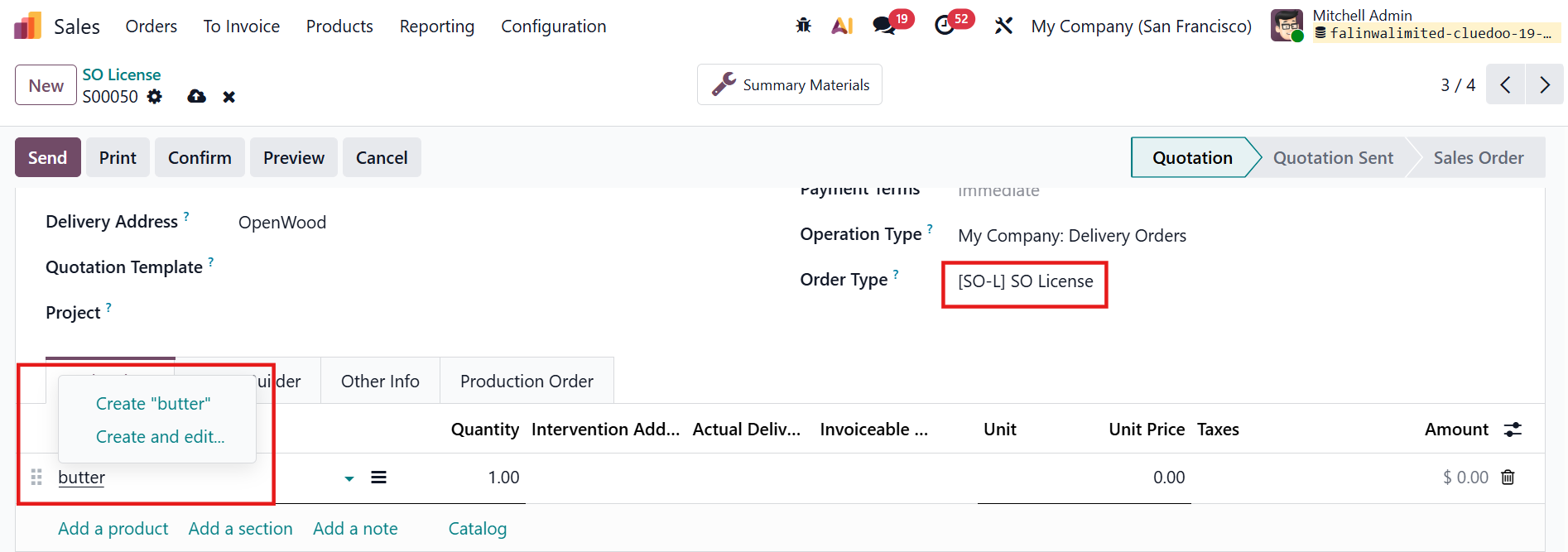
2. Create a Sale Order/Purchase Order If an Order Type is set, only products assigned to that type and products without order type setting can be selected For example, the product Butter Croissant is assigned to the [SO-G] SO Goods order type. It will only availbale when the Order Type is set to [SO-G] SO Goods. On an [SO-L] SO License order type, it will not be available. |
|
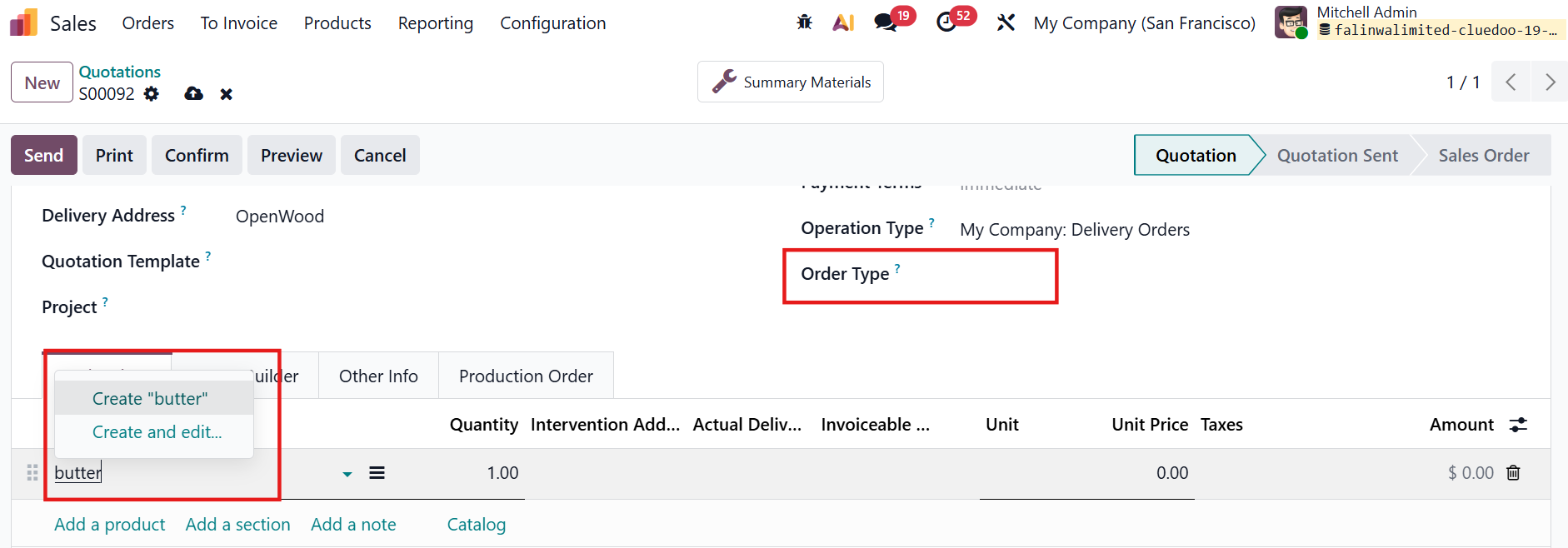
If no Order Type is set, all products can be selected except those dedicated to specific order types. |
|