



ODOO'S FUNCTION
The cost of BOM (Bill of Materials) is available in 3 clicks from the product form view, and is not easy to compare to the cost price and the sales price.
CLUEDOO'S FUNCTION
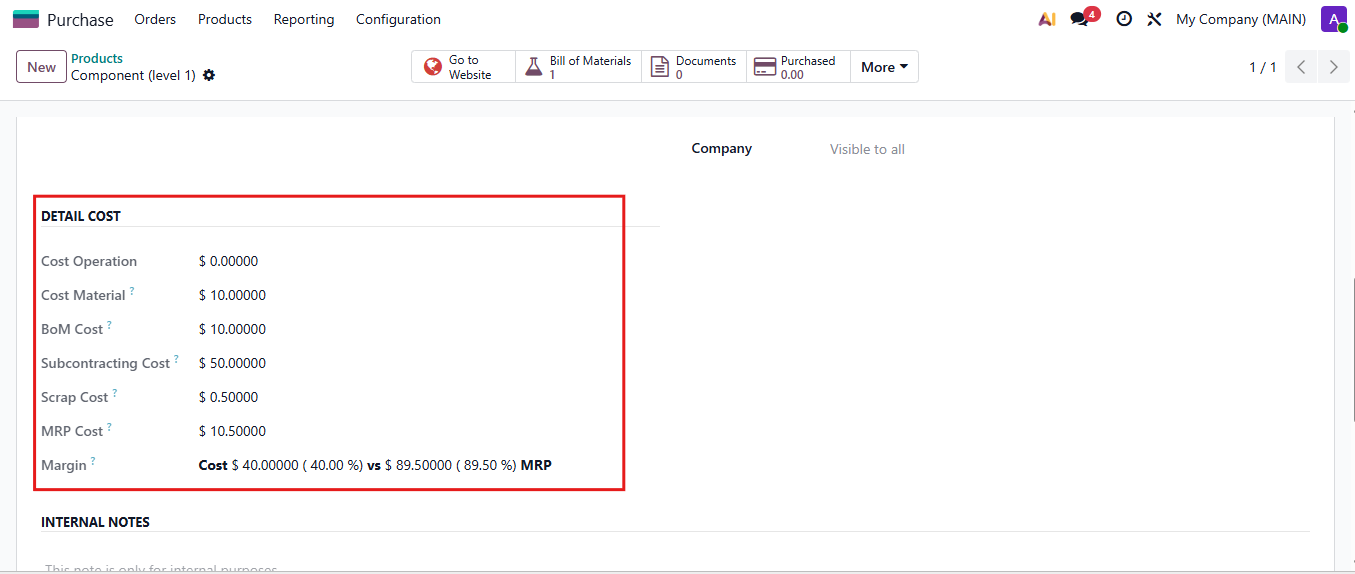
The cost of BOM from the default BOM is given on the product form view. There is a a direct link to the Overview of BOM. This gives the cost of BOM as a decomposition of: [Cost of material - Cost of operation - Cost of scrap], which then computes the margin (in value and in %) of the product based on the Cost of BOM.
1. The detailed cost of a product having a BoM will be shown on that product and its BoM Overview. Calculation:
|  |
2. Go to Sales - BoM - Choose product - Input scrap percentage value -
Then you can see cost of scrap in BoM overview pdf Note: - The Cost of Scrap and Total with Scrap will appear when having more than 1 quantity in the BoM overview - If a product has multiple BoMs, the “Cost Operation” displayed in the Detail Cost will be the sum of all operation costs across every BoM. Meanwhile, the “Cost Material” is calculated based on the product’s first BoM, and the Scrap Cost is also derived from the Scrap % defined in that first BoM. (first BoM means the BoM at the top of the list, not by created date) | 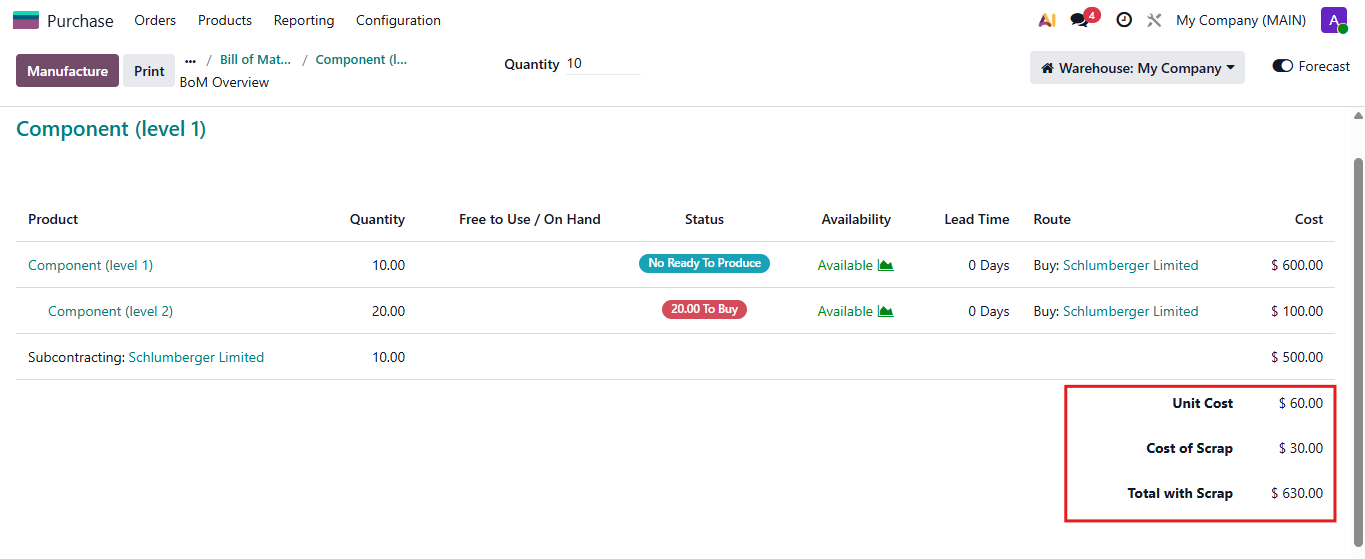 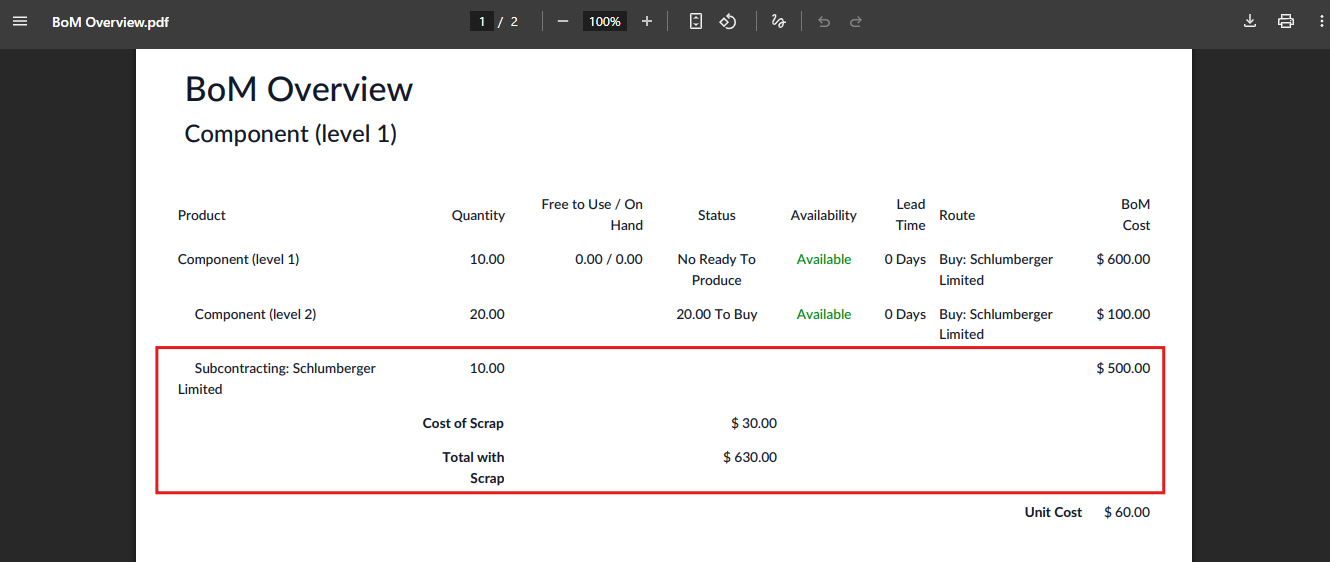 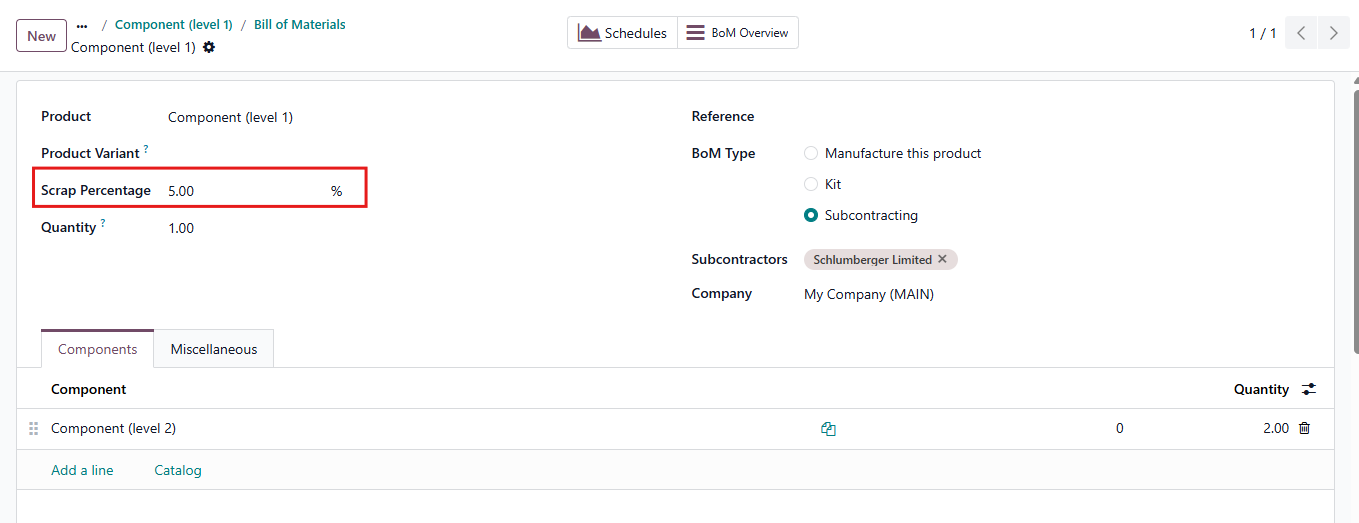 |