



ODOO'S FUNCTION
Odoo provides a solid foundation for managing employee salaries, including salary rules, structures, and payslip generation. However, Odoo lacks advanced customization options, such as dynamic, code-driven salary calculations or the ability to create highly tailored salary rule categories and structures with Python-based logic
CLUEDOO'S FUNCTION
With Cluedoo, users can create custom salary rule categories, define flexible salary structures, and implement Python code for dynamic computations (e.g., calculating values based on the current weekday). These improvements extend Odoo’s payroll functionality, enabling highly customizable, code-driven salary rules and seamless payslip generation, significantly enhancing flexibility and precision in payroll management.
1. Go to Payroll > Salary Rule Categories > Create a new Salary Rule Categories EX: Fill in 2 fields: - Name: Rule Category Test- Code: Category Test | 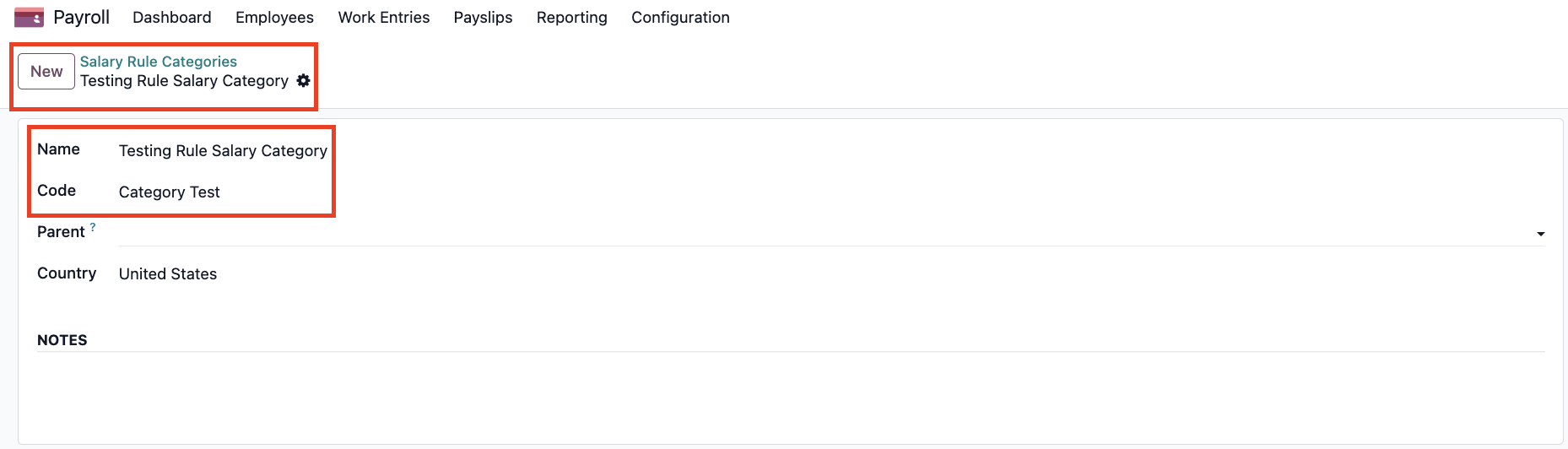 |
2. Go to Salary Structures > Create a new Salary Structure | 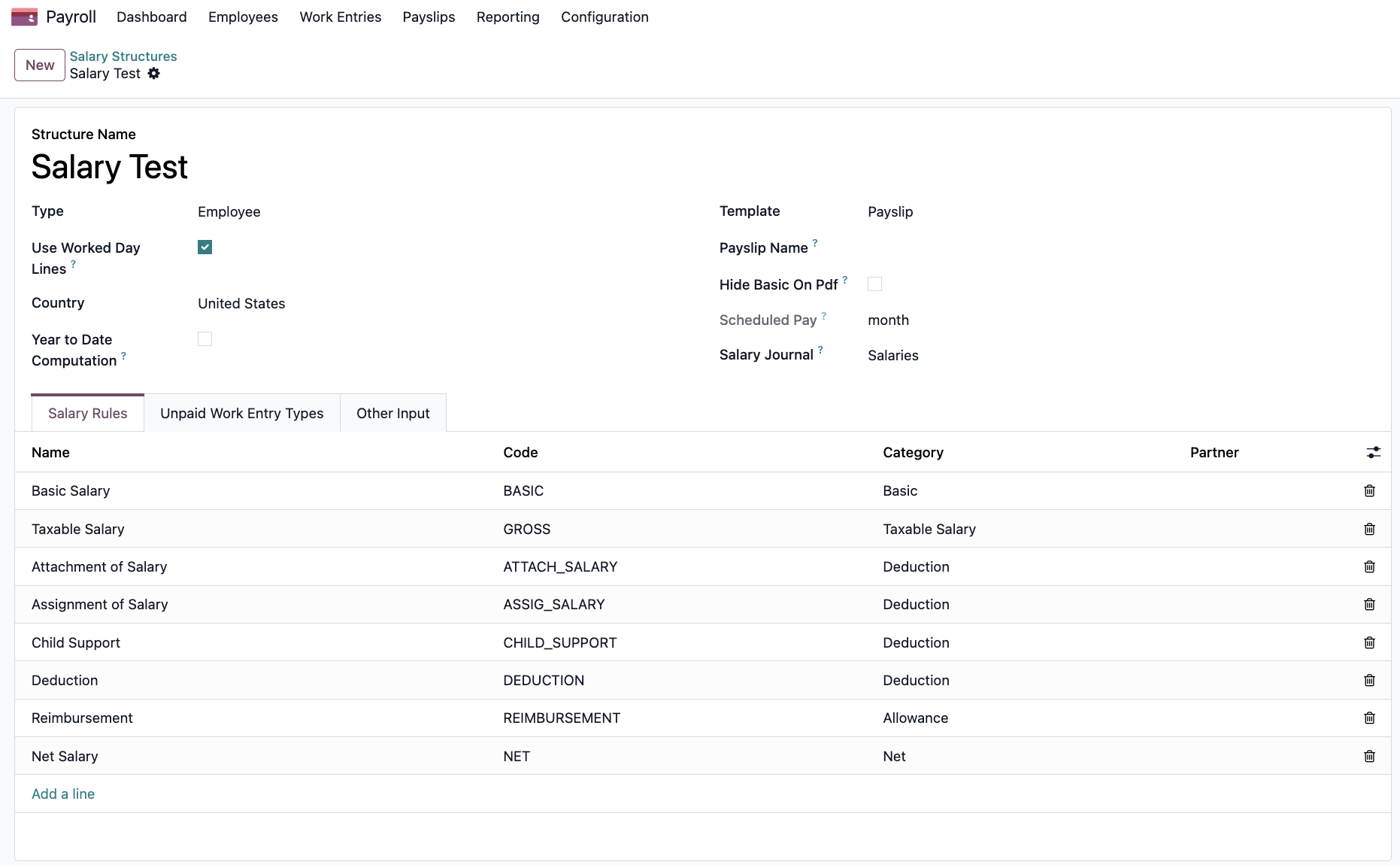 |
3. Go to Salary Rules > Create a new Rule EX: Fill in 3 fields: - Rule Name: Rule 1 - Category: Select the above-generated category (Rule Category Test) - Code: Rule 1 - Salary Structure: Select the above-generated salary structure (Salary Test) > In the General Tab, select Amount Type: Python Code > There will be a box to input Python code EX: Input: result = datetime.now().isoweekday() This code means that it will return the day of the week based on the current date and time + If today is Monday, result will be 1 + If today is Tuesday, result will be 2 | 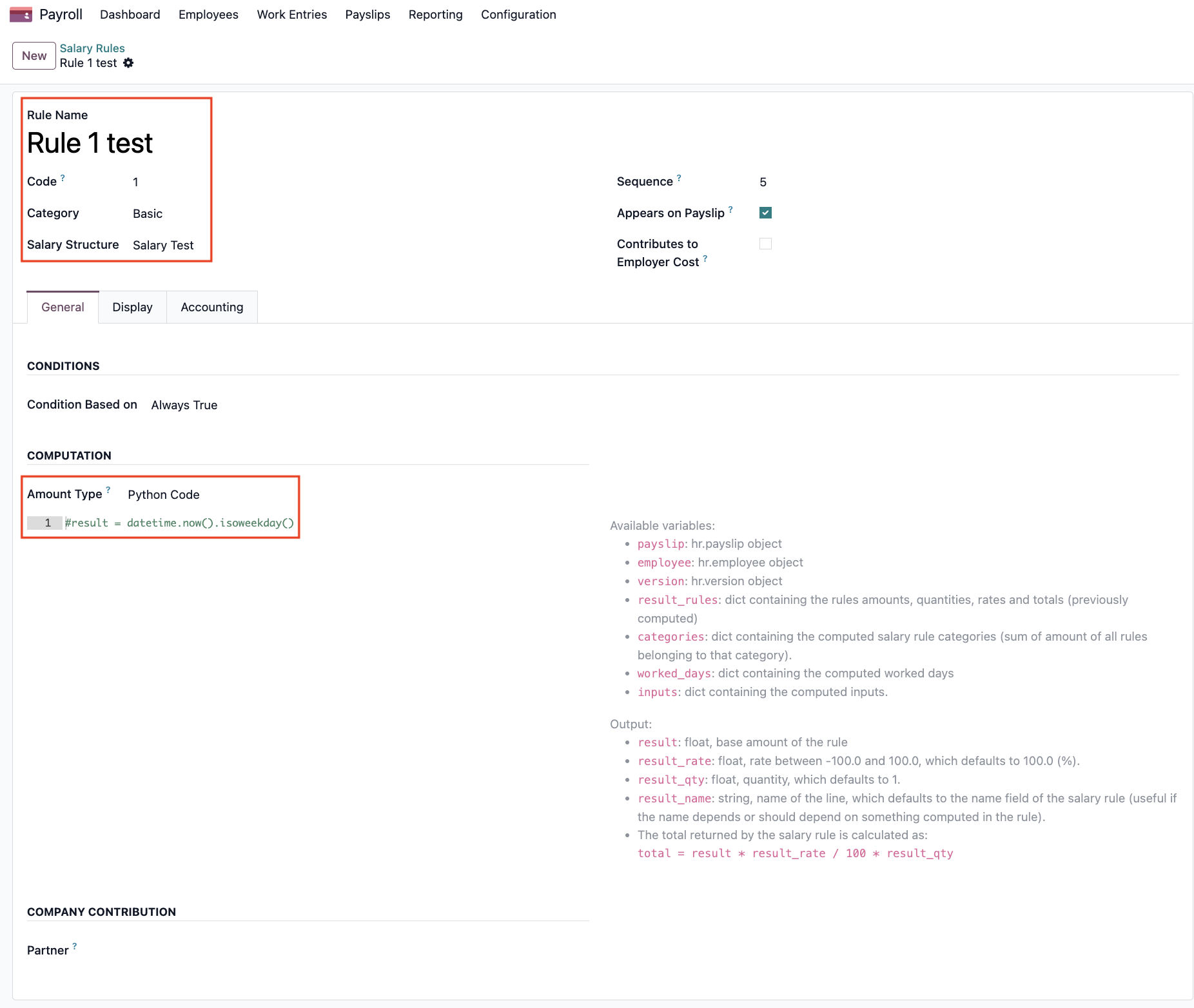 |
4. Go to Payslips to Pay > Create a new Payslip To Pay or Choose an existing one Note: in v19, Go to Payslips > Payslip > Create a new Off-Cycle or Choose an existing one Select the Structure field: Salary Test which we have just created > Click on Compute Sheet button > Move to Salary Computation Tab > Can see the result (Because today is Wednesday so the result is 3) | 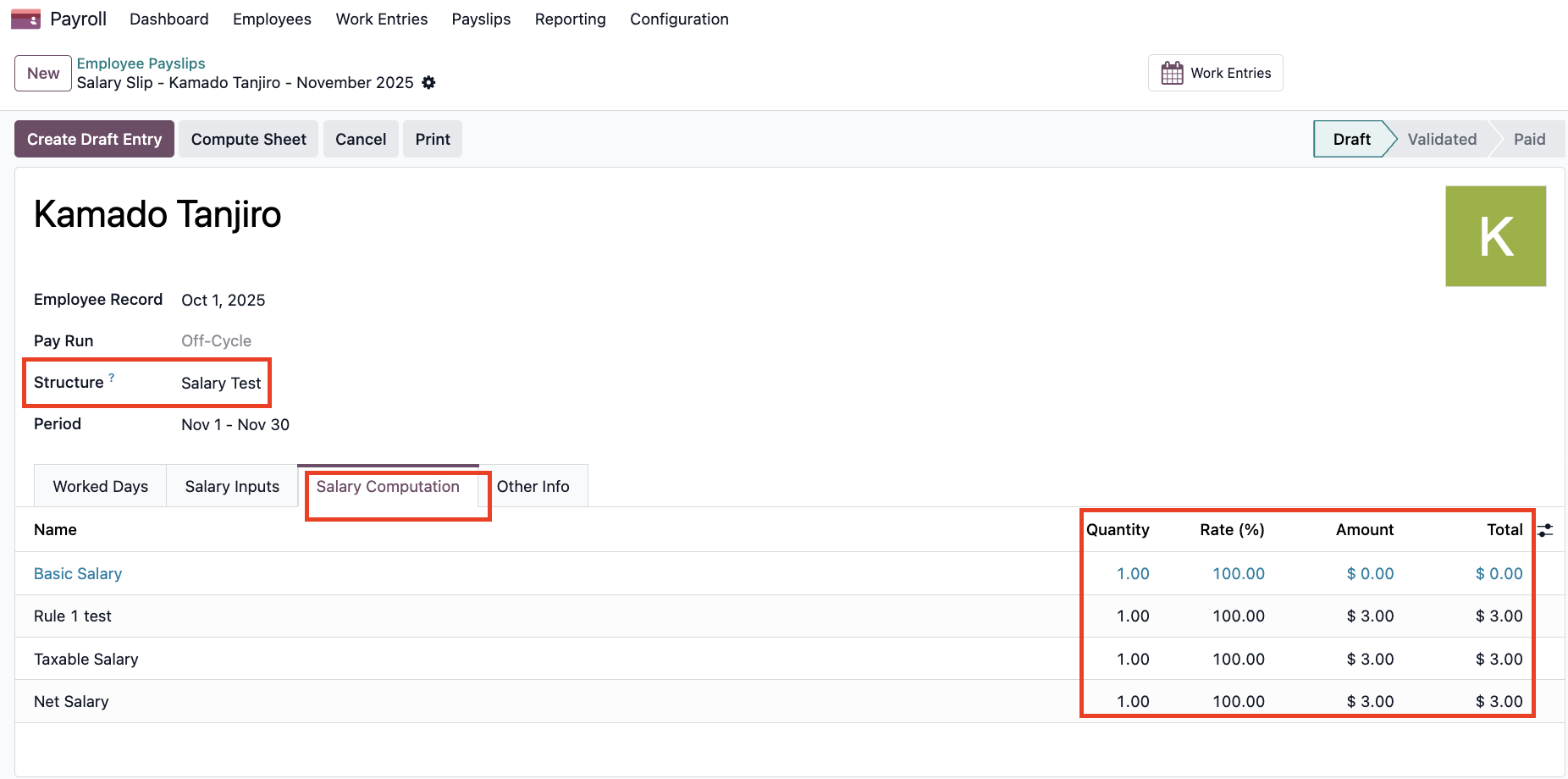 |
5. If we change the code to result = datetime.now().isoweekday() + 5 which will return
the current weekday number plus 5 > Today is Tuesday, the second day of the week so the result will be 2 + 5 = 7 | 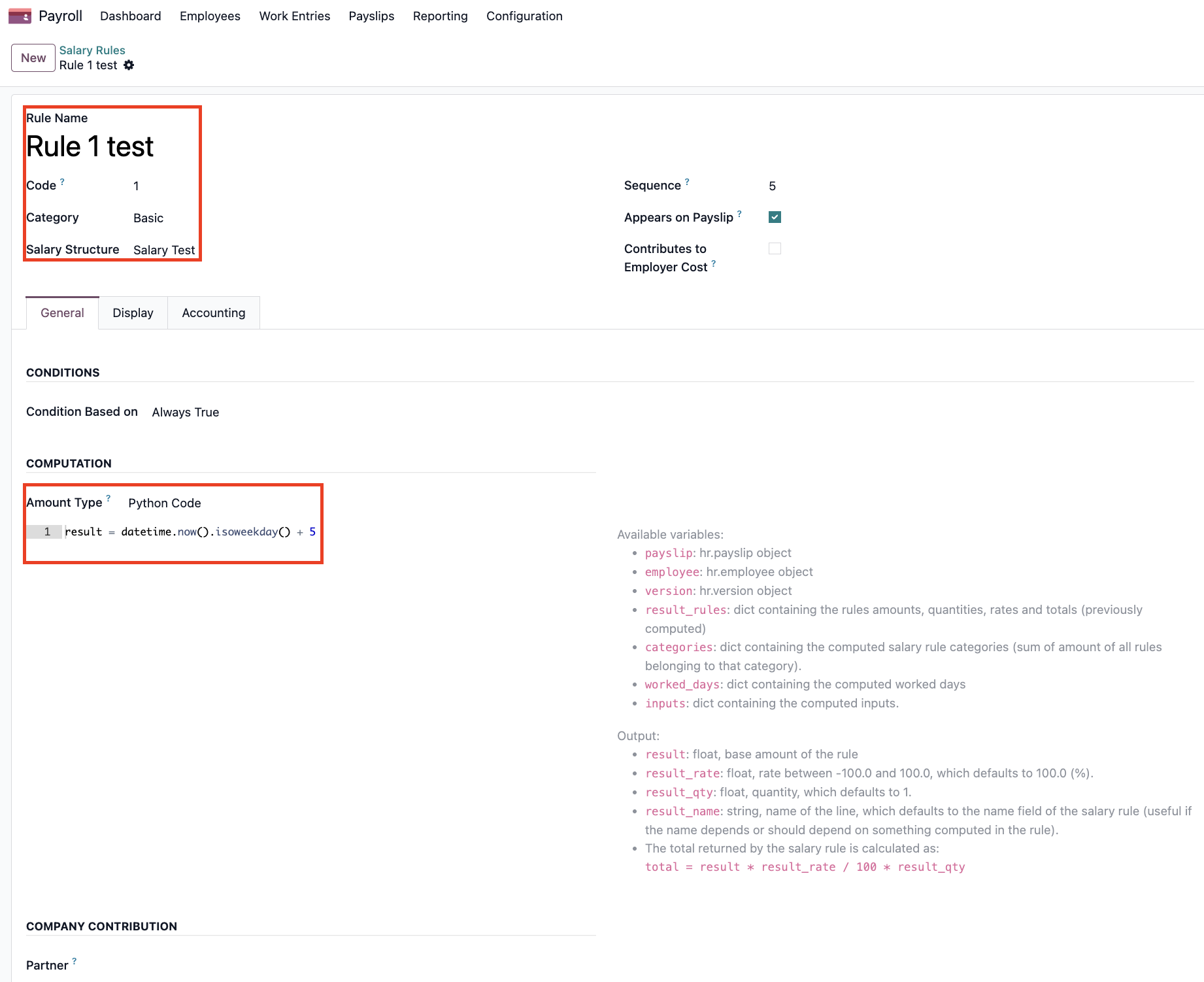 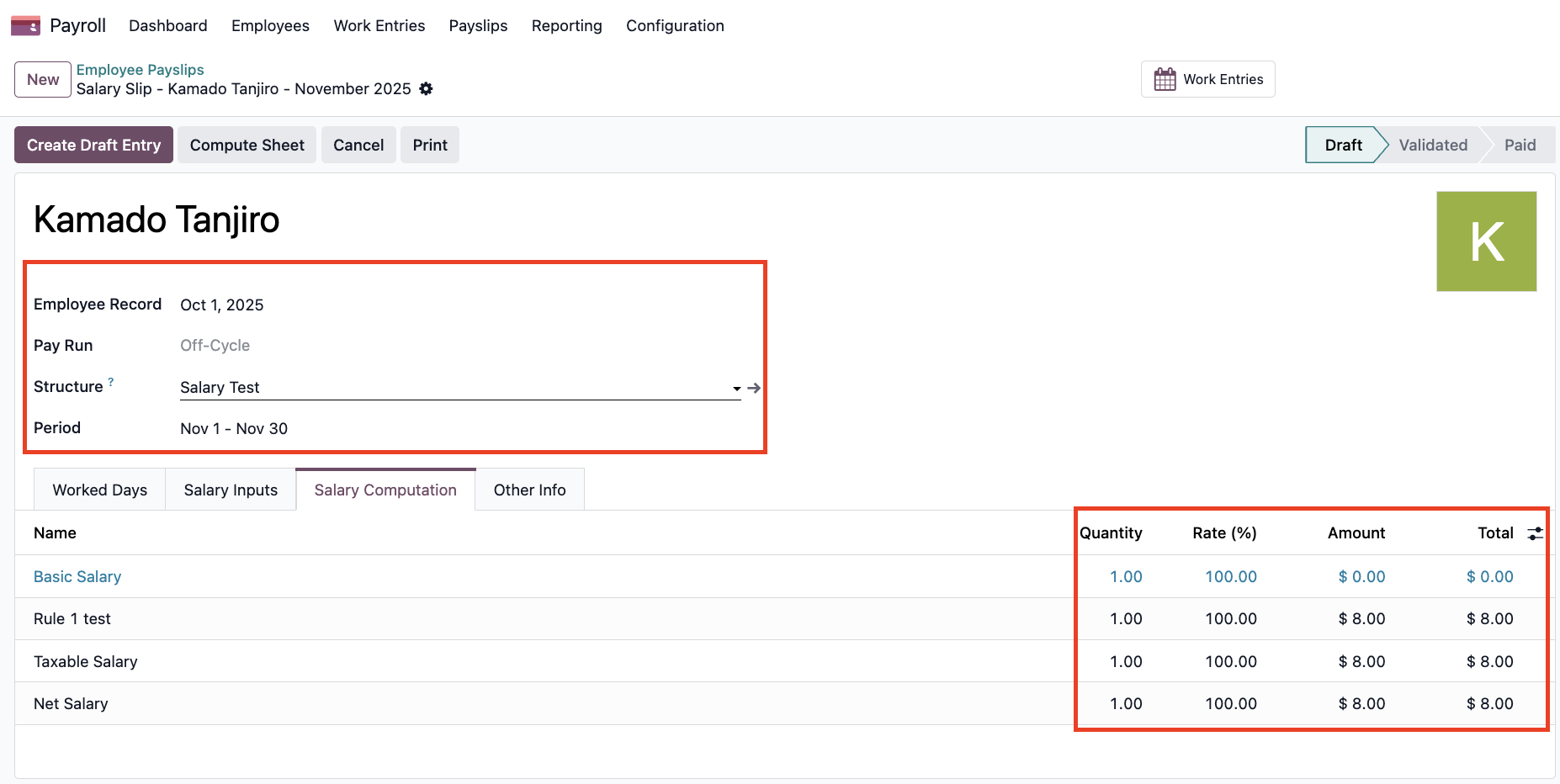 |