




ODOO'S FUNCTION
In standard Odoo, Purchase Orders automatically fetch the vendor price when a product is selected, based on vendor, product, currency, UoM, and quantity rules. However, this pricing logic is not applied on Blanket Order lines, so users must often enter or adjust the price manually.
CLUEDOO'S FUNCTION
CONFIGURATION | |
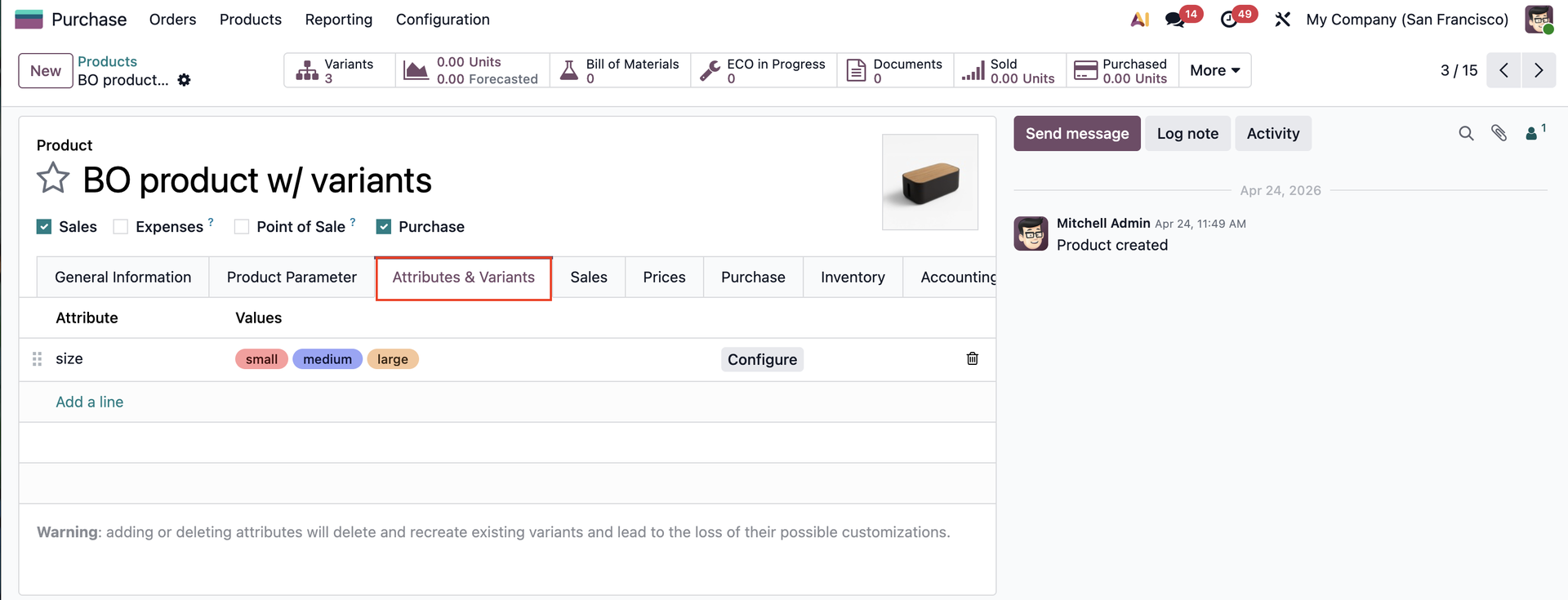
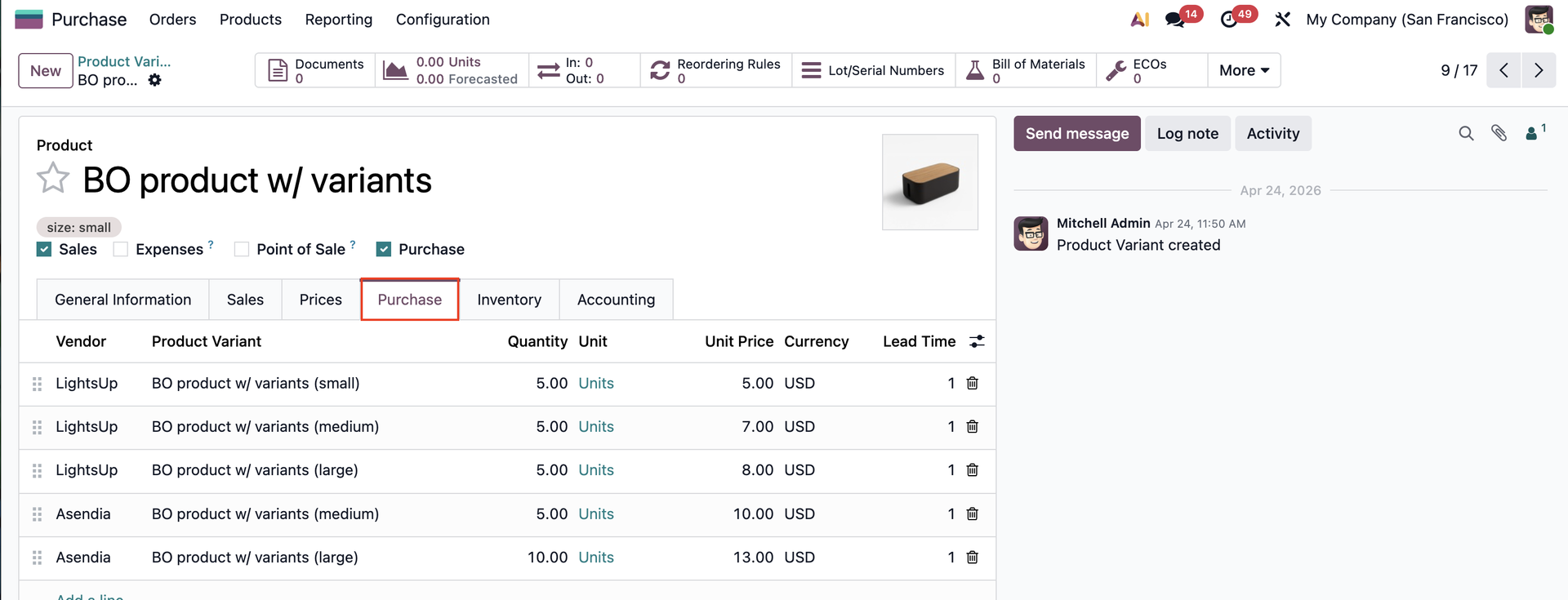
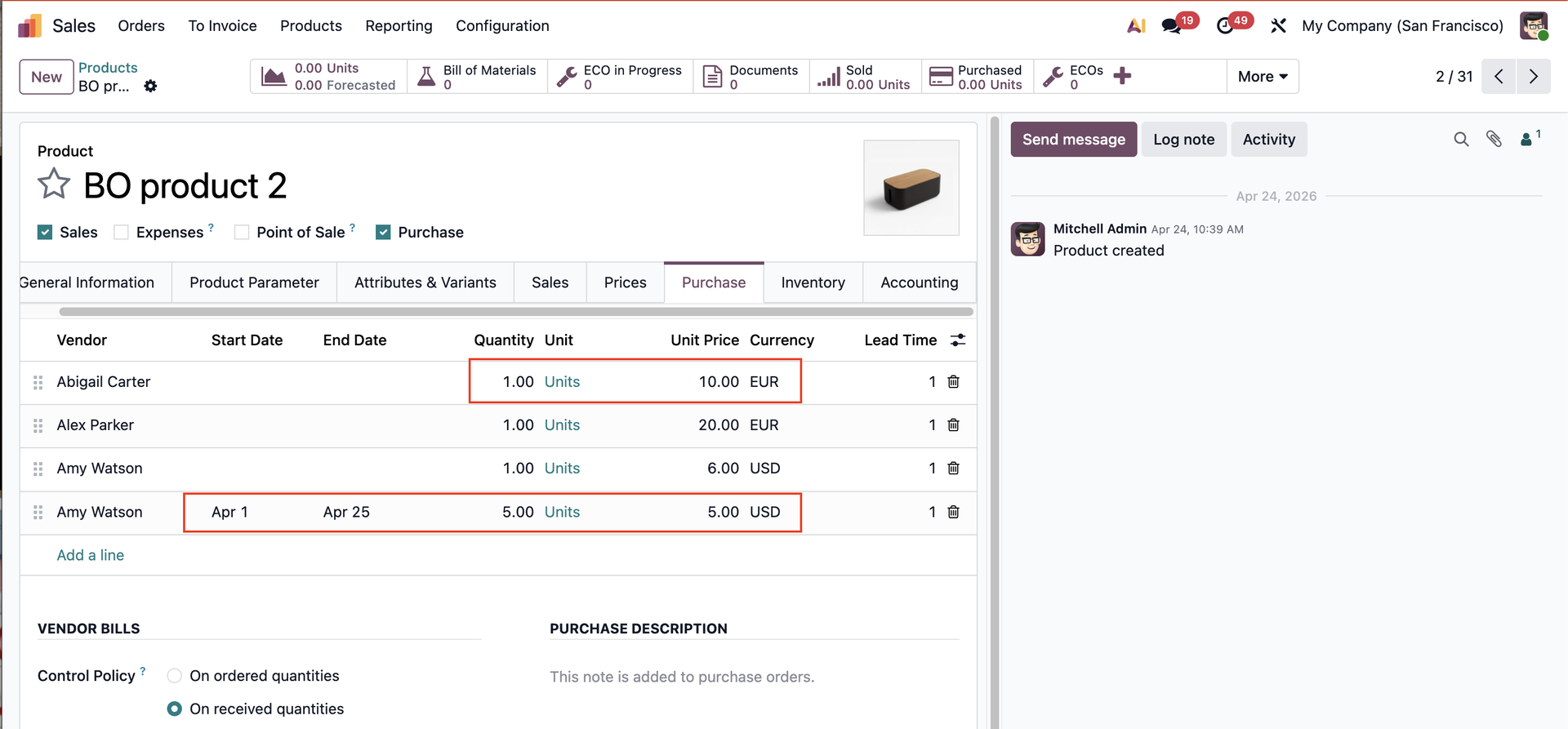
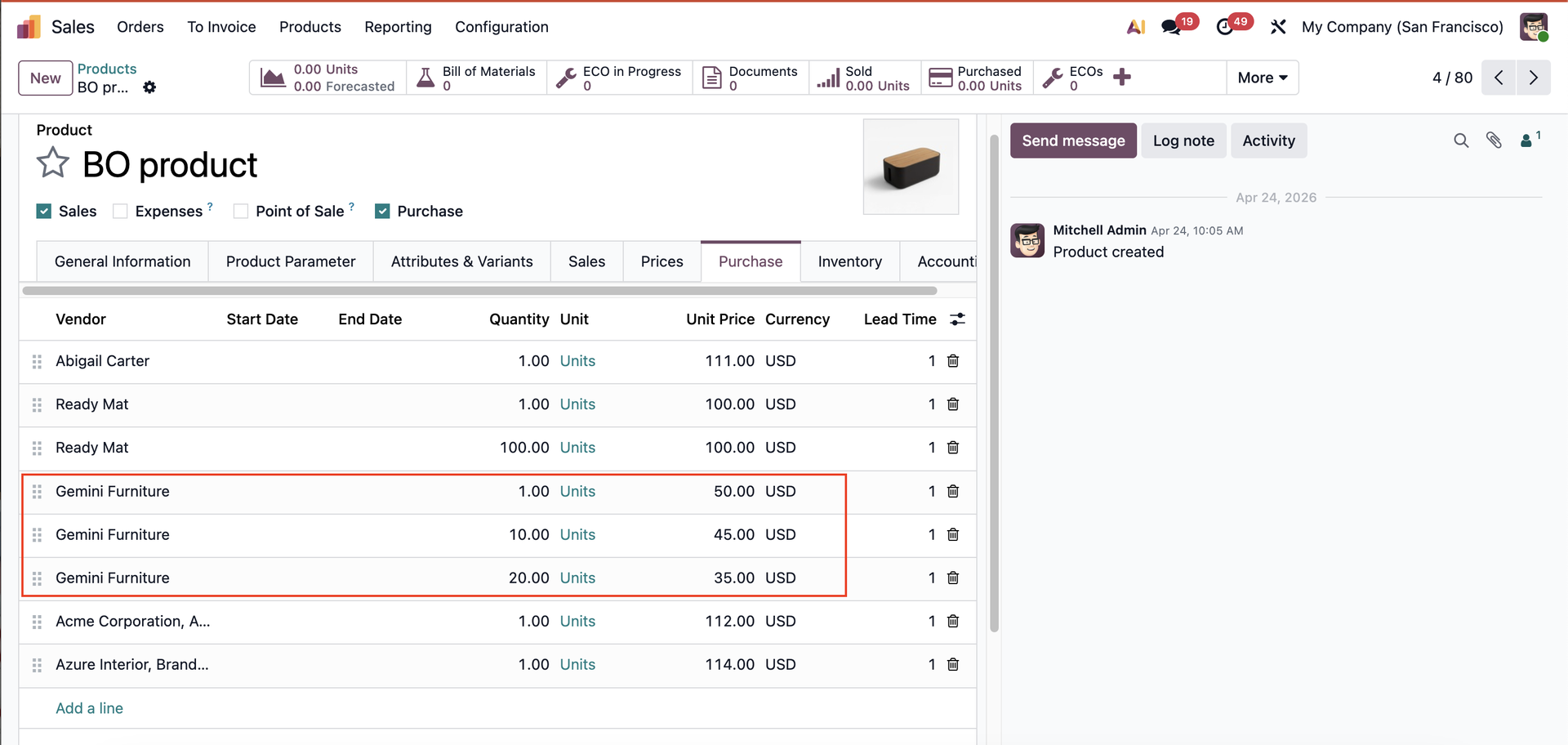
1. Go to Products and create a new product. Set up the product's cost. Under the Purchase tab, set up vendor pricelists. | 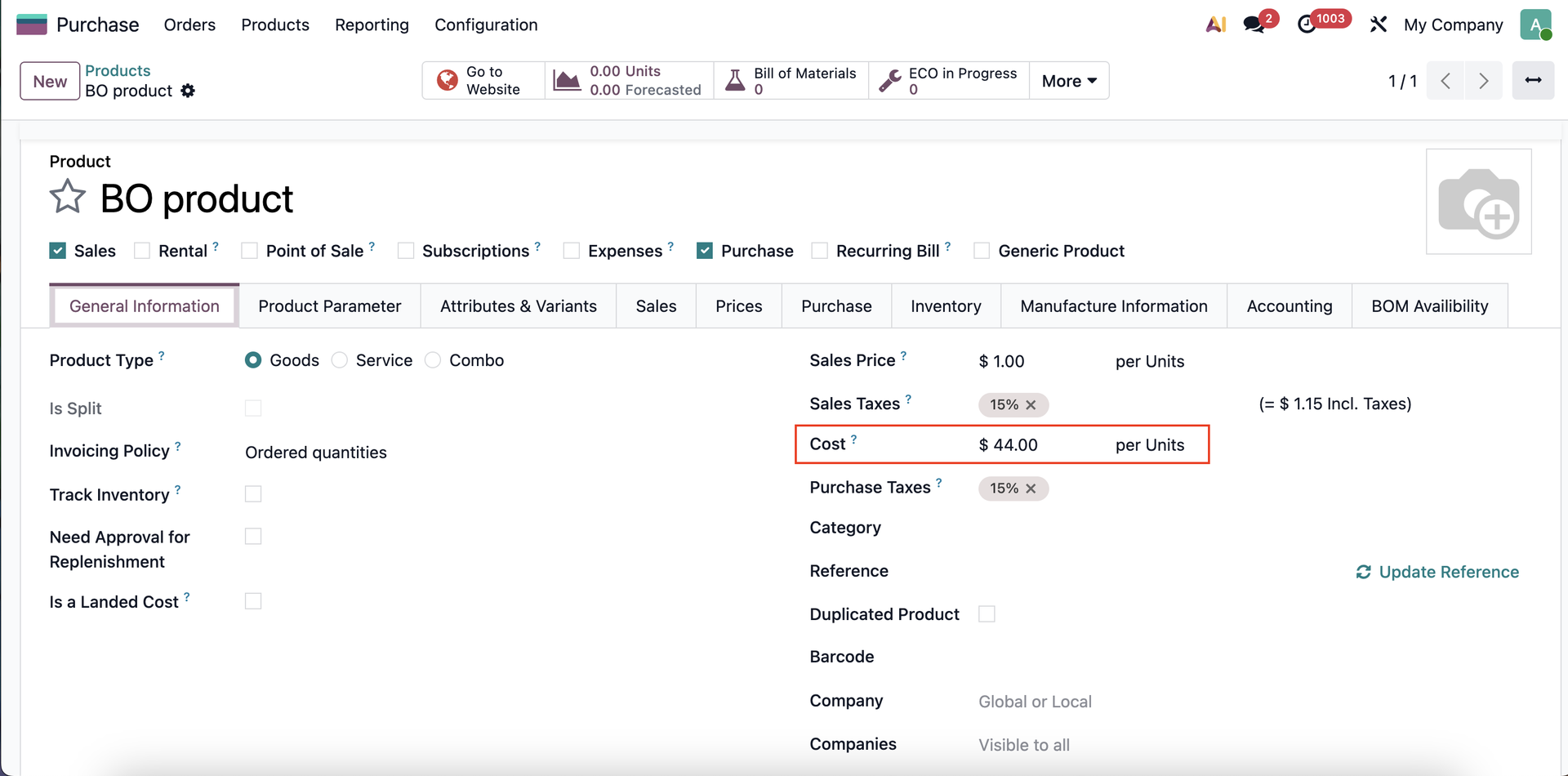 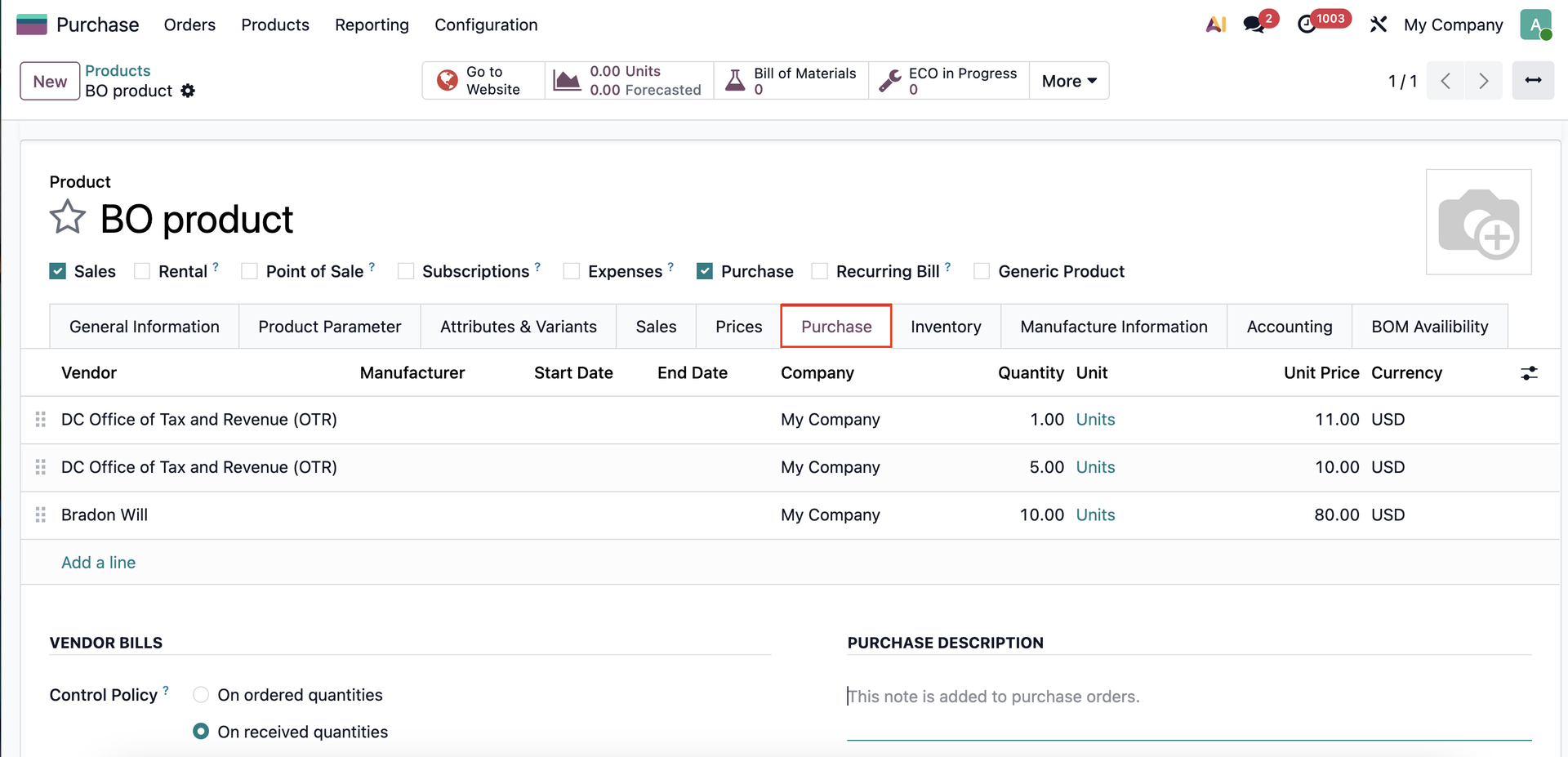 |
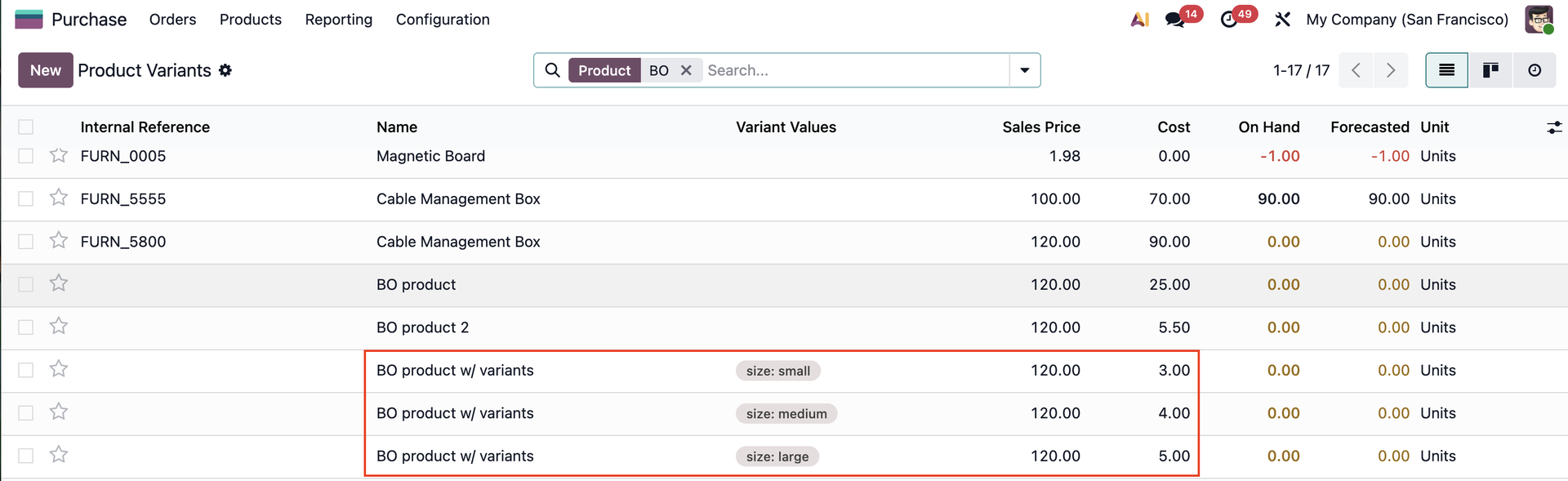
2. Set up product variants, vendor pricelists and cost for the product variants. |
|
USAGE | |
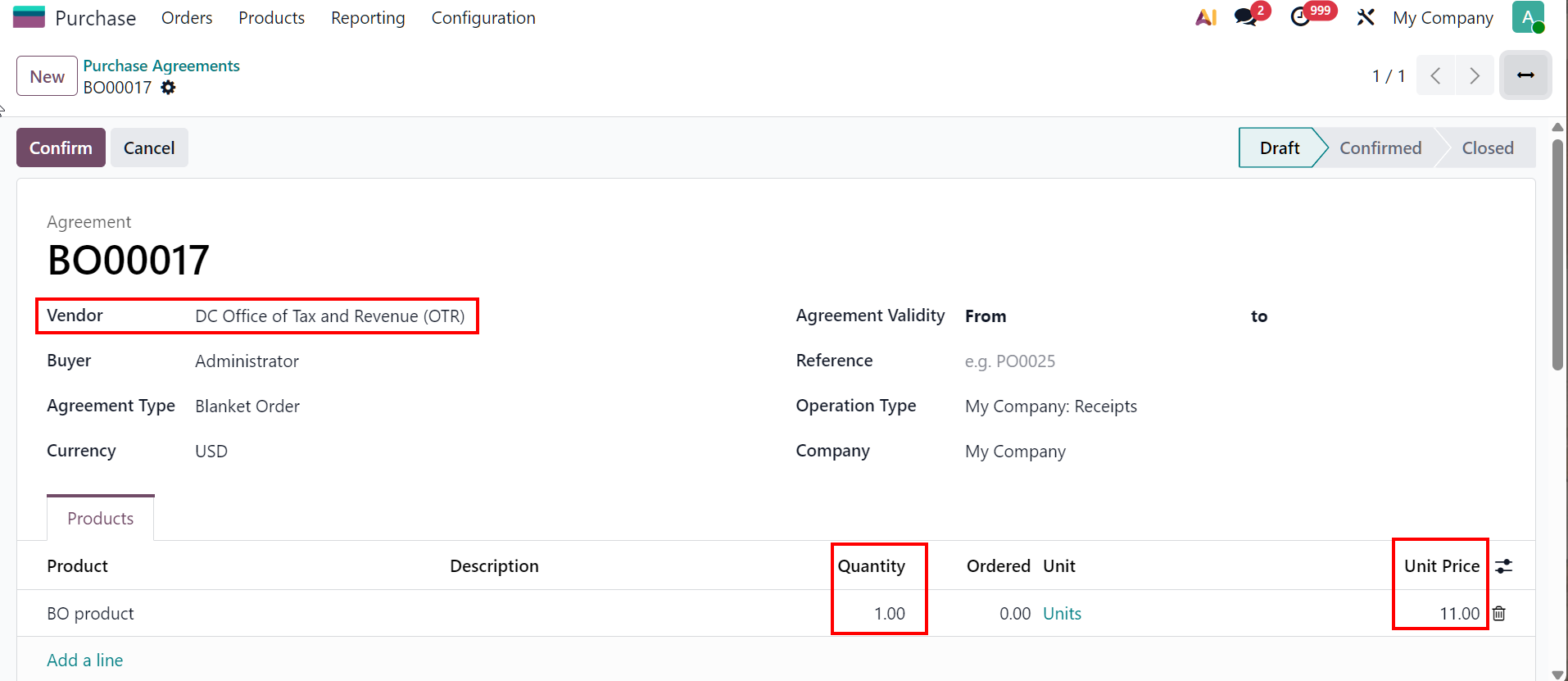
1. Create a Purchase Agreement > Choose vendor and add product > Product's quantity and price will be updated based on the set up vendor pricelist |
|
If product's quantity on Purchase Agreement/ Blanket order line (BOL) is different from the pricelist > take the product's cost (applied for product variants as well) | 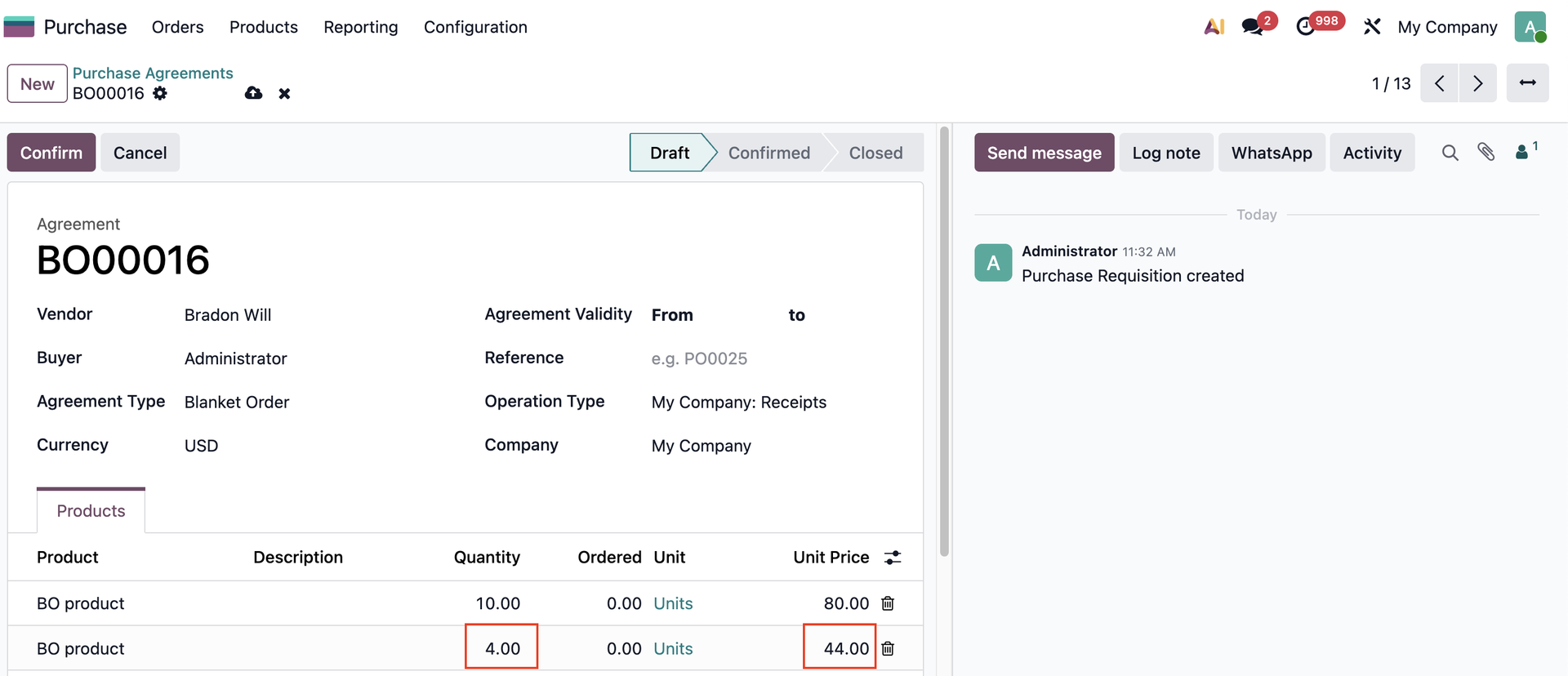 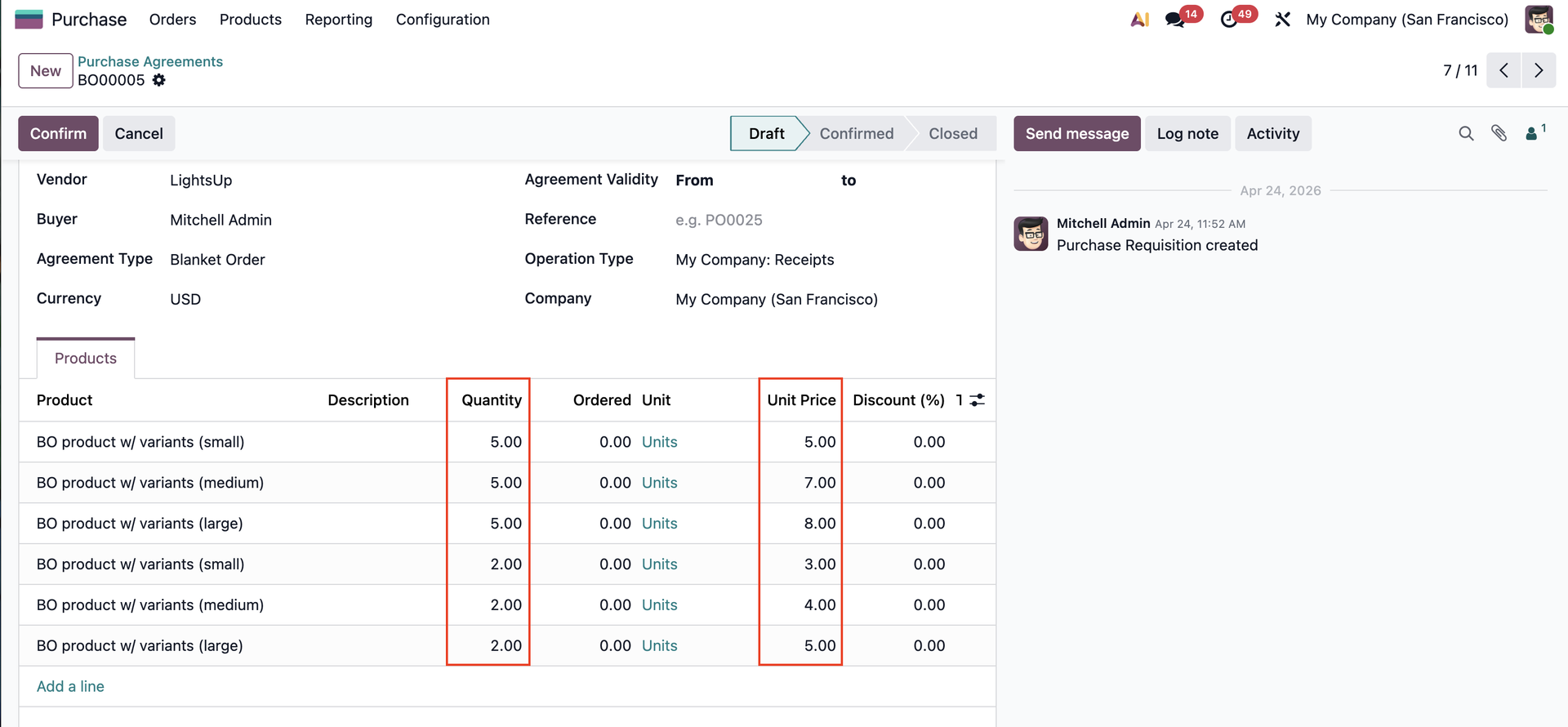 |
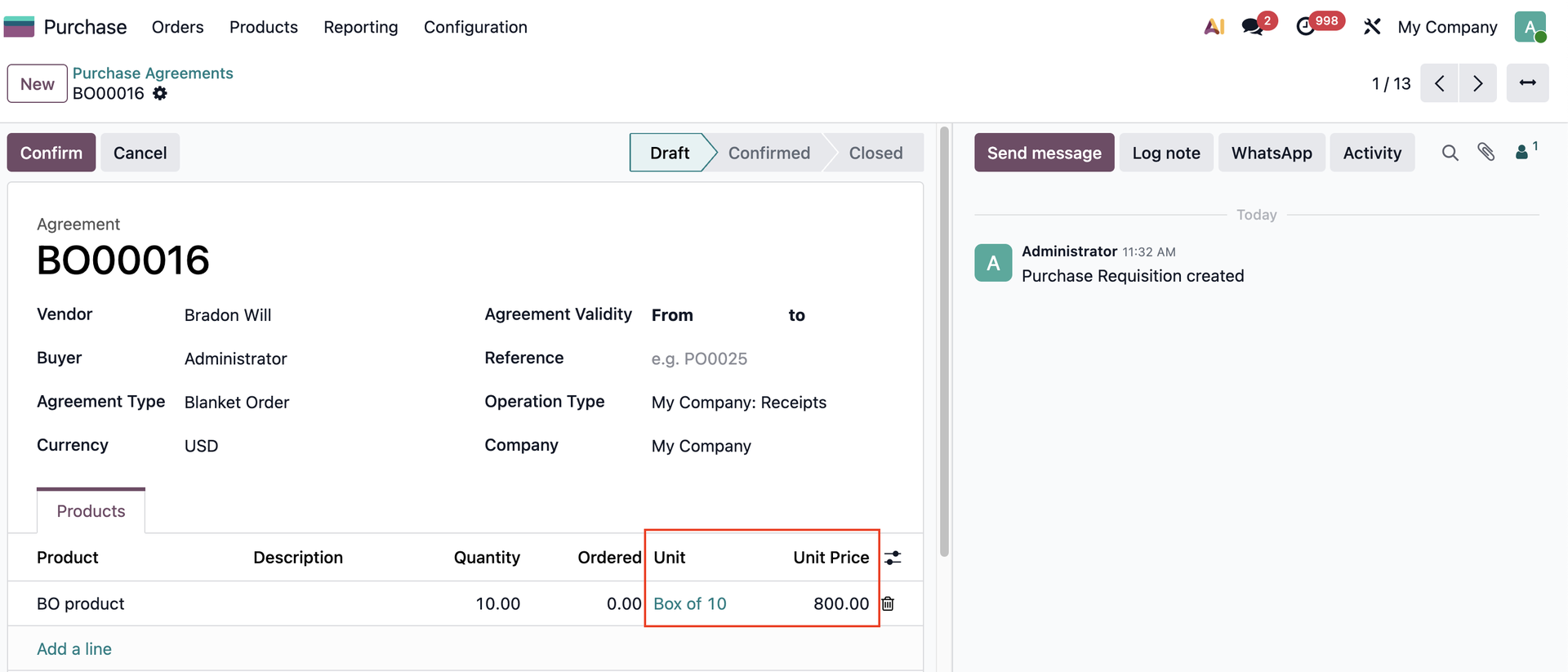
UOM CONVERSIONIf the price list is set for Units on vendor pricelist (e.g: $80/10 units) > On the Purchase Agreement you select Box of 10 (units) > The product's price will update to $800. |
|
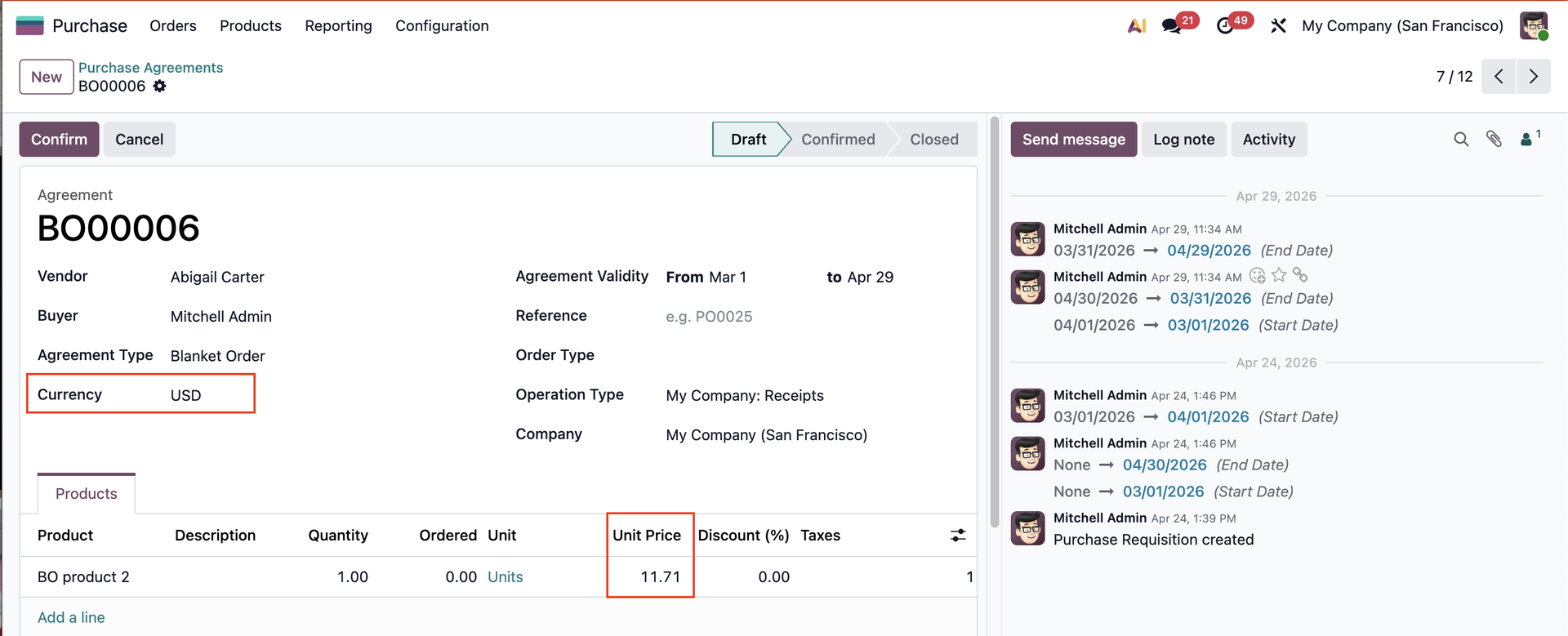
CURRENCY EXCHANGEIf the currency on the vendor pricelist line differs from the purchase agreement, the system will apply the purchase agreement's currency. |
|
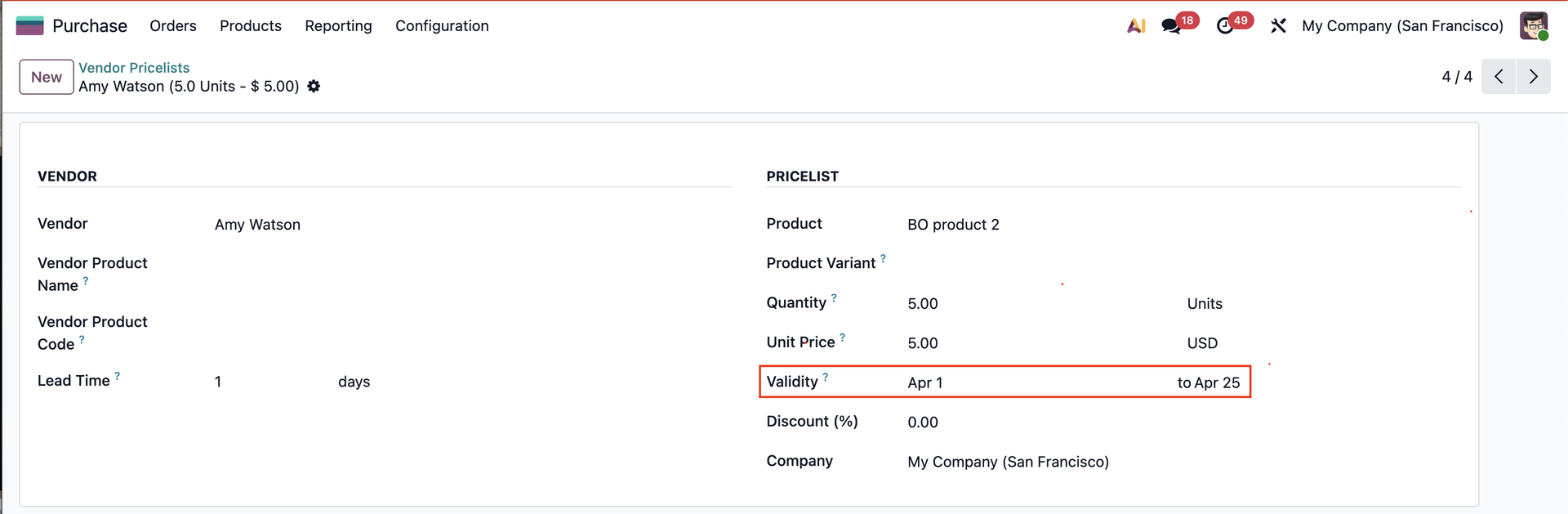
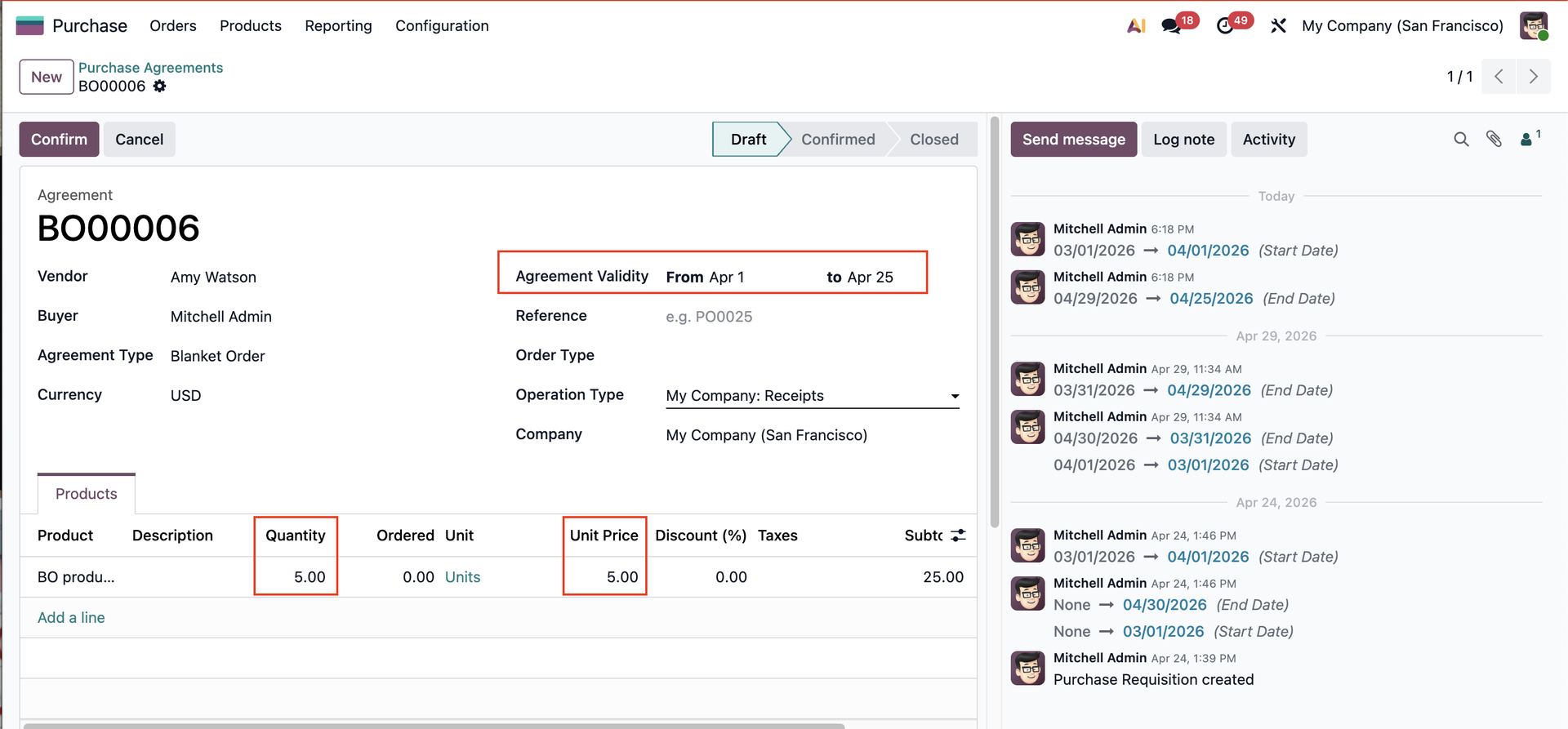
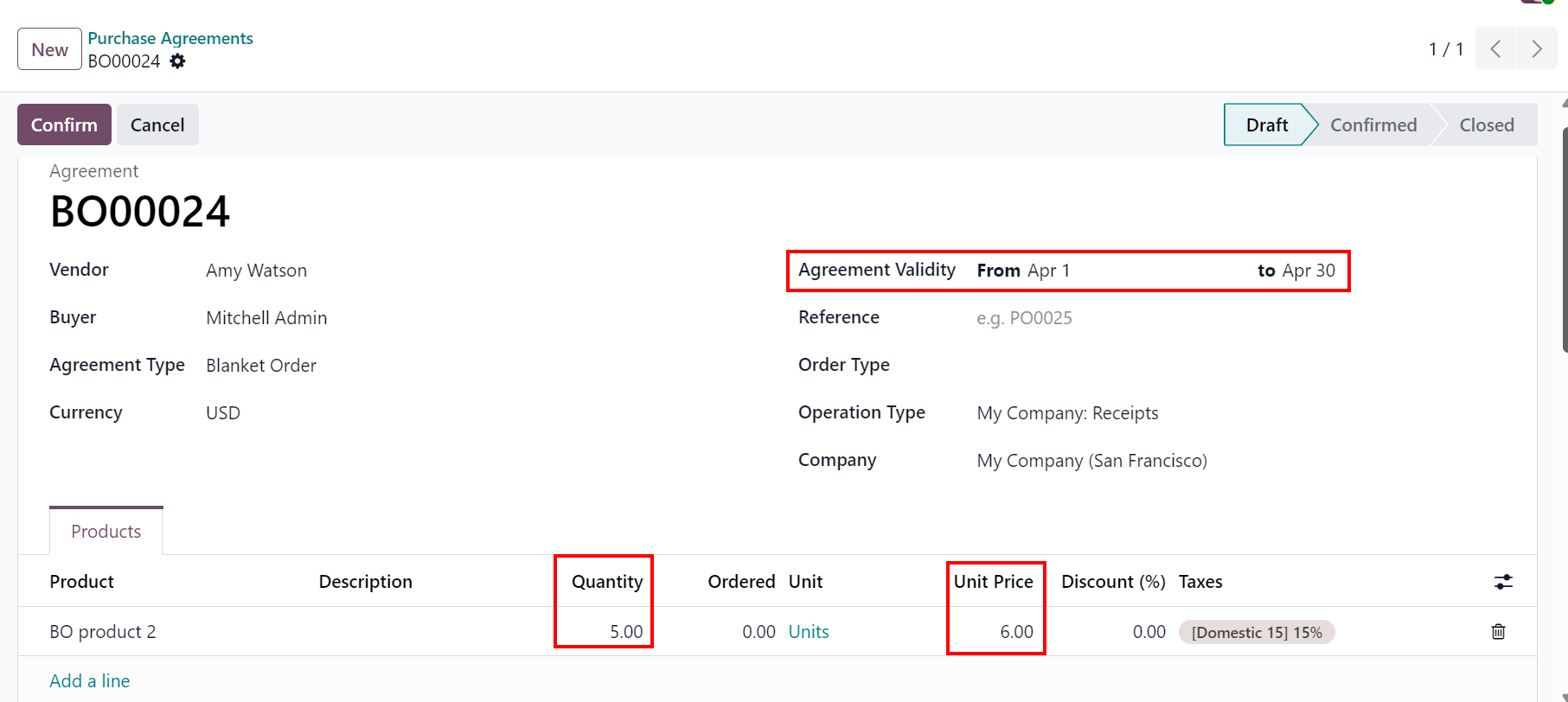
VALIDITYThe validity set on Vendor Pricelist will be applied to Purchase Agreement. If the validity is out of date > the price of the vendor pricelist won't update on the agreement lines. |
Validity out of date |
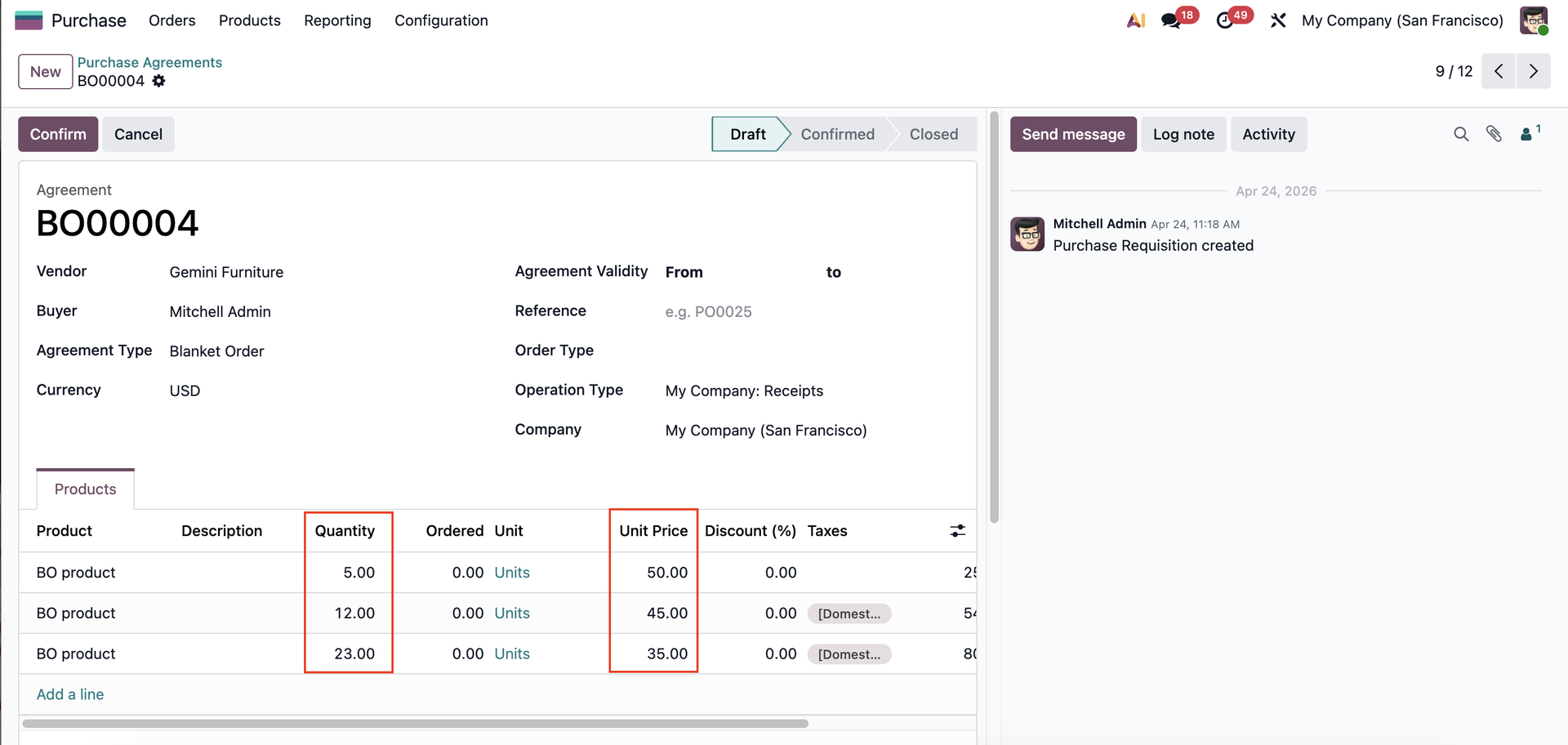
TIERED PRICINGIf the Vendor Pricelist has quantity-based tiers (e.g., 1-9 qty: $50, 10+ qty: $45, 20+ qty: $35)> the price will be updated based on the quantity. |
|
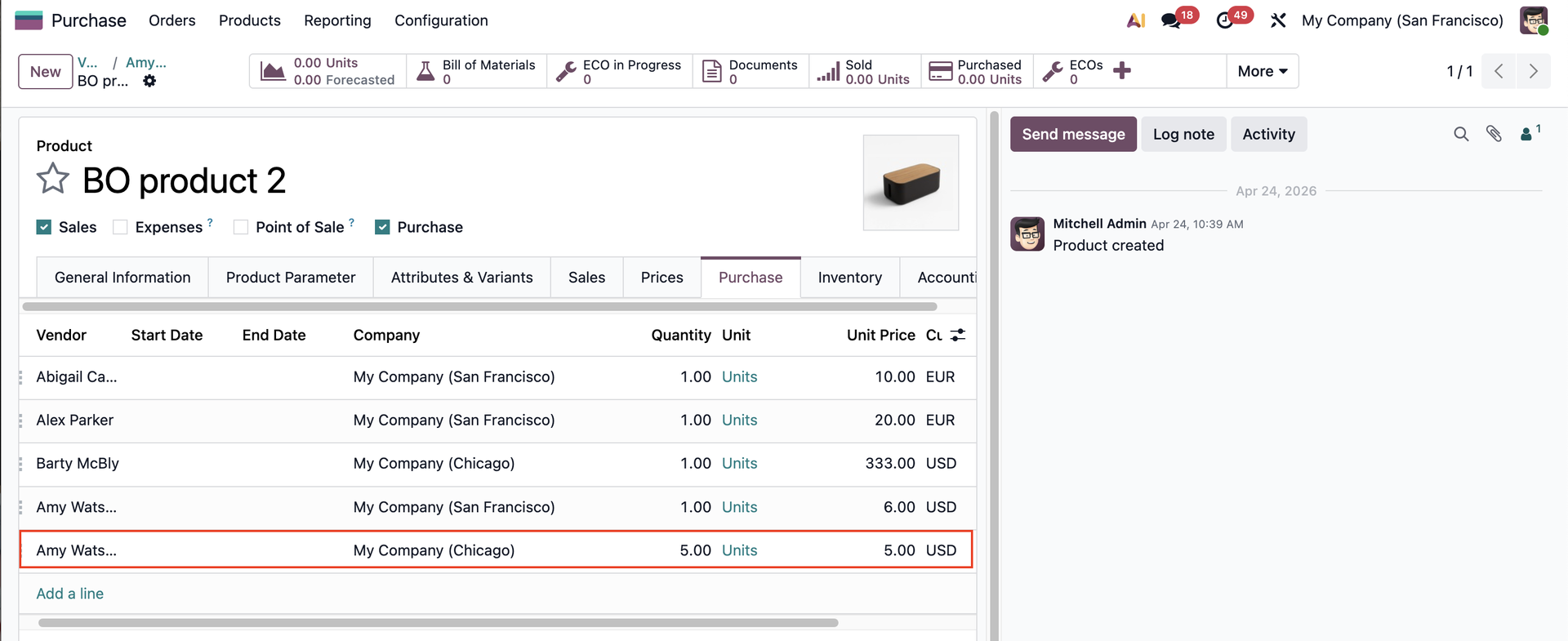
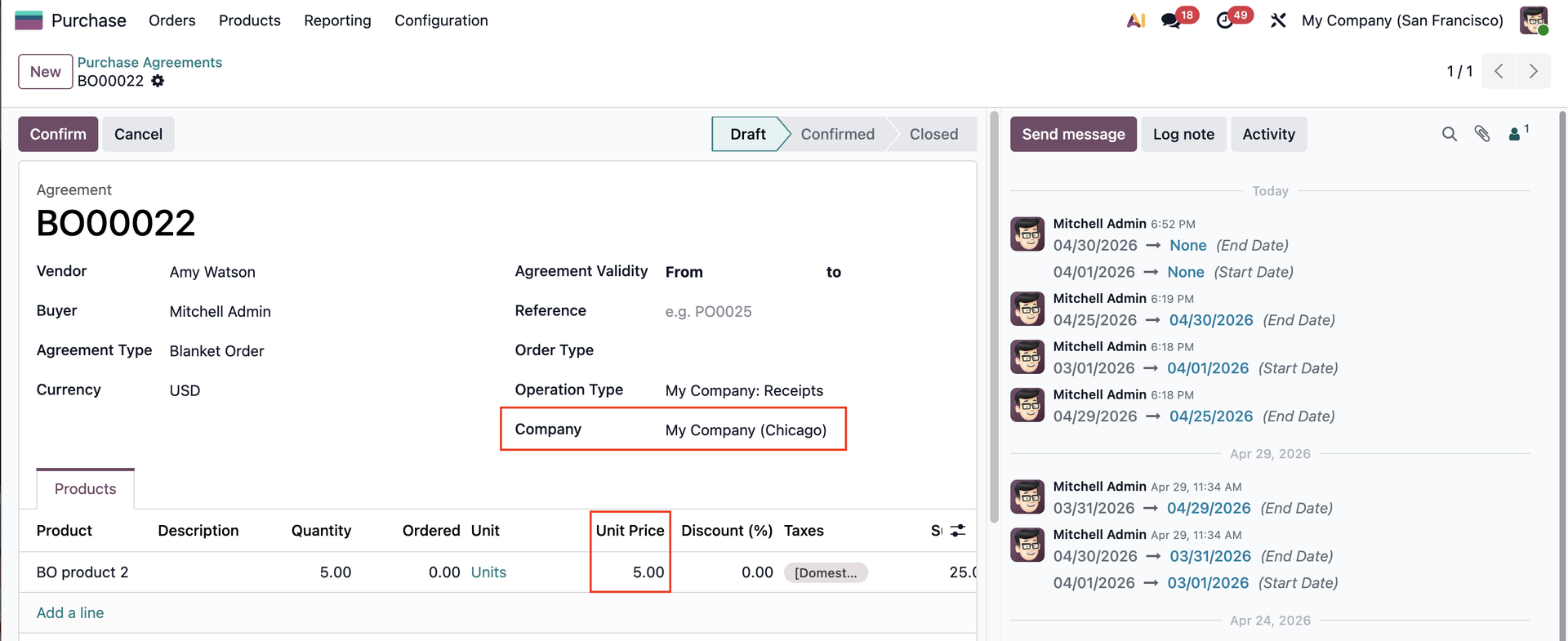
COMPANY CONDITIONIf vendor pricelist is set up for different company (Chicago) > Product's price and quantity only applies for the set up company. |
|