



STORY BEHIND THE FEATURES
ODOO'S BEHAVIOR
In Odoo, Quality Checks generated from a Manufacturing Order do not have any field to display or store the Quantity to produce from the MO.
CLUEDOO'S BEHAVIOR
CLuedoo adds a Quantity Demand field in Quality Checks that automatically inherits the Quantity to Produce from the MO.
OUR FEATURES AS SOLUTIONS
Inherit MO Quantity to Quality Checks
HOW TO USE THIS MODULE
1. Go to Quality Control Points > Create a new control point and fill in the Products and Operations fields | 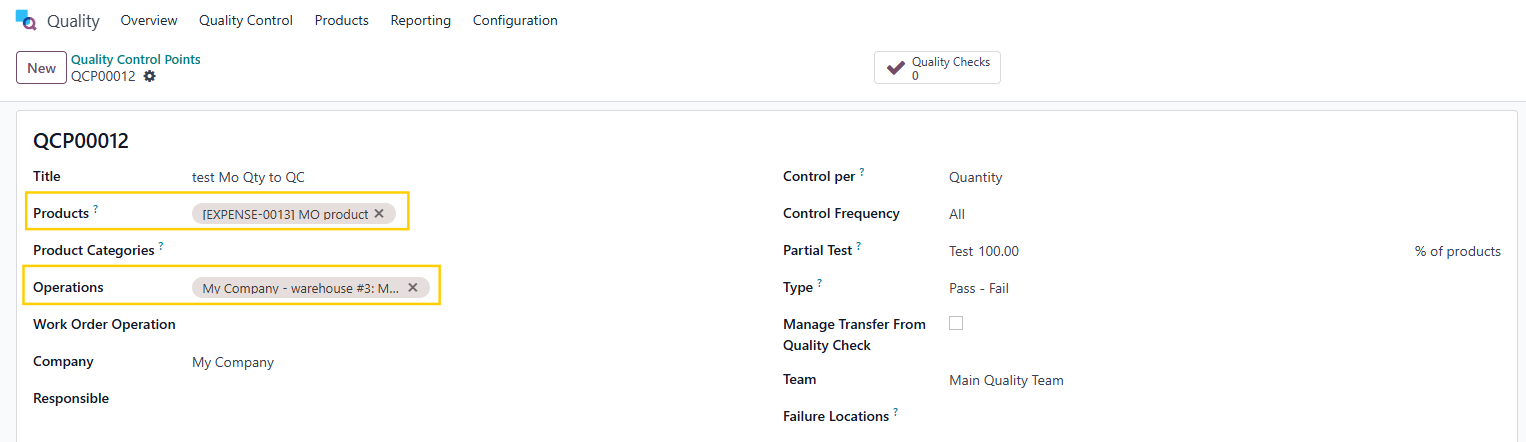 |
2. Create a Manufacturing Order > Fill in the Product and the Quantity > Confirm > Quality Checks smart button will appear | 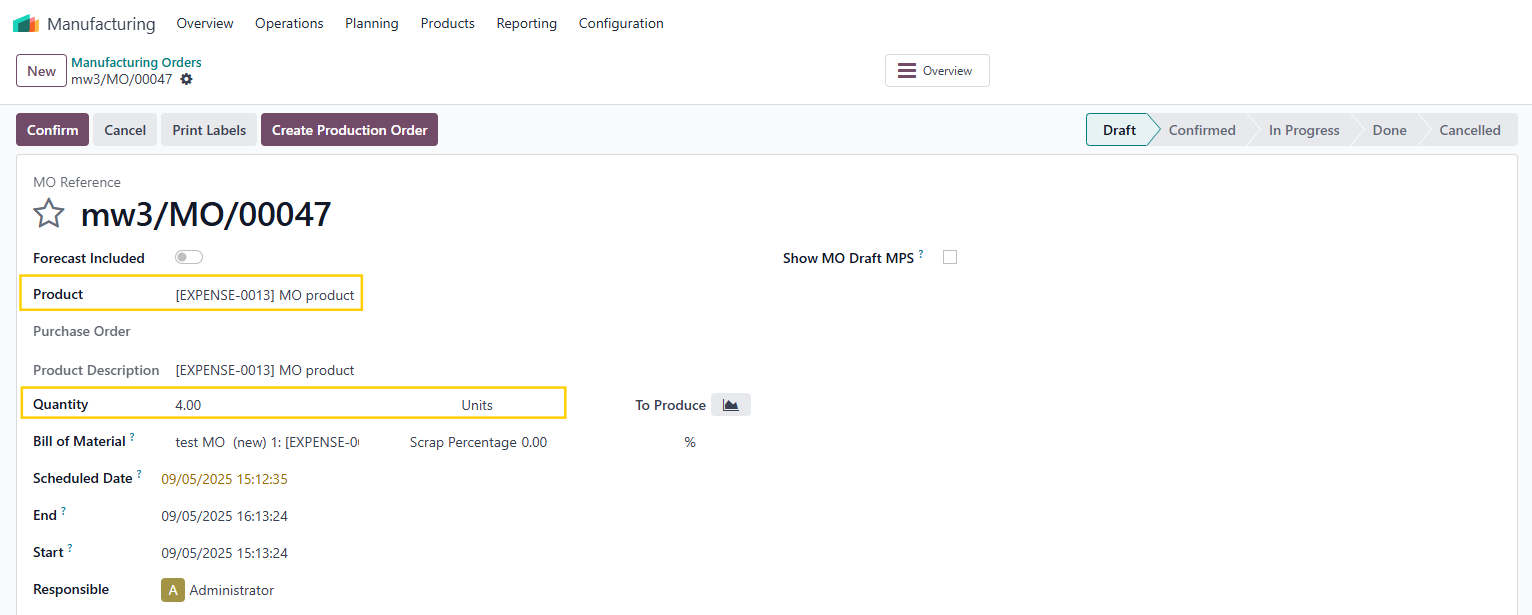  |
3. Go to the QC > you will see a Quantity Demand field that inherits the Quantity from the MO | 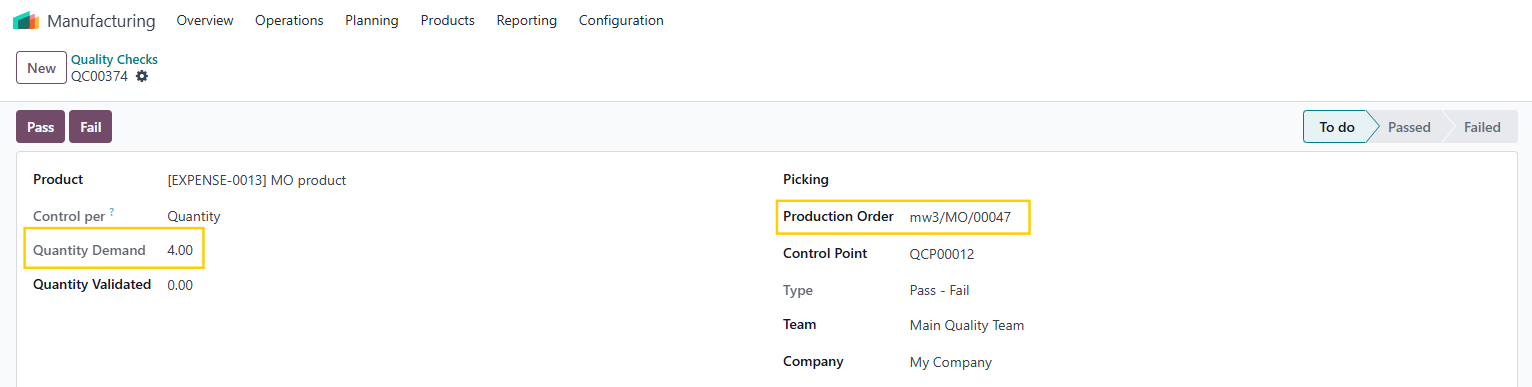 |