



ODOO'S FUNCTION
If you want to change the SN or if you have a list of 10 SN in components and you want to select the good one, Odoo does not put any domain on the SN list.
CLUEDOO'S FUNCTION
CLuedoo adds a domain on the SN to get in operation/work order list of choice ONLY the SN we select in the initial picking.
1. Set Multi-Step Routes in Settings then Set Warehouse Routes > Choose manufacture with 3 steps > go to Routes | 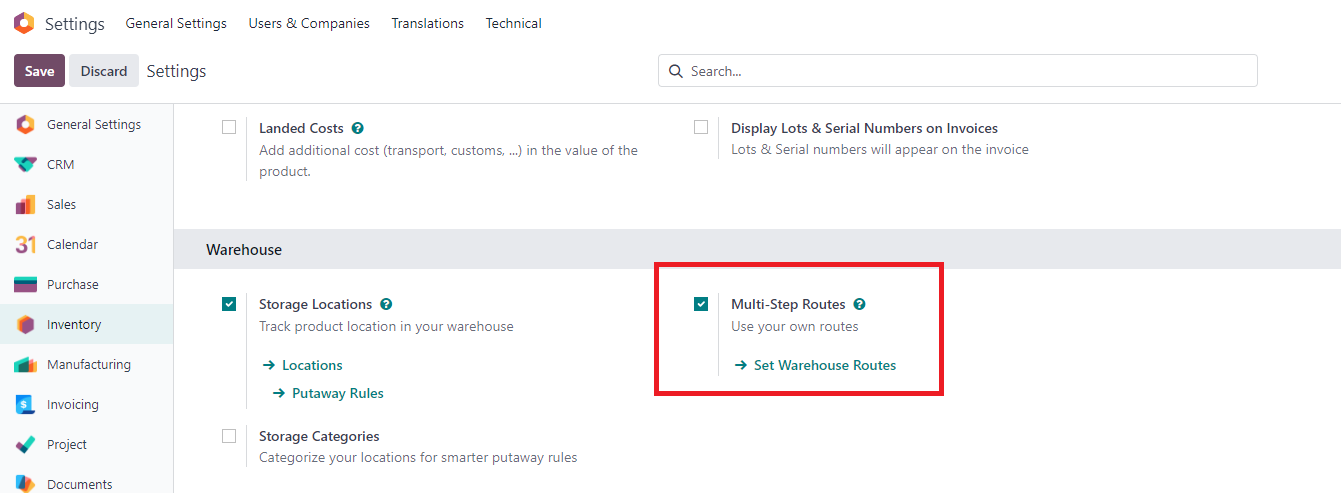 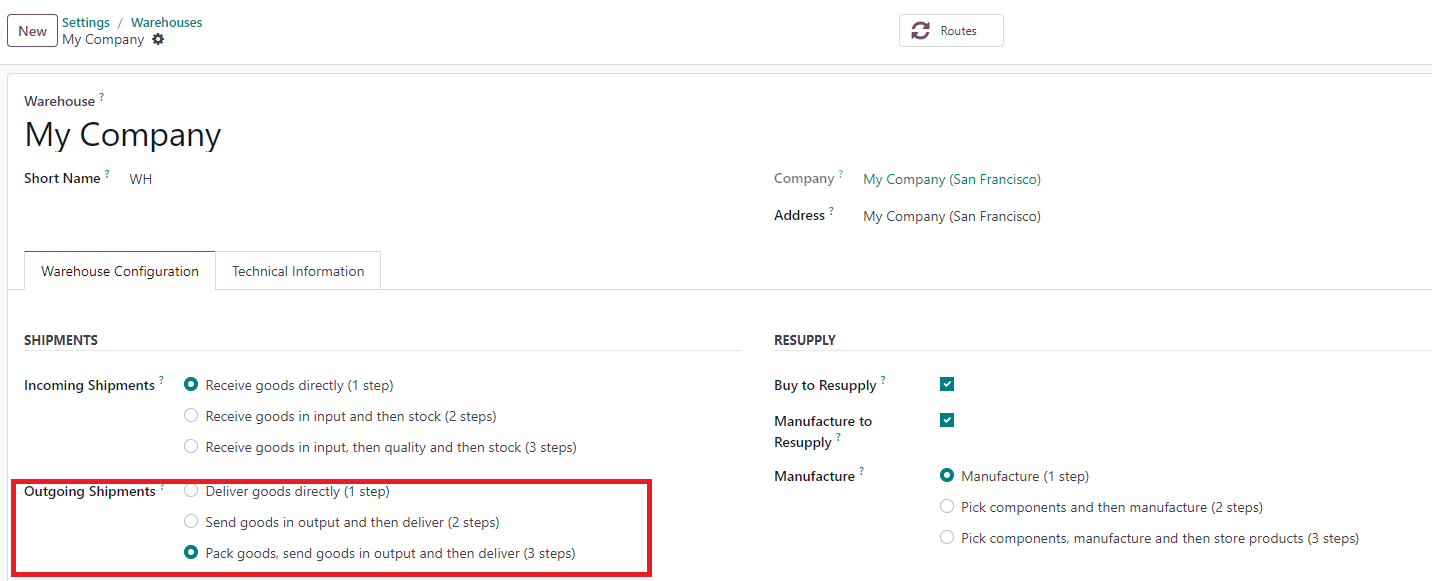 |
2. Setup delivery in 3 steps > set up move lines For example: Pick: WH/Stock -> Packing Zone Pack: Packing Zone -> WH/ Output | 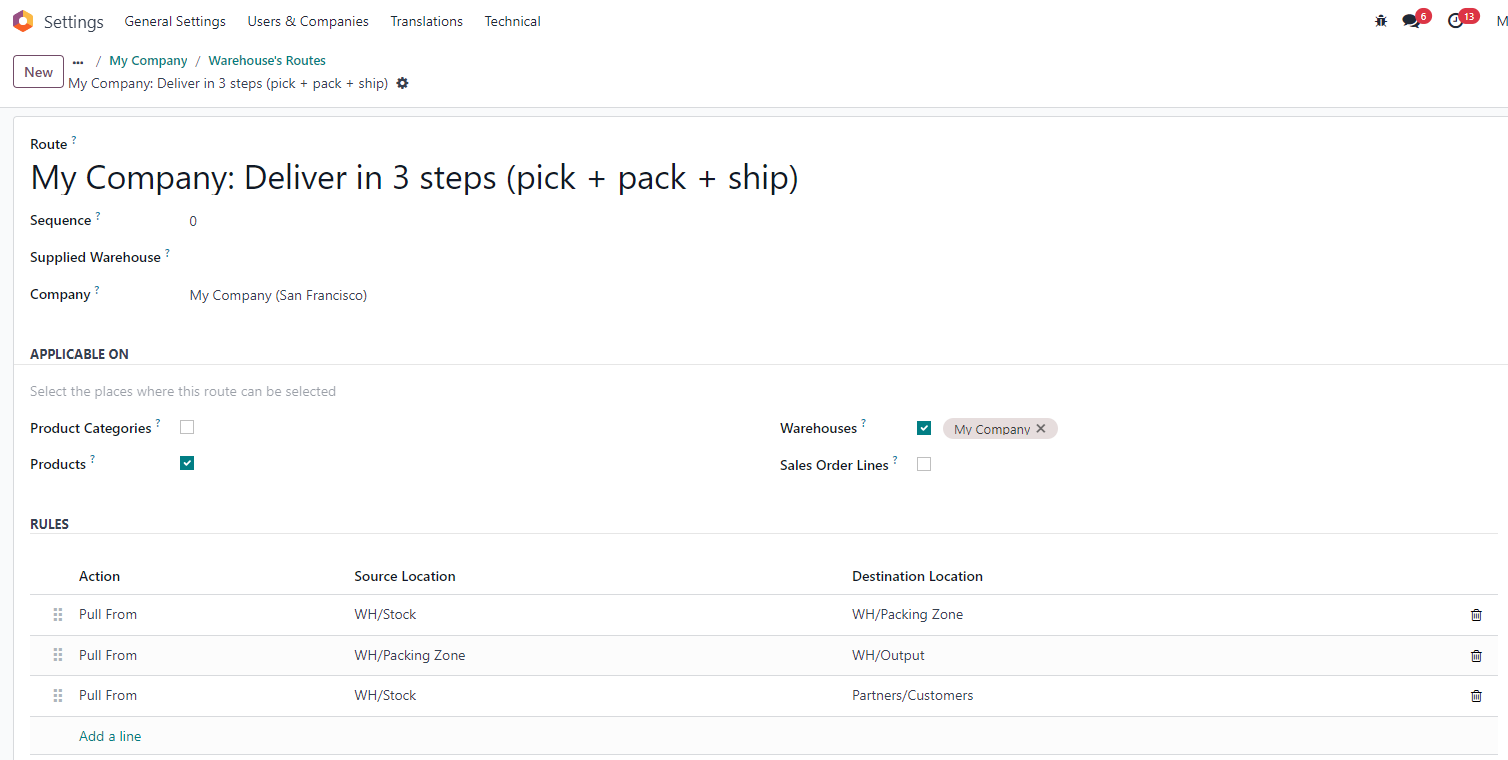 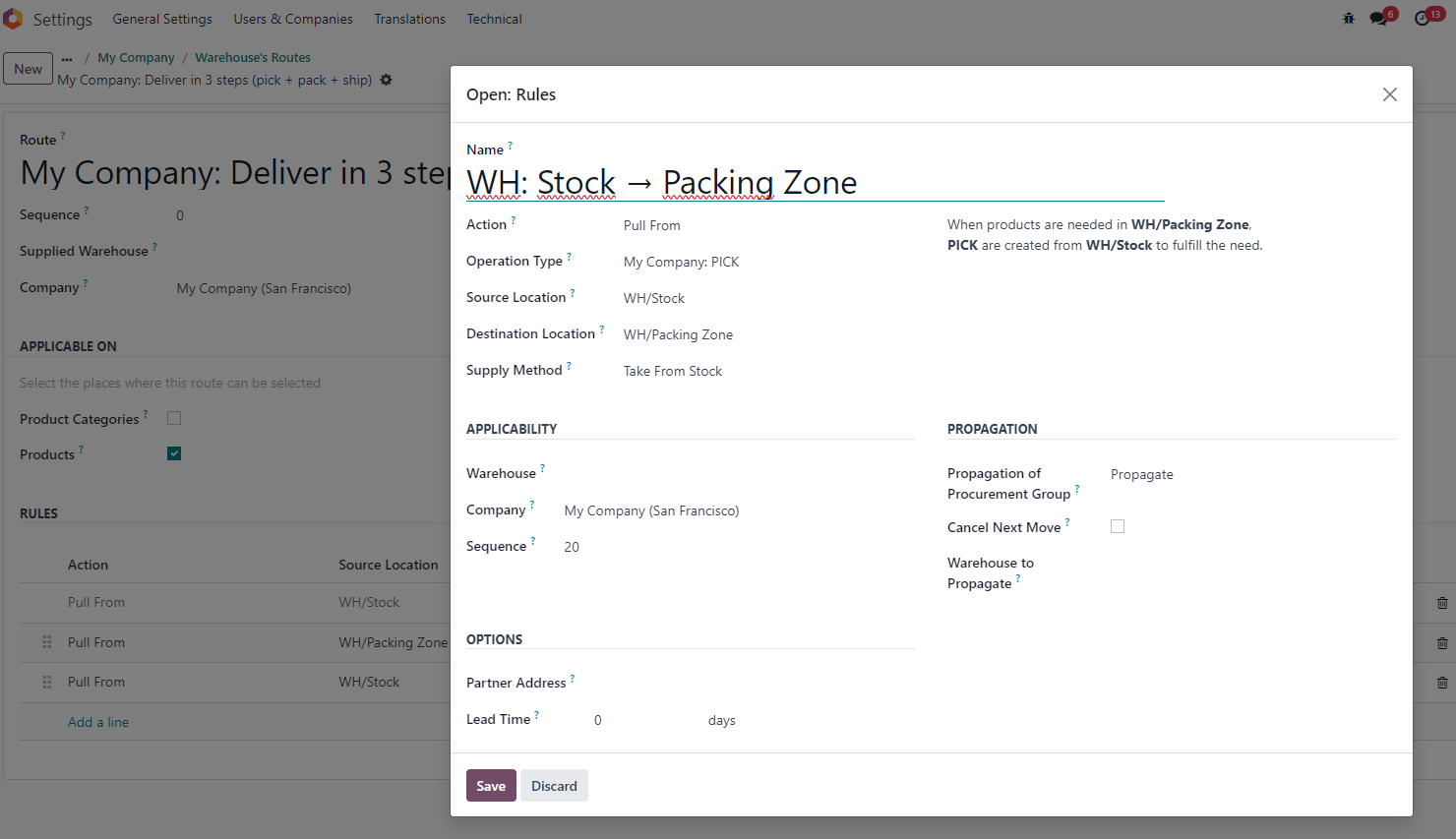 |
3. Inventory > Operation types > Check that pick-pack-ship created | 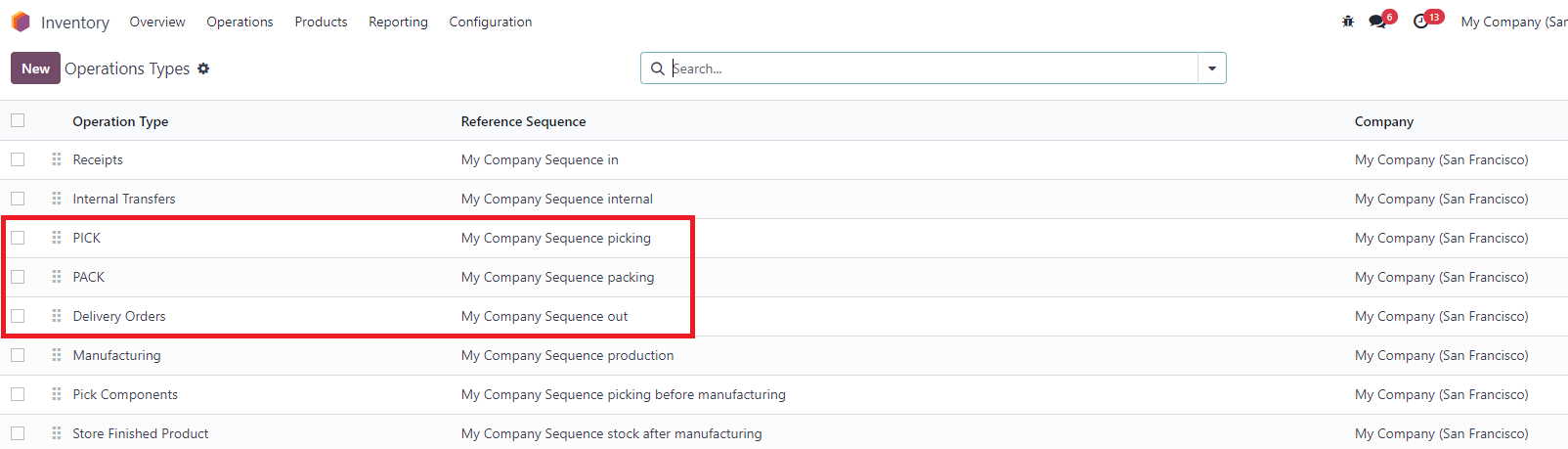 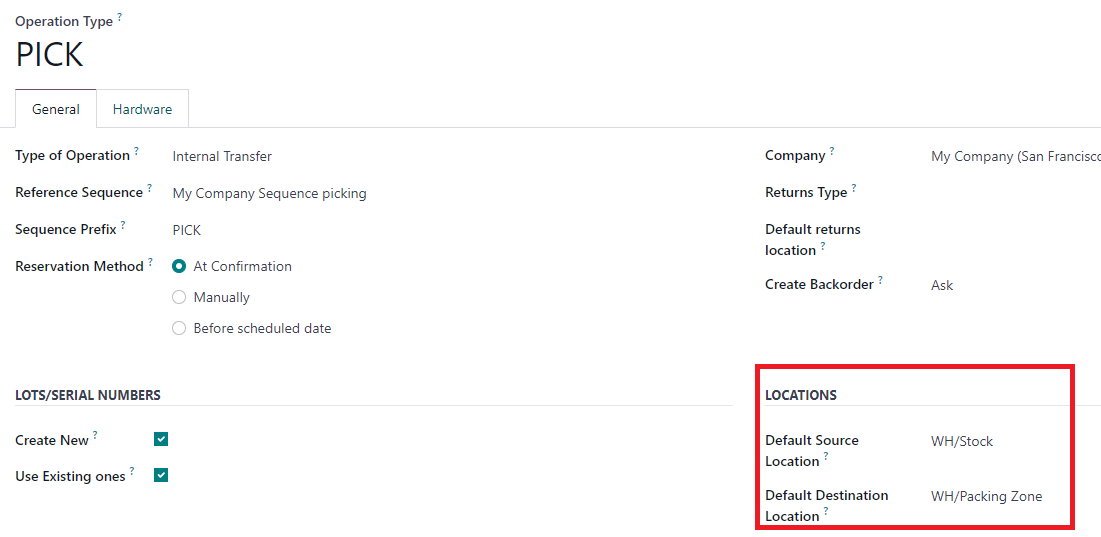 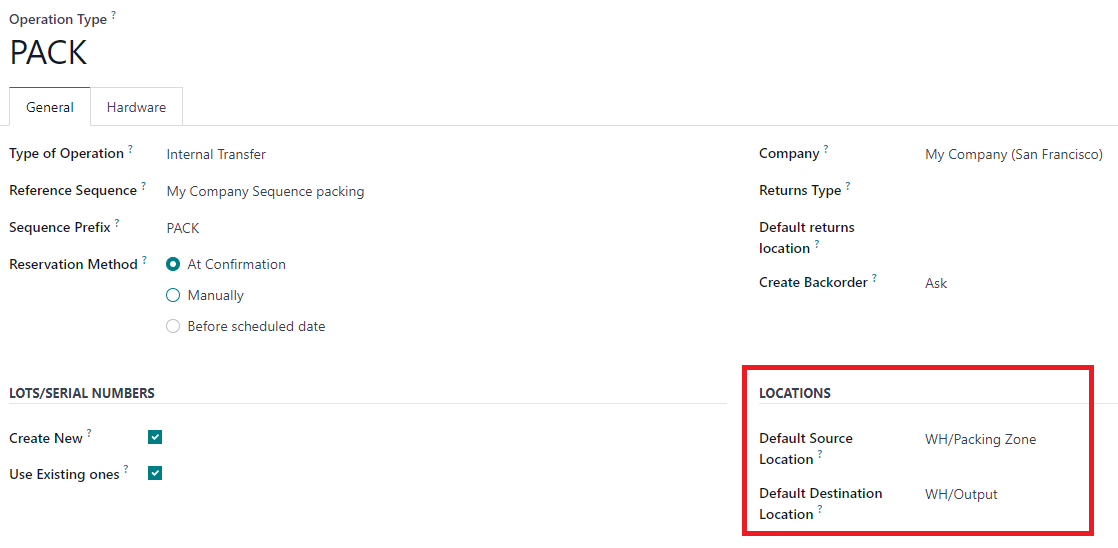 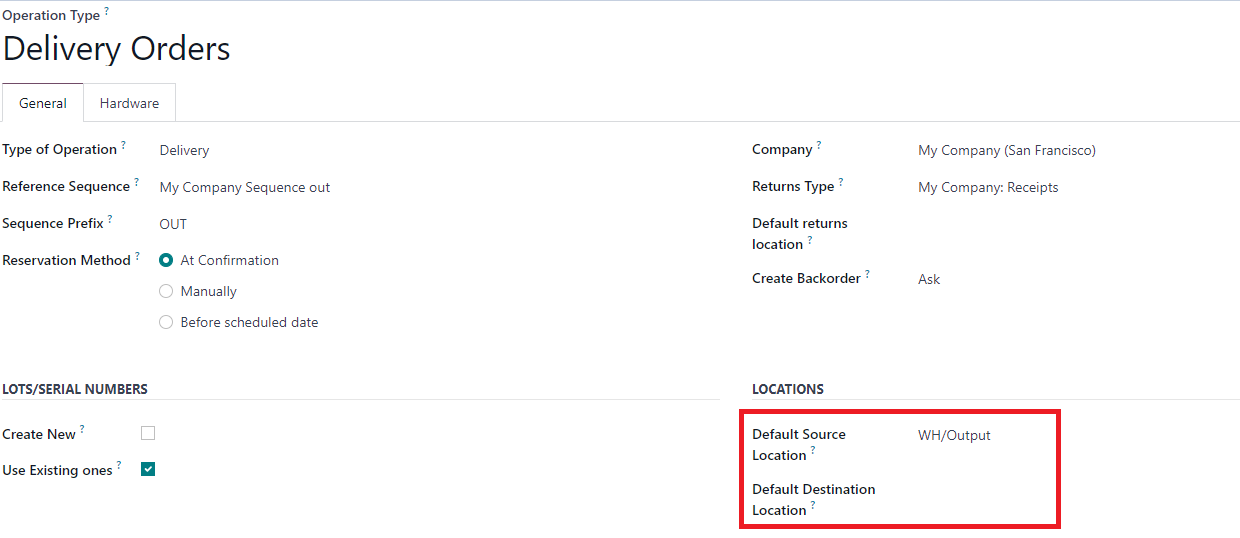 |
4. Product > Checked Routes delivery in 3 steps |  |
5. Inventory > Inventory Adjustments > Check that we have several Serial number on separate location | 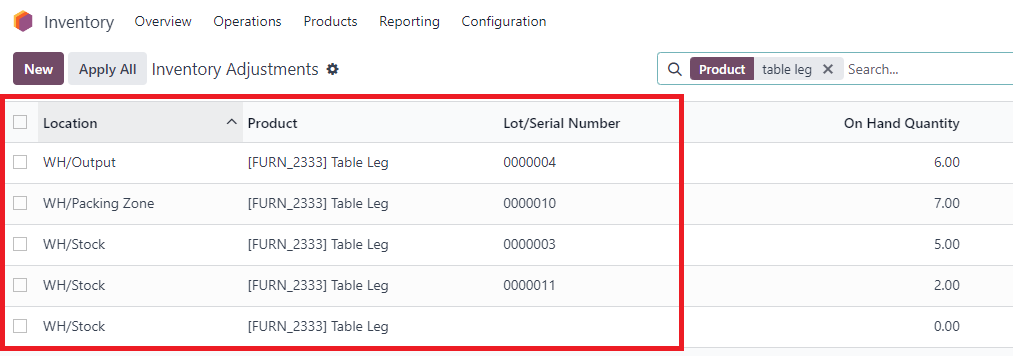 |
6. Create new SO > Confirm > Delivery (3 Deliveries created) | 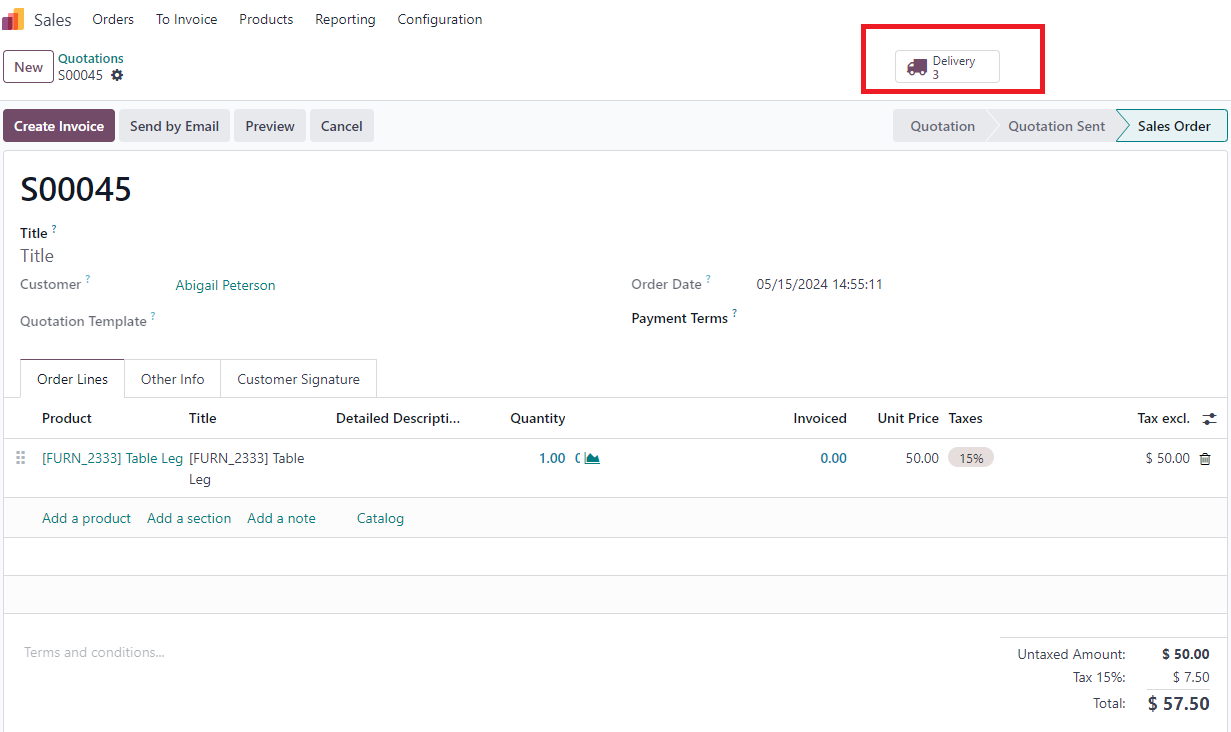  |
7. Go to Pick > Assign serial number (Note: it shows available products on source location) For ex: I Choose SN "0000003" > Validate Then Status in PICK is Done & status in PACK is ready | 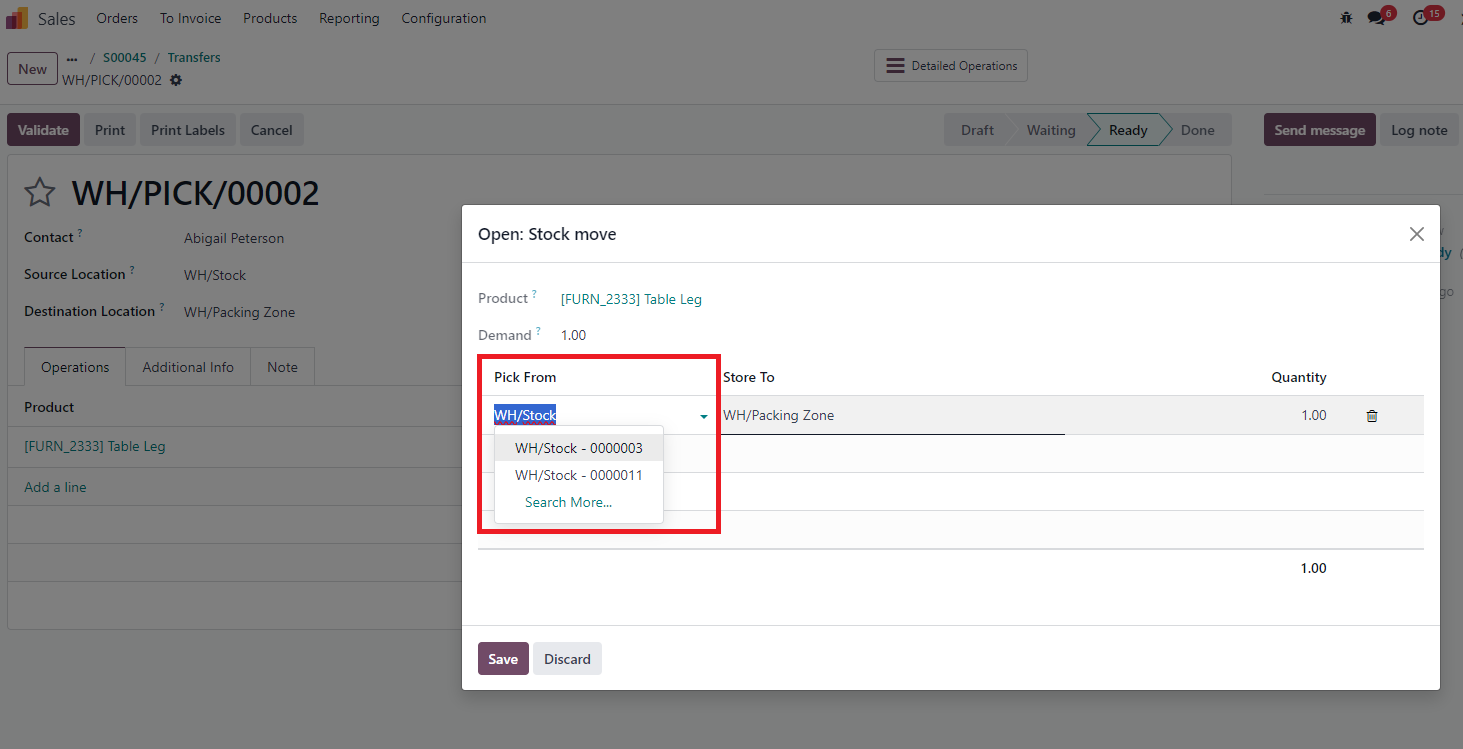  |
8. In Pack > Assign serial number > It will only show products that has the same chained move (products and SN used in PICK) Also with Delivery out | 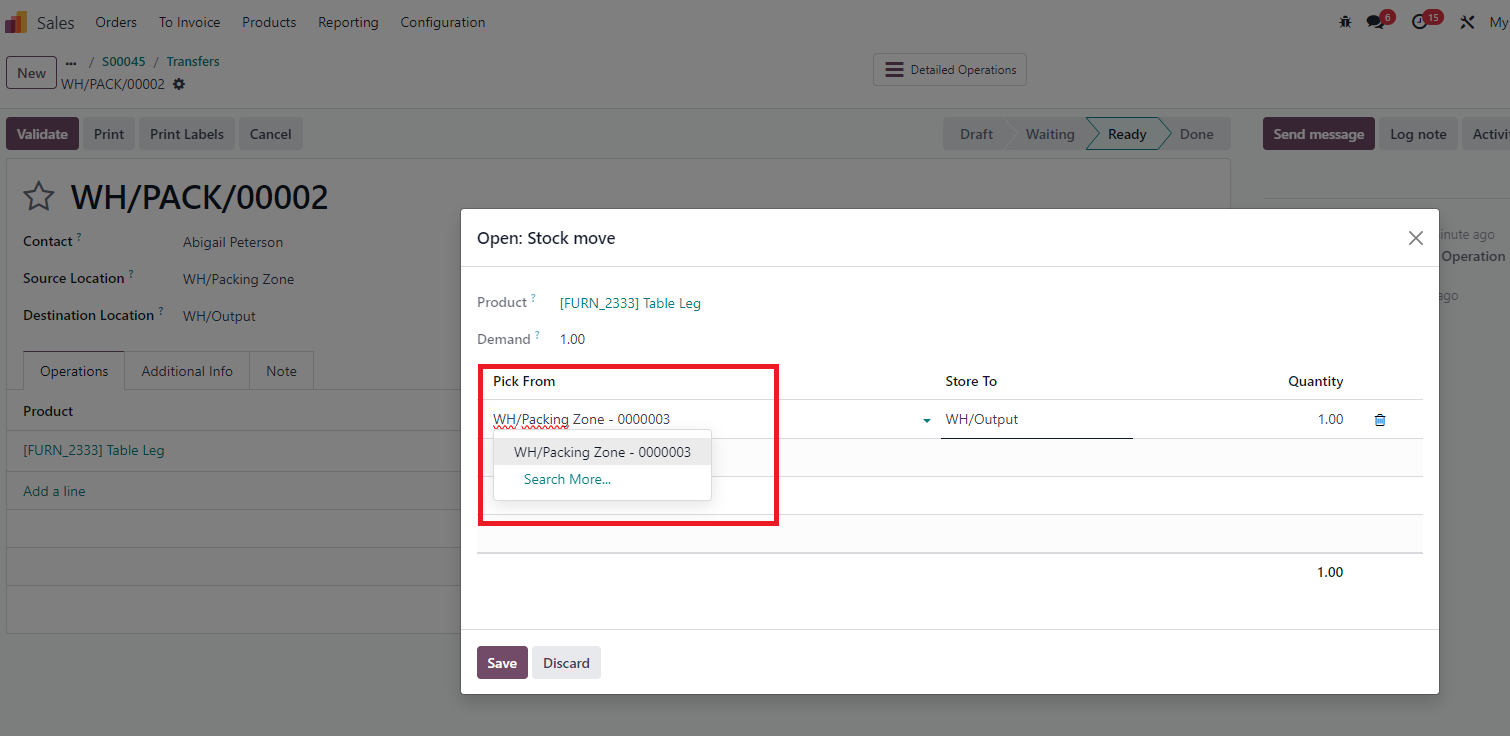 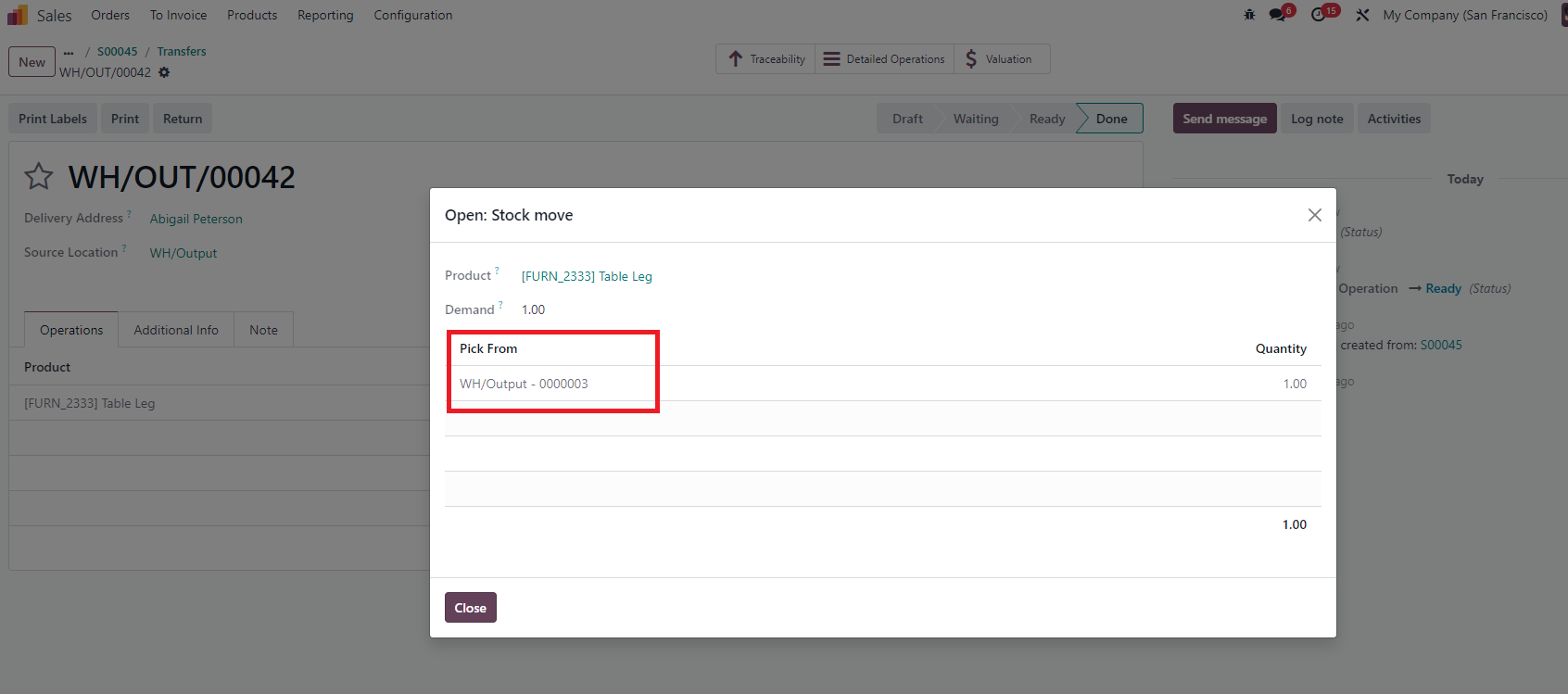 |
Note that the domain for available Lot/Serial Numbers is added to see only the available ones. If the Available is 0, it will not show up. Remember clicking “Save” in the Open: Components wizard after selecting the “Pick From” location then reopening. If you don’t, the system won’t update the reserved quantity, and the same location will not be excluded the next time clicking “Add a line”. | 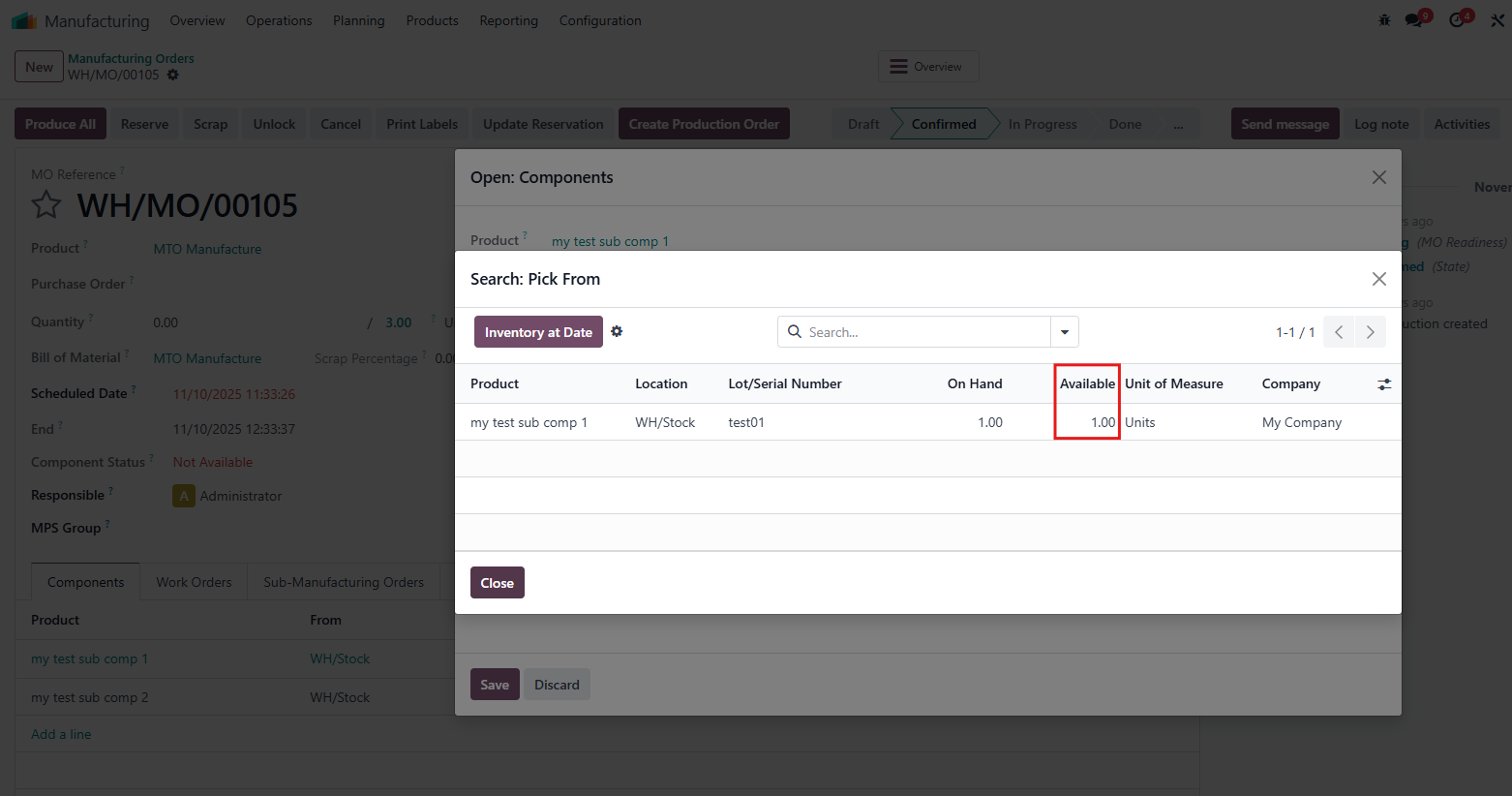 |