



ODOO'S FUNCTION
Odoo standard Sales Orders may lack the context customers need, making quotations and orders harder to understand.
CLUEDOO'S FUNCTION
To ensure good communication with customer, the added the following information
1️⃣ Contact Person: Define the customer’s contact (not just the company).
2️⃣ Reference Attachment: Upload signed quotations or customer POs directly on the Sales Order.
3️⃣ Archive: Hide quotations/sales orders to keep views clean.
4️⃣ Group by Parent Company: Easily organize Sales Orders by parent company.
5️⃣ Multi-confirm Sales Order: Confirm multiple quotations from list view with one action.
Go to the Sales Module. |  |
Click on the 'New' button to create a New Quotation. | 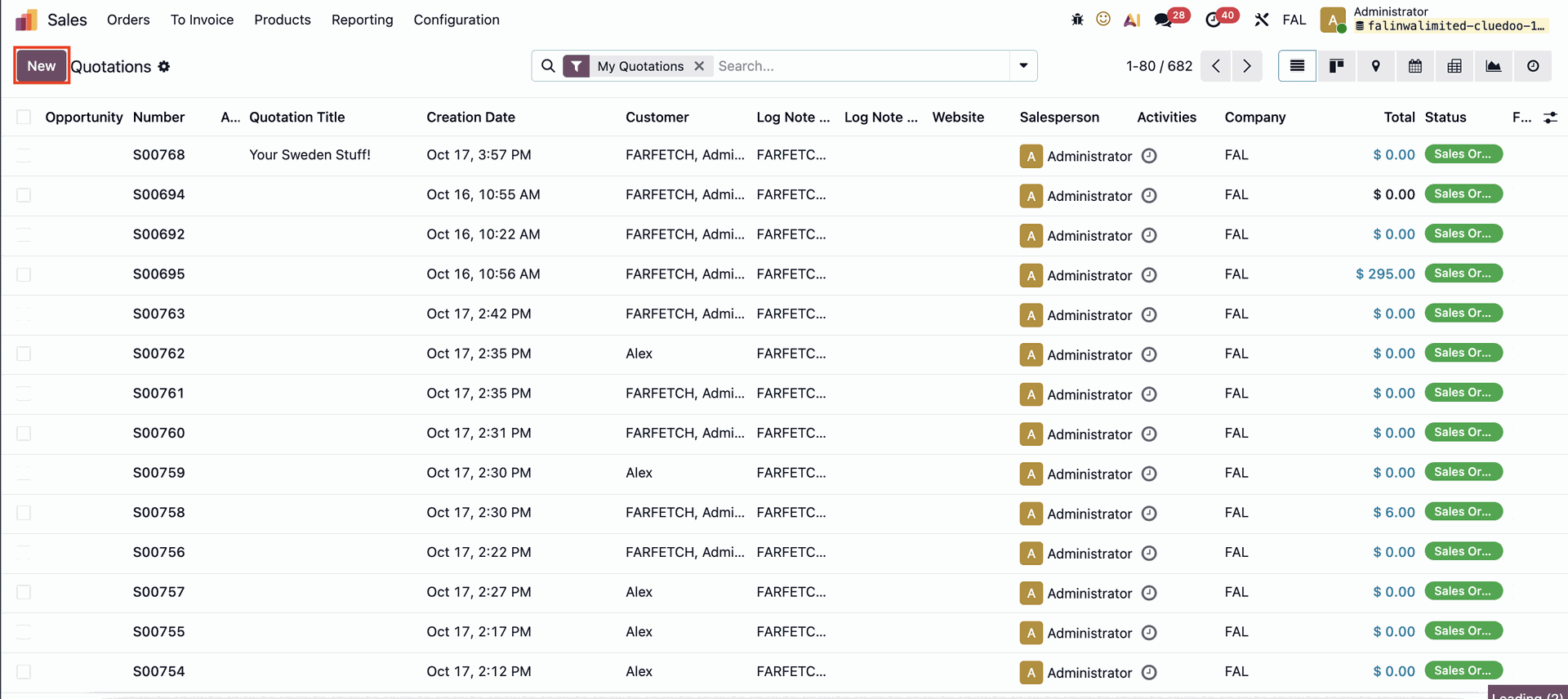 |
CONTACT PERSONThe Sales Order form now includes a Contact Person field for specifying the individual associated with the customer or order. | 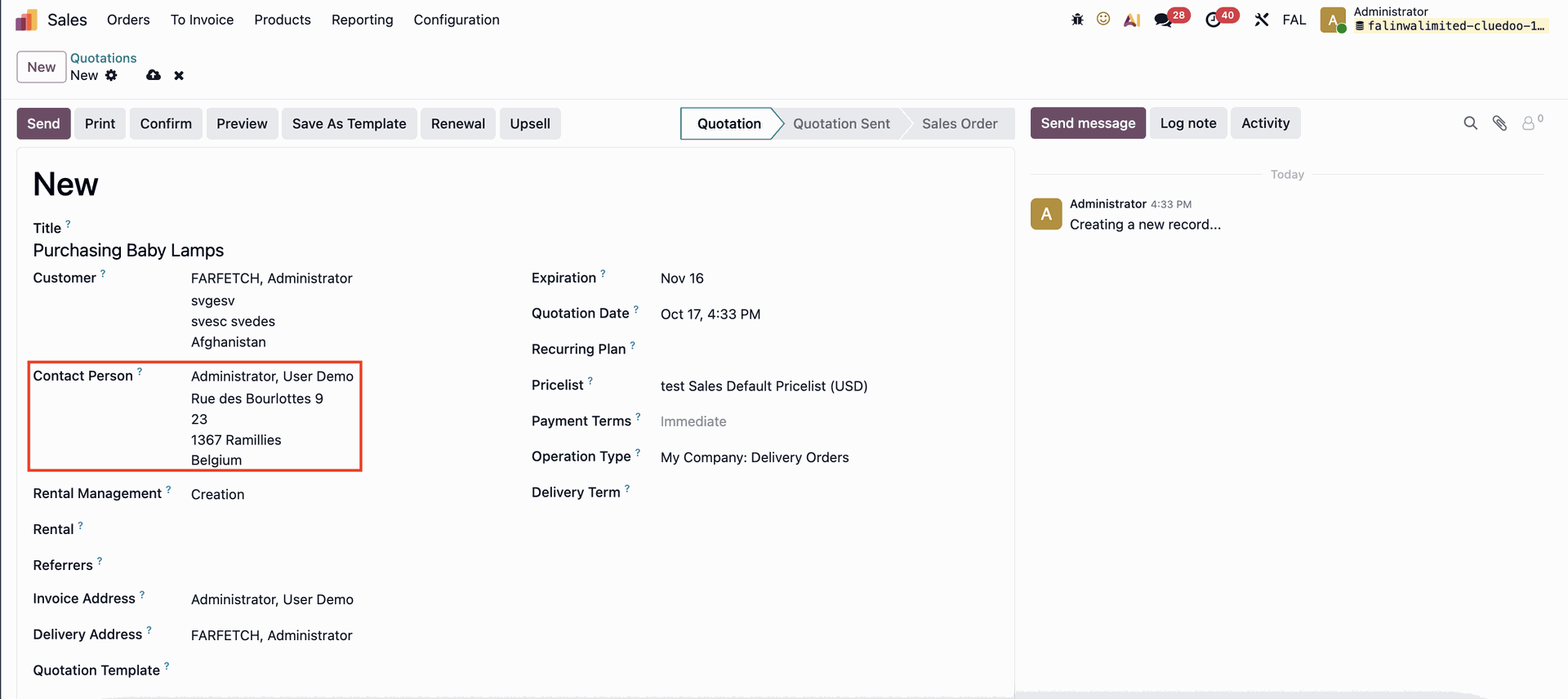 |
REFERENCE ATTACHMENTYou can add a reference attachment (such as the customer’s purchase order) to the Sales Order under the Other Info tab. This will automatically create a Documents smart button, allowing you to easily access the attached reference. | 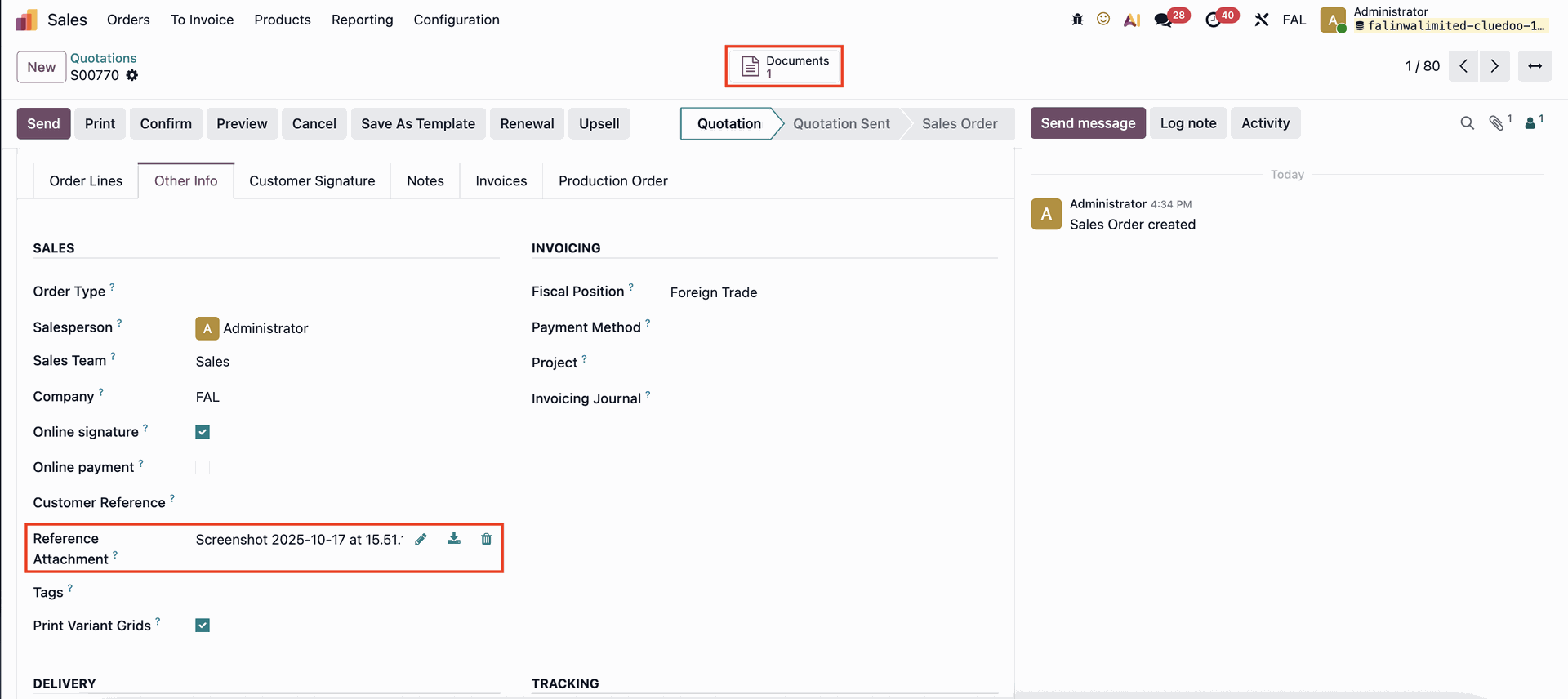 |
ARCHIVEIn the Quotations list view, you can archive multiple quotations/sales orders simultaneously to keep the display organized and clutter-free. | 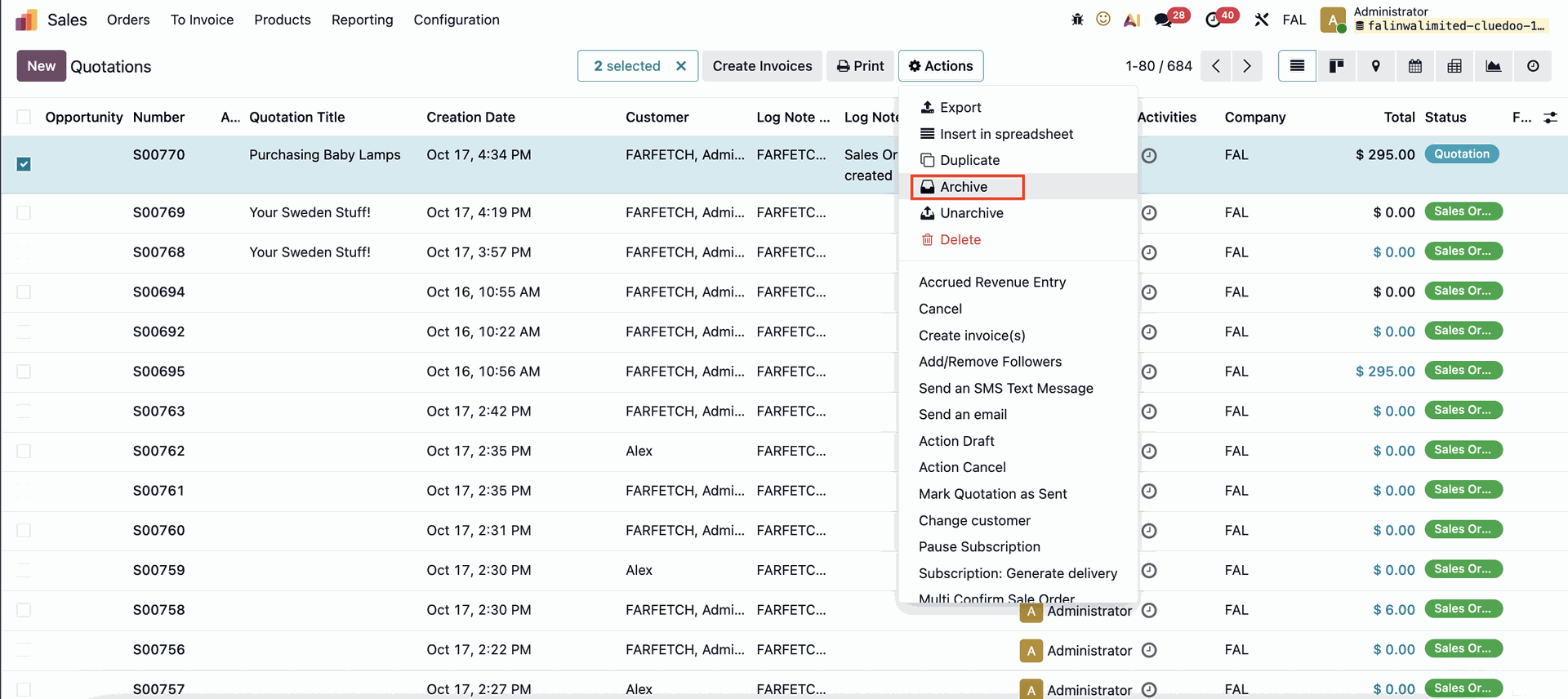 |
MULTI-CONFIRM SALES ORDERSYou can also confirm multiple Quotations/Sales Orders at once, streamlining the order management process. | 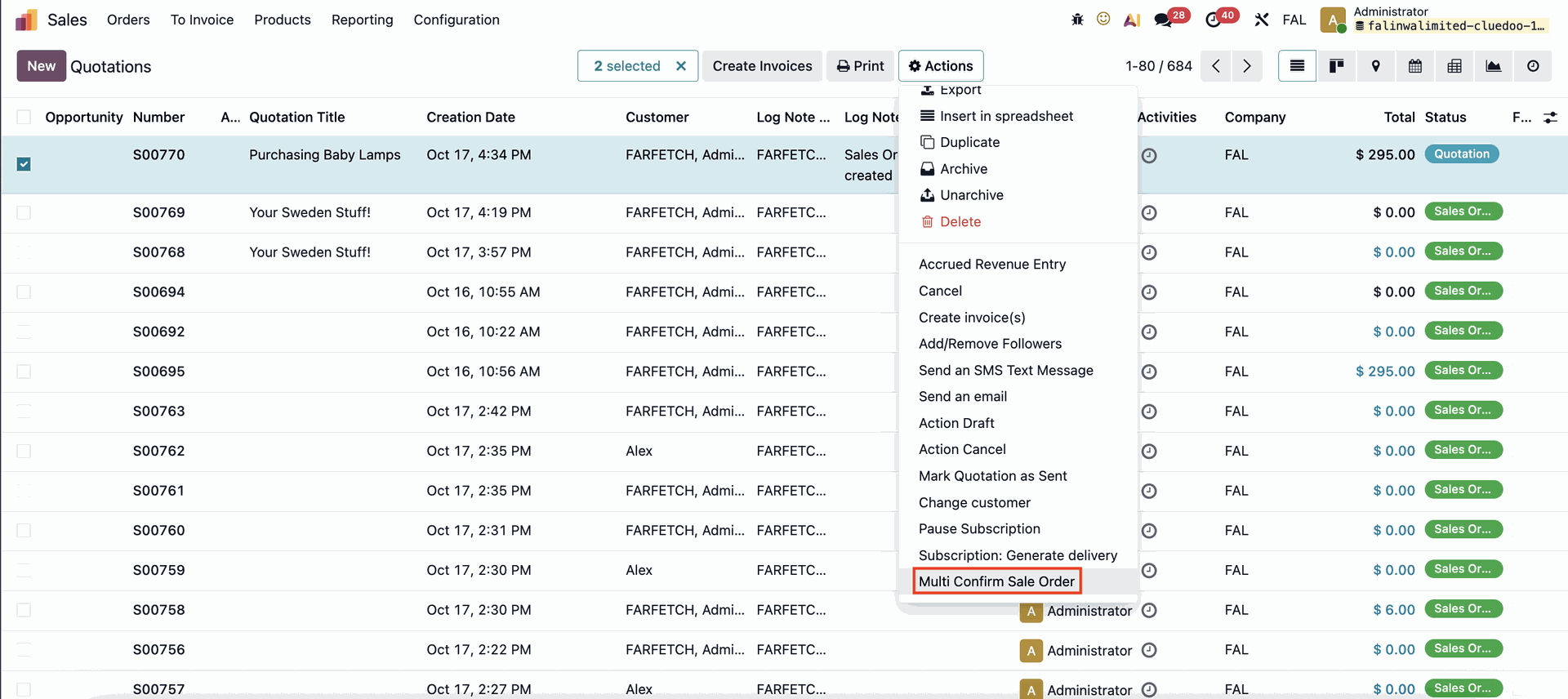 |
GROUP BY PARENT COMPANYYou can also group Quotations and Sales Orders by Parent Company for better visibility and organization. | 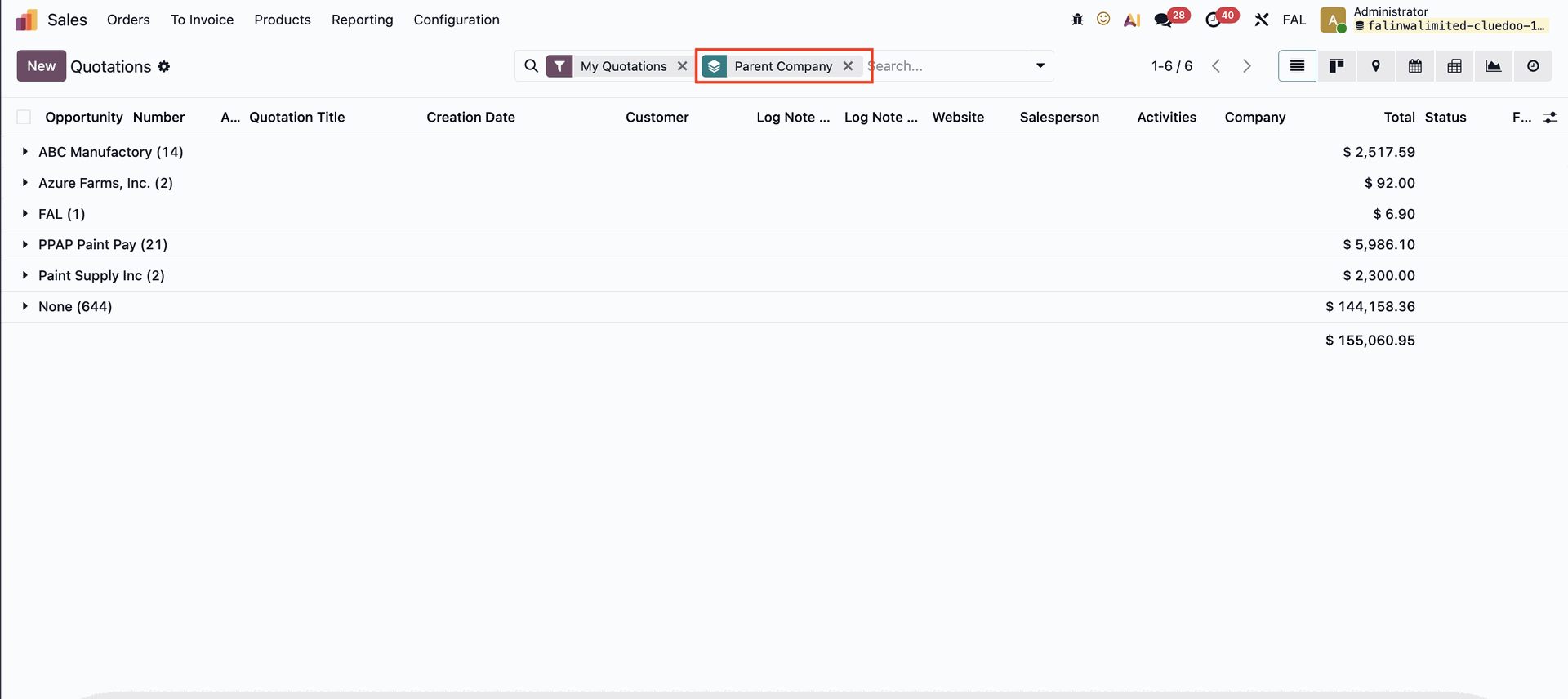 |