
ODOO'S FUNCTION
By default, Odoo’s Subscription module does not automatically propagate the analytic distribution from the original subscription to its renewal or upsell subscriptions. As a result, users need to manually re-enter the analytic information for each new subscription, which is time-consuming and prone to errors.
CLUEDOO'S FUNCTION
Cluedoo extends Odoo’s standard behavior by enabling the automatic propagation of the analytic distribution from the original subscription to all renewal or upsell subscriptions. This enhancement allows you to maintain consistent analytic data across related subscriptions, reduce manual input and minimize user errors.
1. Go to Subscriptions > New to create a new subscription > Fill in all required information, including the Analytic Distribution, then Confirm. | 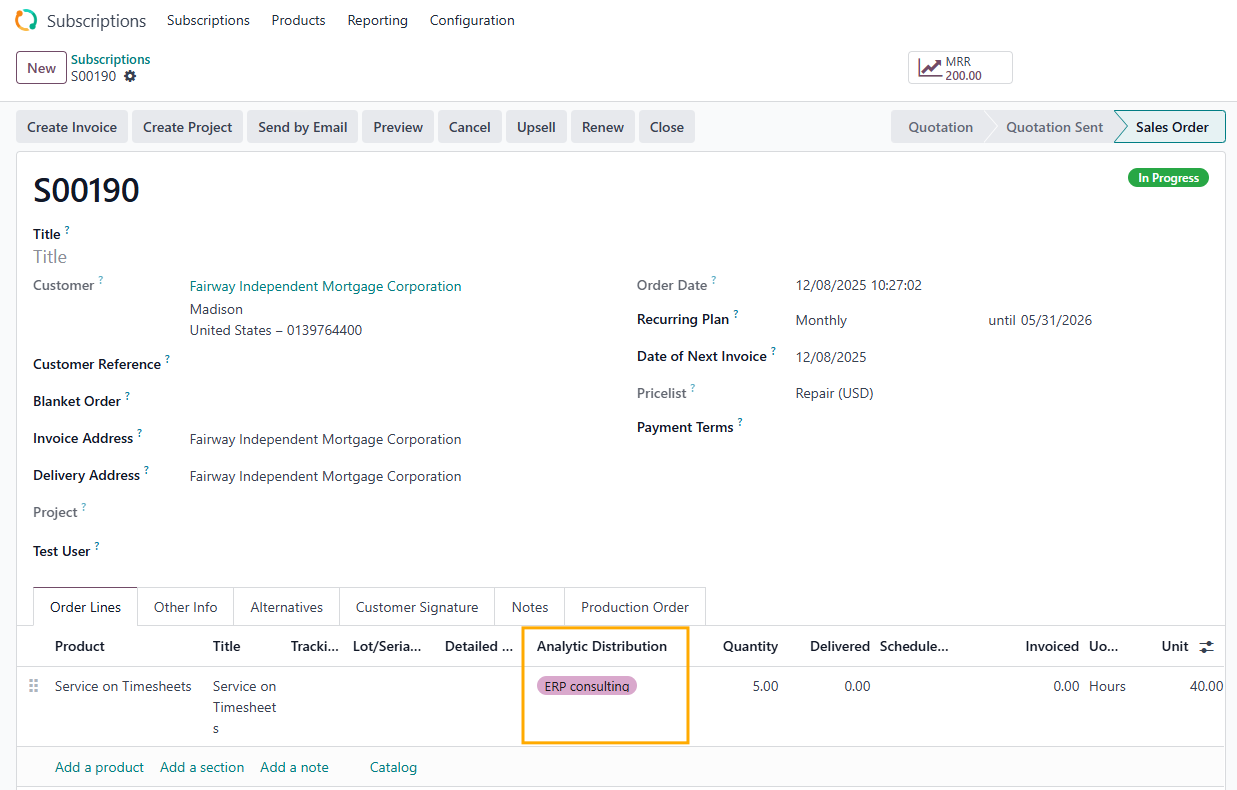 |
2. In order to perform an Upsell or Renew, you must first create and confirm the invoice for the original subscription | 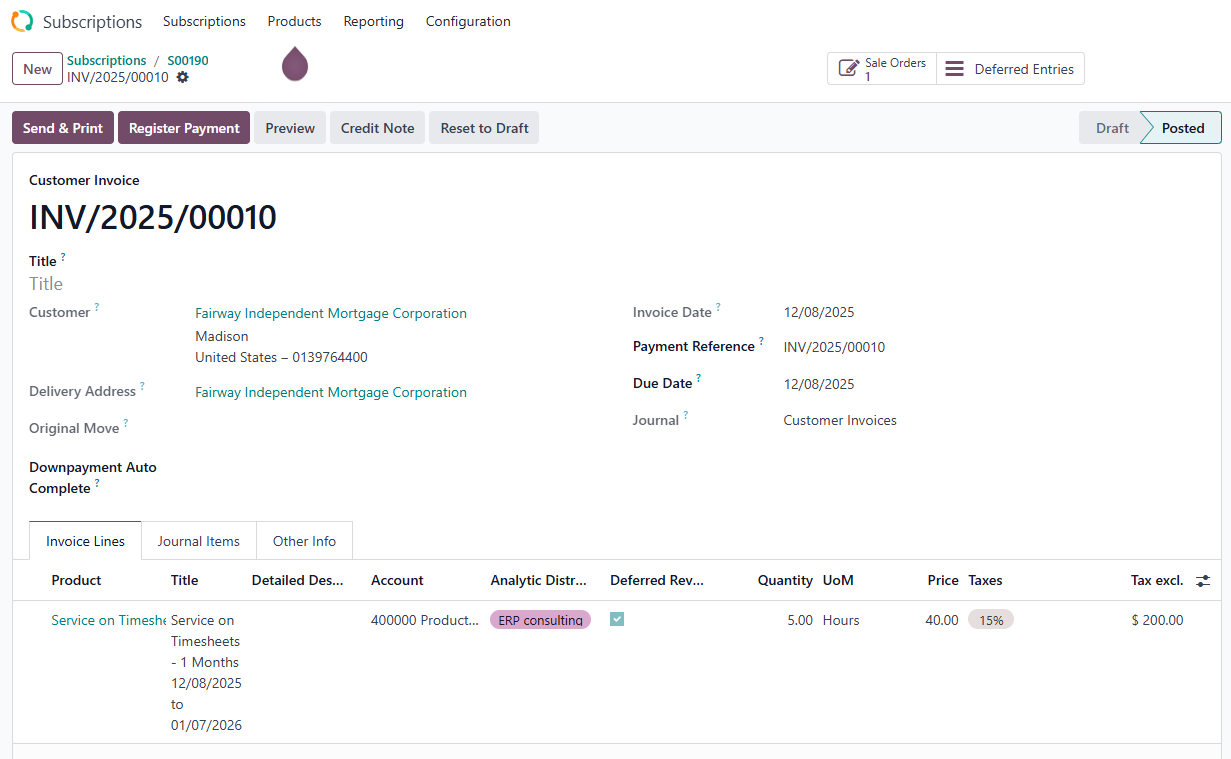 |
3. Click the Upsell button to generate an upsell subscription. You will see that the Analytic Distribution field is automatically propagated from the original subscription. | 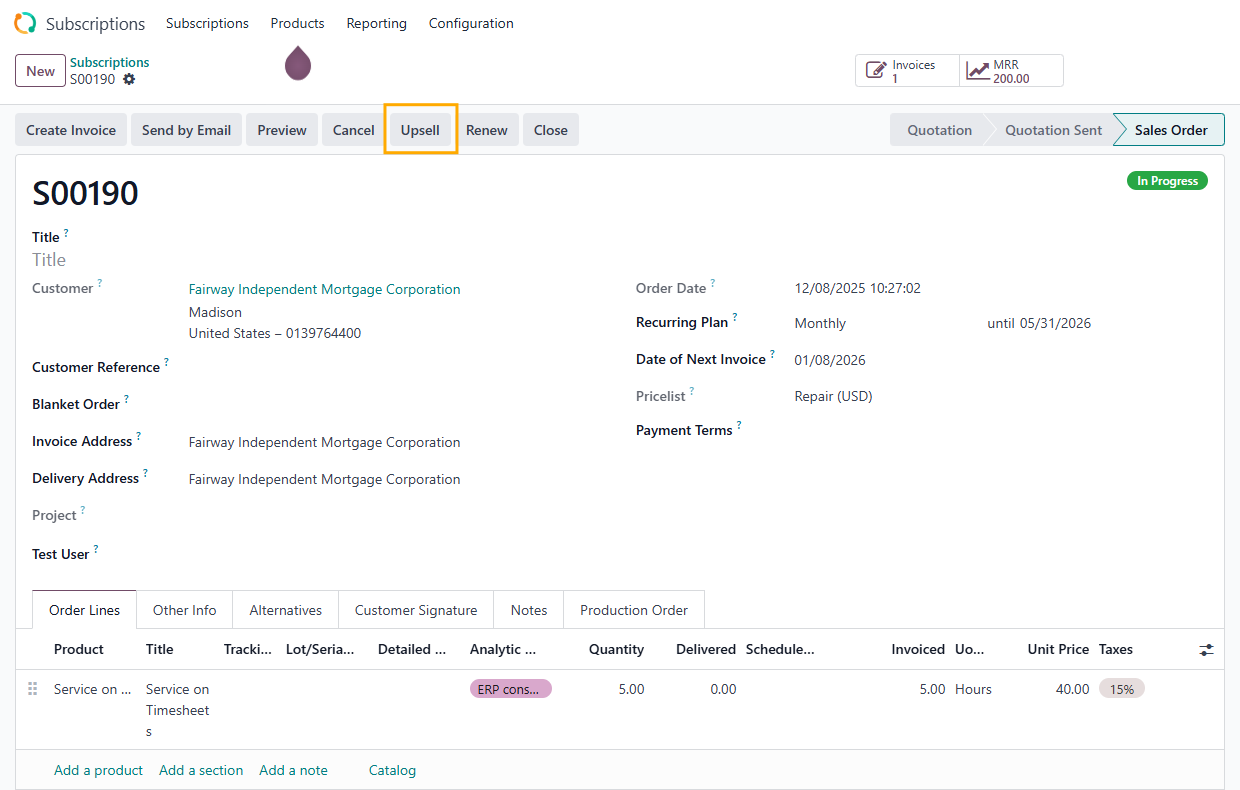 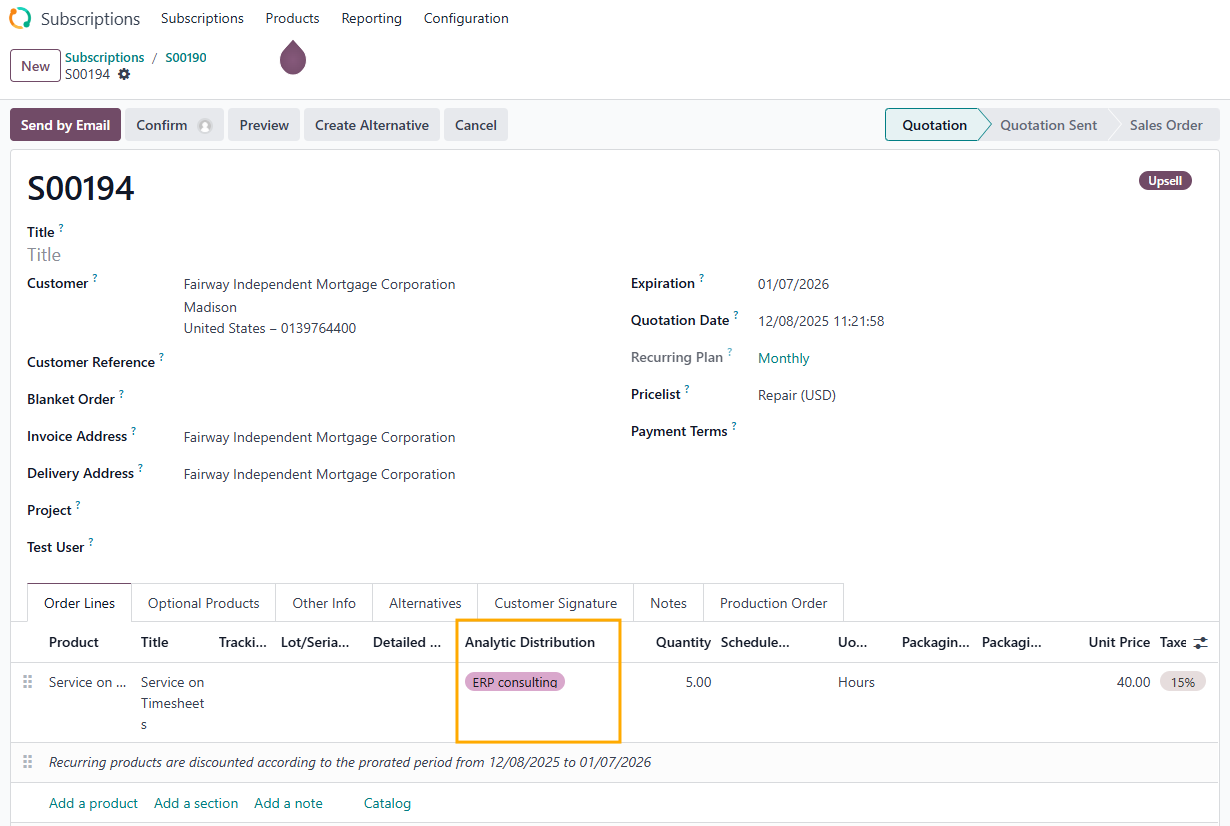 |
4. Similarly, click the Renew button to generate a renewal subscription. The Analytic Distribution field will also be automatically propagated from the original subscription. | 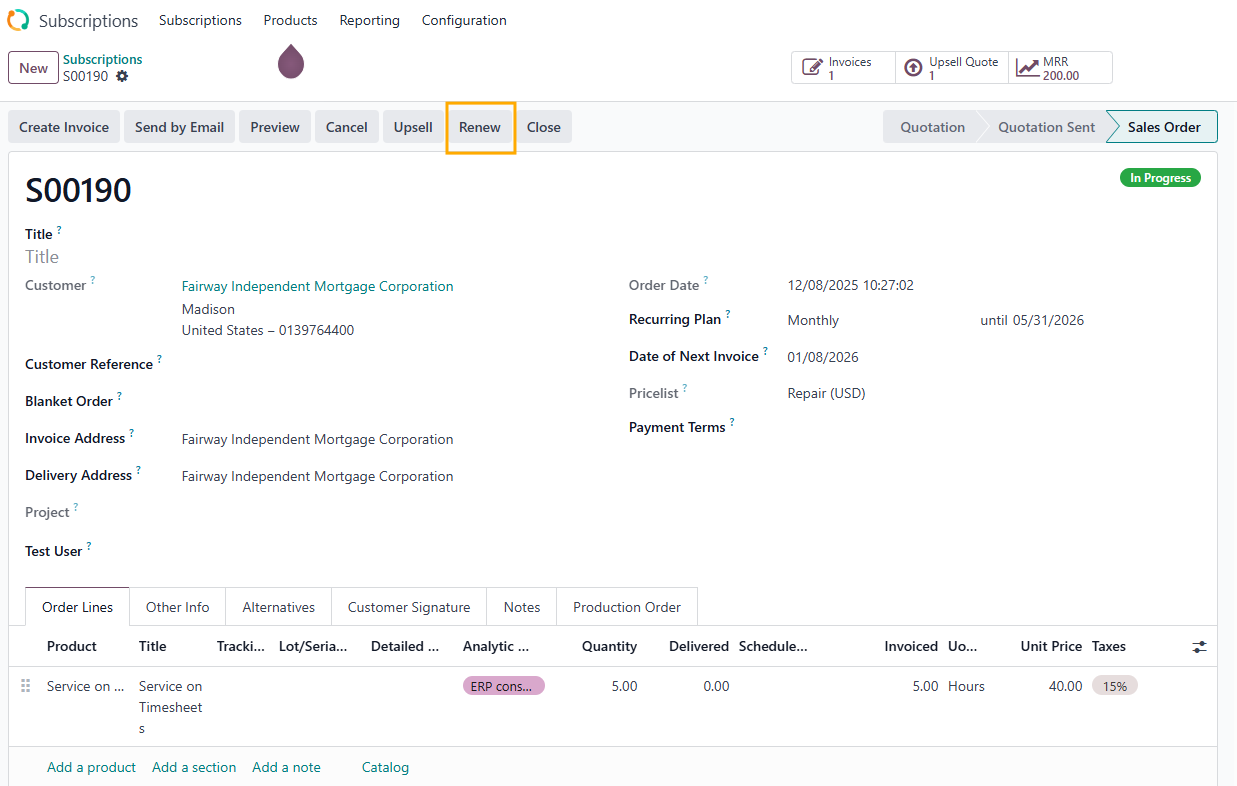 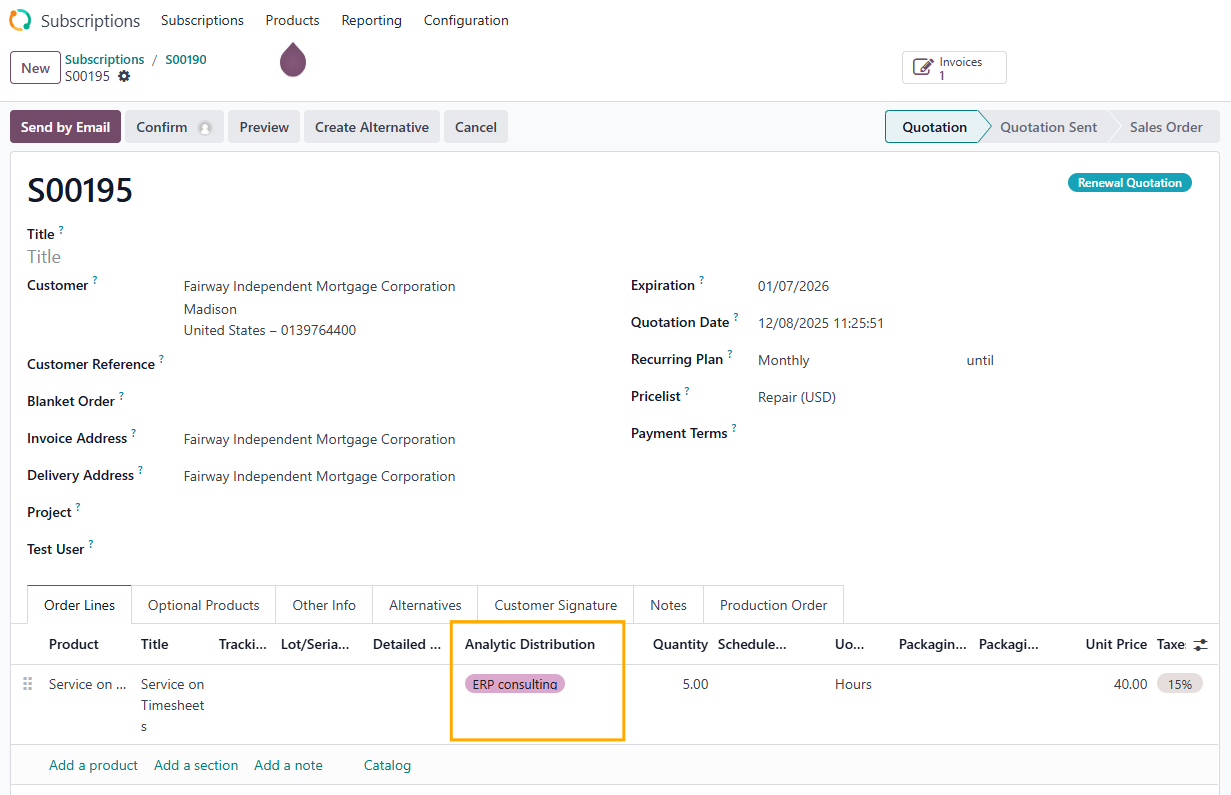 |