



ODOO'S FUNCTION
Odoo’s Calendar currently only supports a single timezone, meaning users cannot view events in an alternate timezone without changing the primary setting. This limitation can create challenges for users who frequently collaborate across time zones, as they must manually convert times to accommodate other regions.
CLUEDOO'S FUNCTION
Cluedoo introduces a new feature in the Odoo Calendar that allows users to select a secondary timezone. With this enhancement, users can view and manage events in both their primary and secondary time zones, making cross-timezone scheduling more convenient and intuitive.
1. Go to My Profile > Preferences and you will see an option to choose your Secondary Timezone. |  |
2. Go to Calendar, the secondary timezone has been added to your calendar. |  |
3. The Calendar will only show your primary timezone if the Secondary Timezone is empty. |   |
Update on v18 Go to Settings > Users > choose a user > Preferences tab > Add Secondary Timezone | 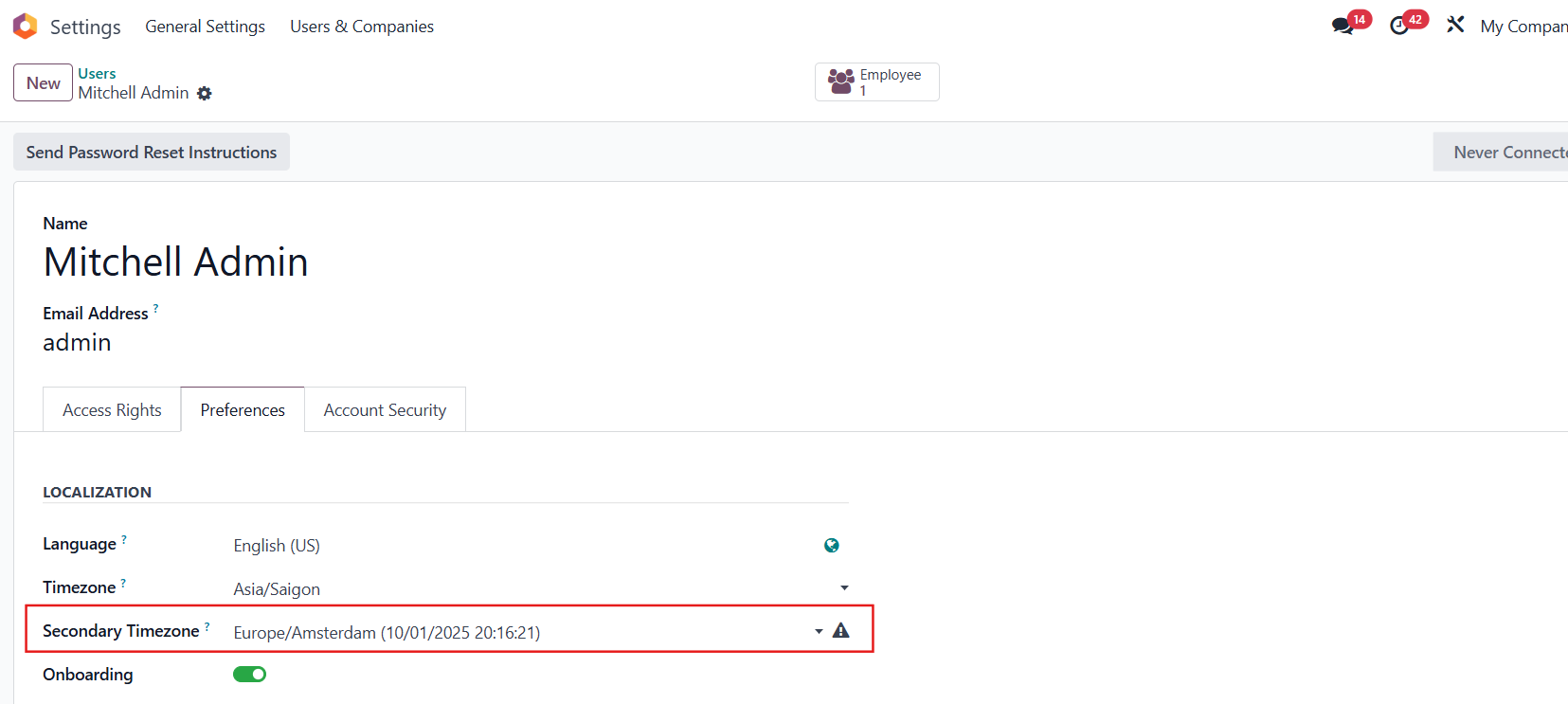 |
Update on v19 The Secondary Timezone field is under the Calendar tab | 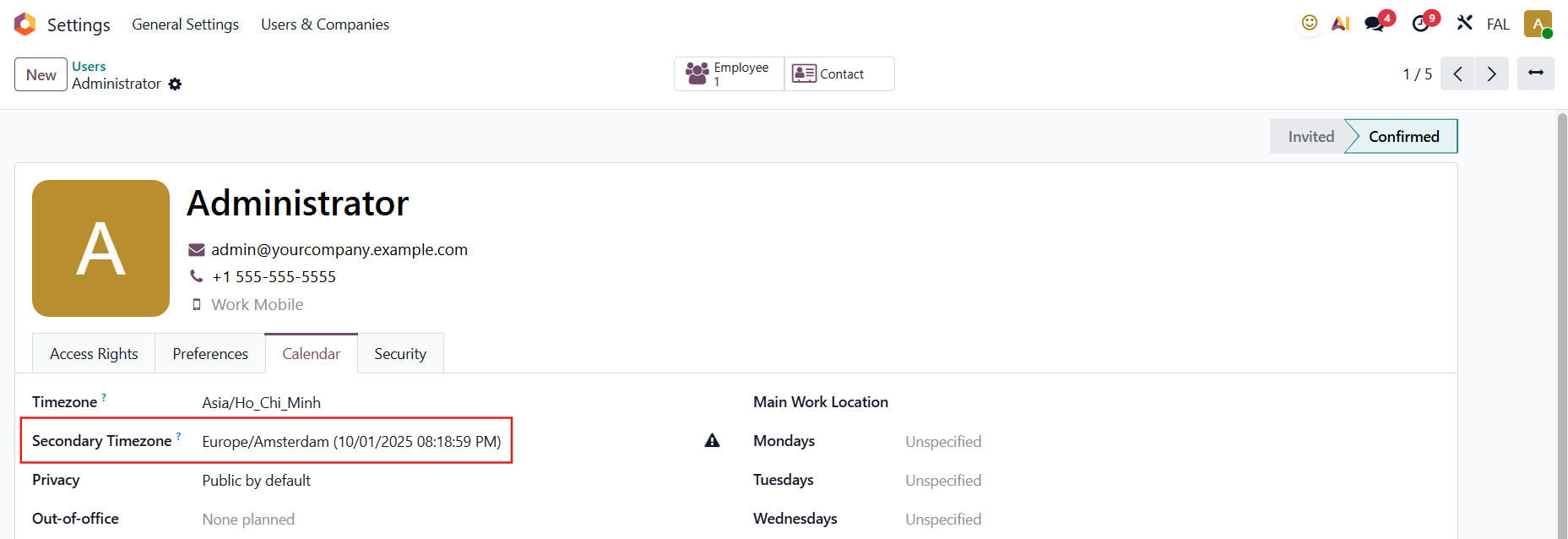 |