


ODOO'S FUNCTION
In Odoo, key planning dates (like Expected Arrival for purchases or Scheduled Date for manufacturing) are calculated based on fixed lead times configured in the global Settings.
Security lead times are applied to all transactions, meaning you cannot easily set different safety margins for specific vendors or products. This generic approach often leads to planning mismatches, especially when dealing with international vendors who have varying reliability.
CLUEDOO'S FUNCTION
Cluedoo enhances the accuracy of planning dates by introducing:
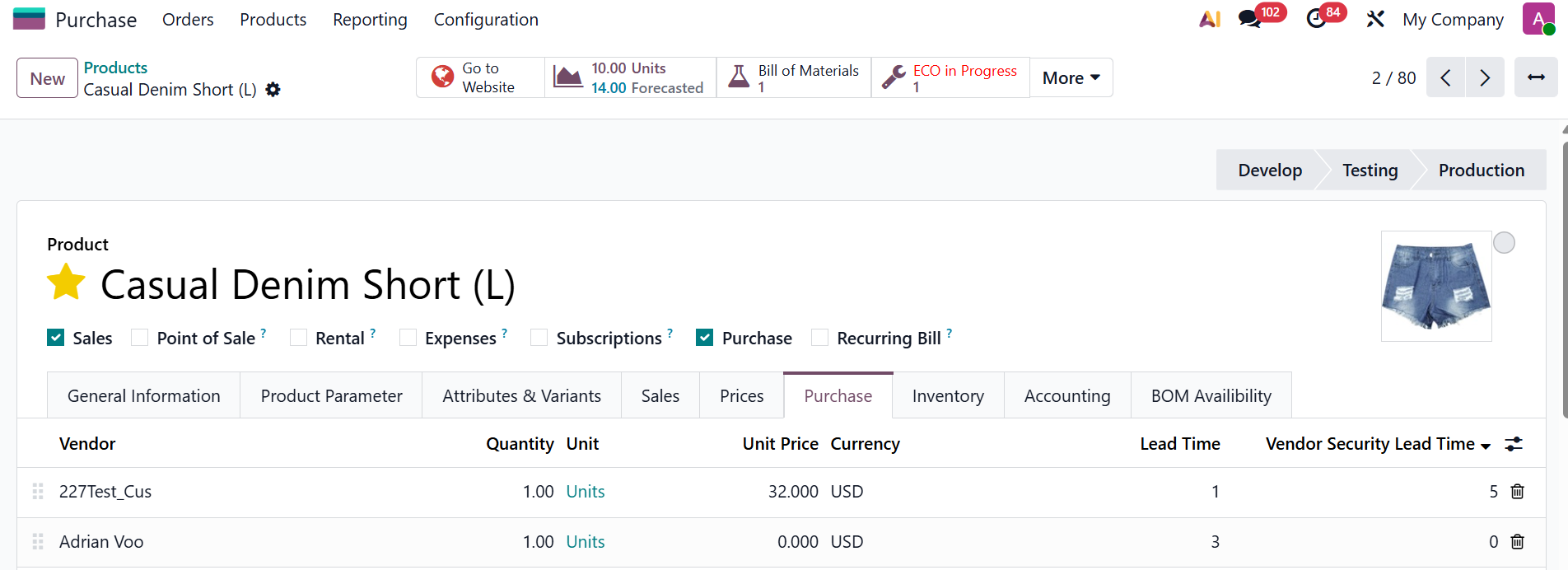
\t1️⃣ Vendor Security Lead Time: A specific buffer defined directly on the Vendor Pricelist for Purchase Orders.
\t2️⃣ Manufacturing Security Lead Time: A specific buffer defined directly on the Bill of Materials (BoM) for Manufacturing Orders.
A smart fallback hierarchy: The system first checks for these specific Cluedoo lead times; if none are found, it falls back to the standard Odoo settings.
This allows the system to automatically recalculate deadlines with high precision. You can apply stricter safety margins to unreliable sources while keeping standard times for others, ensuring your planning reflects reality.
1. ODS has the setting for Security Lead Time (sales/purchase/MO) in config panel.
Note: In v19, Manufacturing Security Lead Time and Security Lead Time for Purchase is unavailable |  |
2. Fill field Vendor Security Lead Time and Delivery Lead Time on product |  |
3.
|    |
Note: if you set Delivery date, it will take date from delivery date. If you do not set, it will take order date normally. |  |
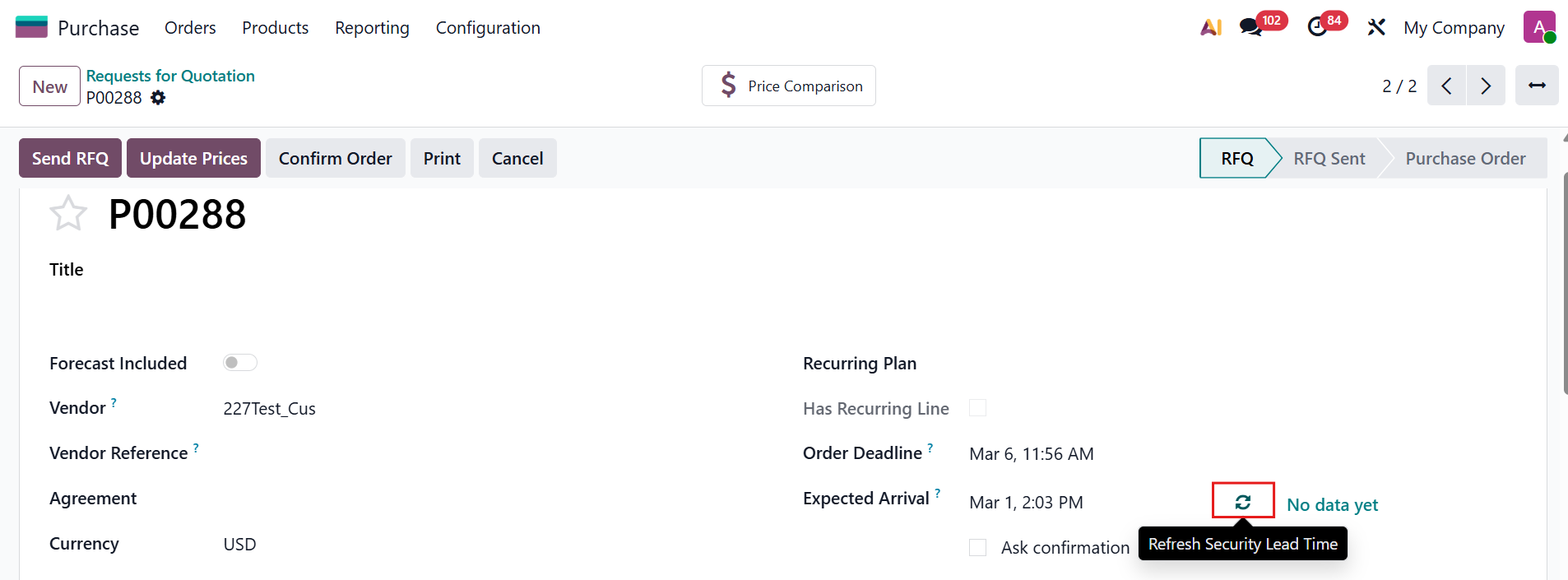
Go to PO > Expected Arrival and Order Deadline on the PO will be computed automatically due to this formula:
Note: It will take data from Vendor Security Lead Time if you set in it and if you do not > it will take from ODS (Security Lead Time for Purchase)
|  |
5. You can fill field Manufacture Security Lead Time and Manufacture Lead Time on BoM of product that you want to produced |  |
Create SO with MTO product > Open MO > Schedule Date & Scheduled End of that MO will be computed automatically due to this formula:
Note: it will take data from MO Security Lead Time if you set it and if not > take from ODS
|    |
7. This module also apply to Purchase Order created in MPS. Go to MPS > Choose a product that needs replenishing > Replenish > a PO will be created, order deadline will also filled with the same formula. Note: The first day of the week or month that you replenish in MPS will be the Expected Arrival. |    |
8. Manufacture Order from MPS Note: The first day of the week or month that you replenish in MPS will be the Expected Arrival. Note: From v18, cluedoo lead time changed to manufacturing security lead time. MO Scheduled Date = The time you confirm Product Replenish MO end date = Scheduled Date in Product Replenish MO start date = end date - manufacturing lead time ODS (Manuf lead time) | 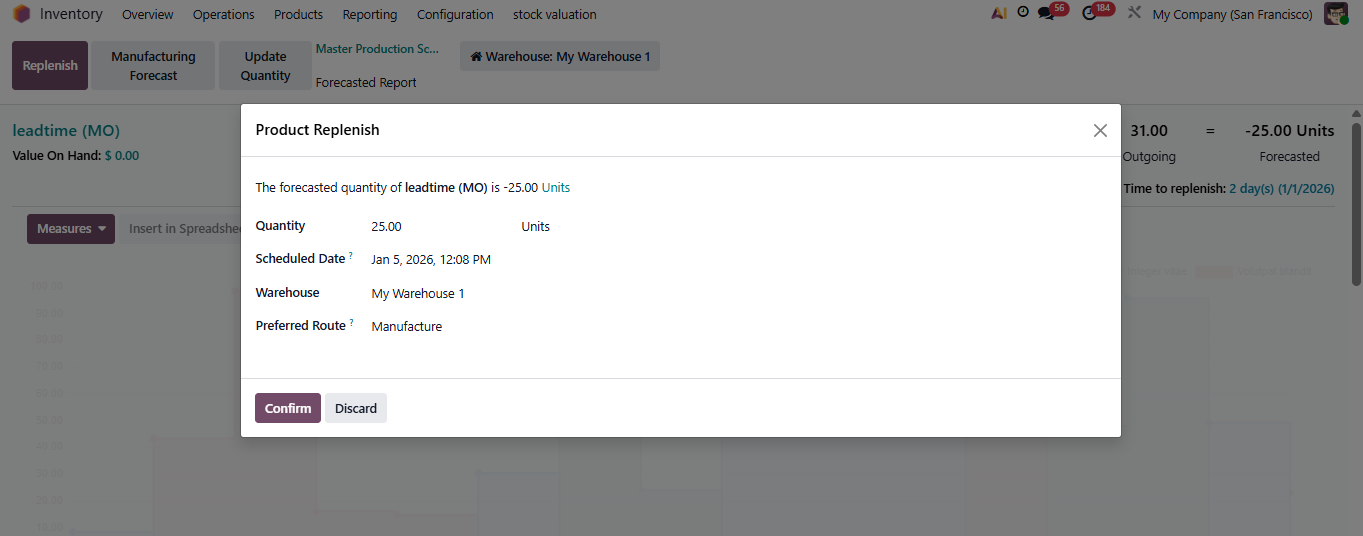 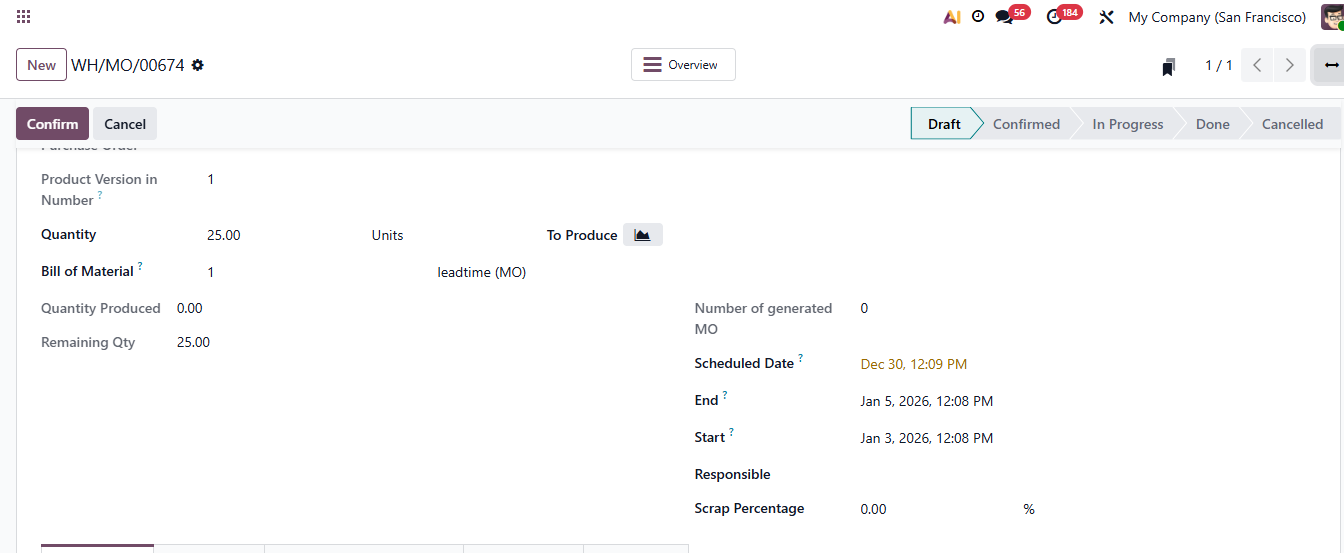 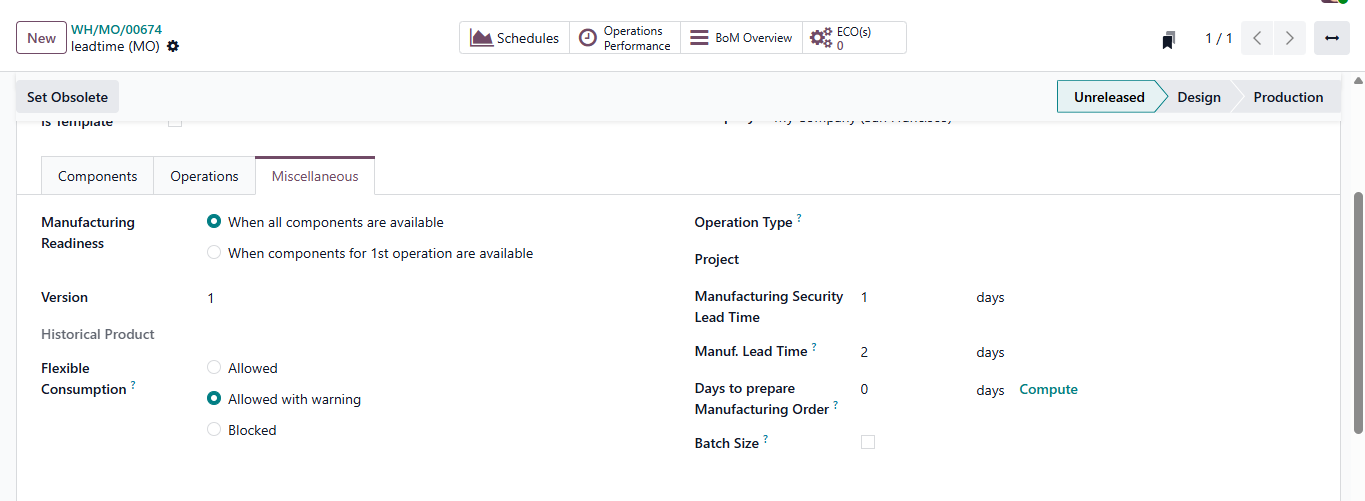 |
9. Go to Replenishment If a product have 2 vendors, you can choose to vendor for calculate forcasted date by click "Set as Supplier" | 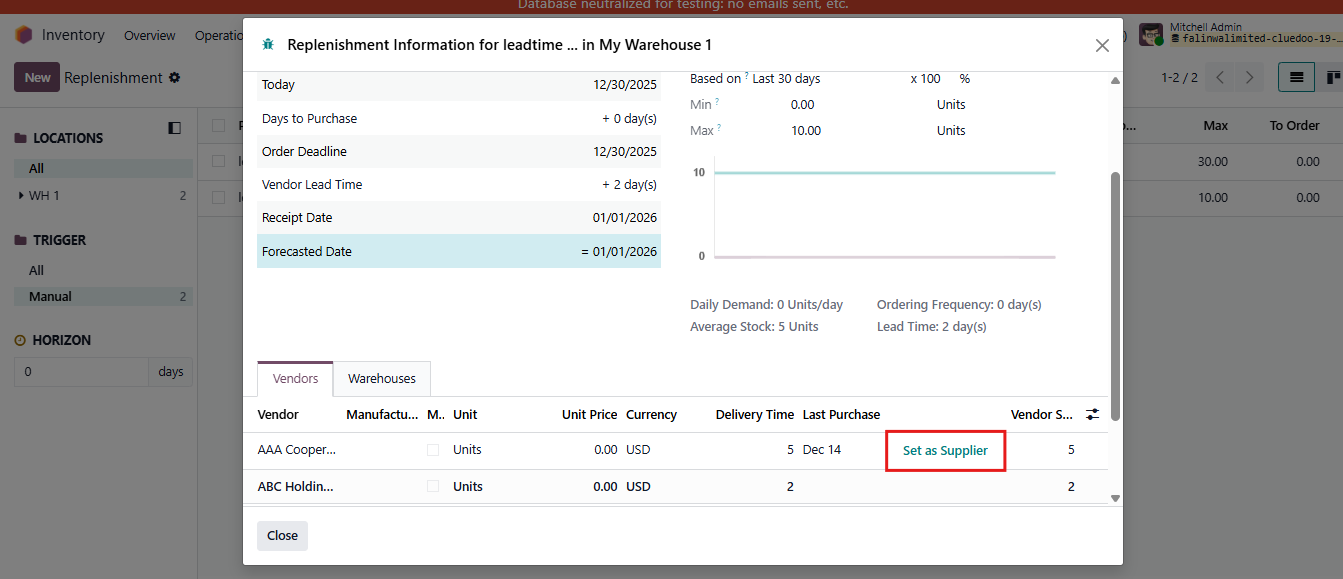 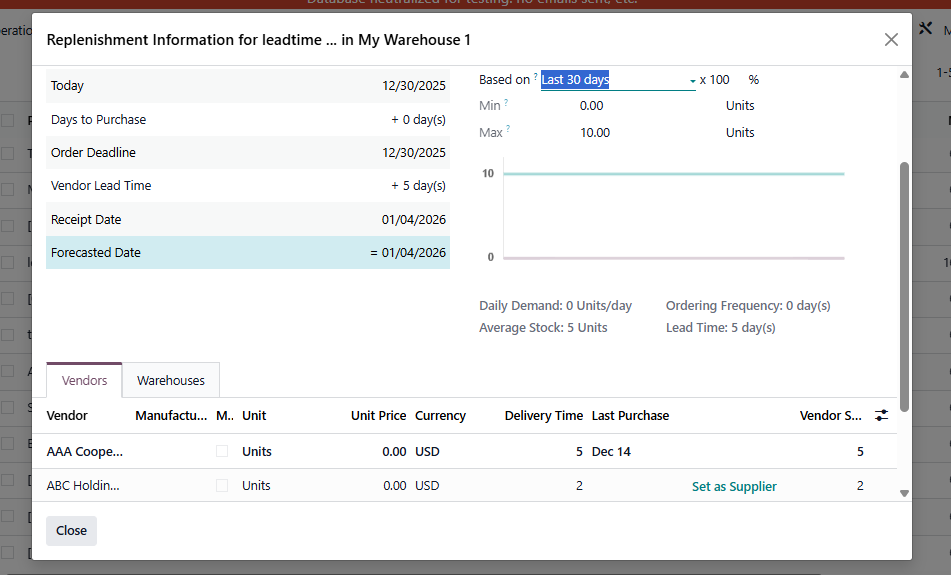 |
NOTE: From v19, a Refresh Security Lead Time button has been added to recalculate the Expected Arrival Date. When clicking the refresh button:
|
|