



ODOO'S FUNCTION
Odoo only has the "Company" field in contacts, and there is no dedicated "Companies" field. This means users can only set one contact, either a global or local entity and cannot make the contact visible across multiple companies.
CLUEDOO'S FUNCTION
Cluedoo enhances this functionality by introducing the "Companies" field, enabling users to set contact visibility across multiple companies easily. Once selected, the contact becomes accessible to users in any of the chosen companies.
Go to Contacts > Create a new contact or edit an existing contact > Under the Sales & Purchase tab, we can add the Contact's Company in 2 fields: Company or Companies Note: Only one of these fields will be visible at a time - selecting one will automatically hide the other. | 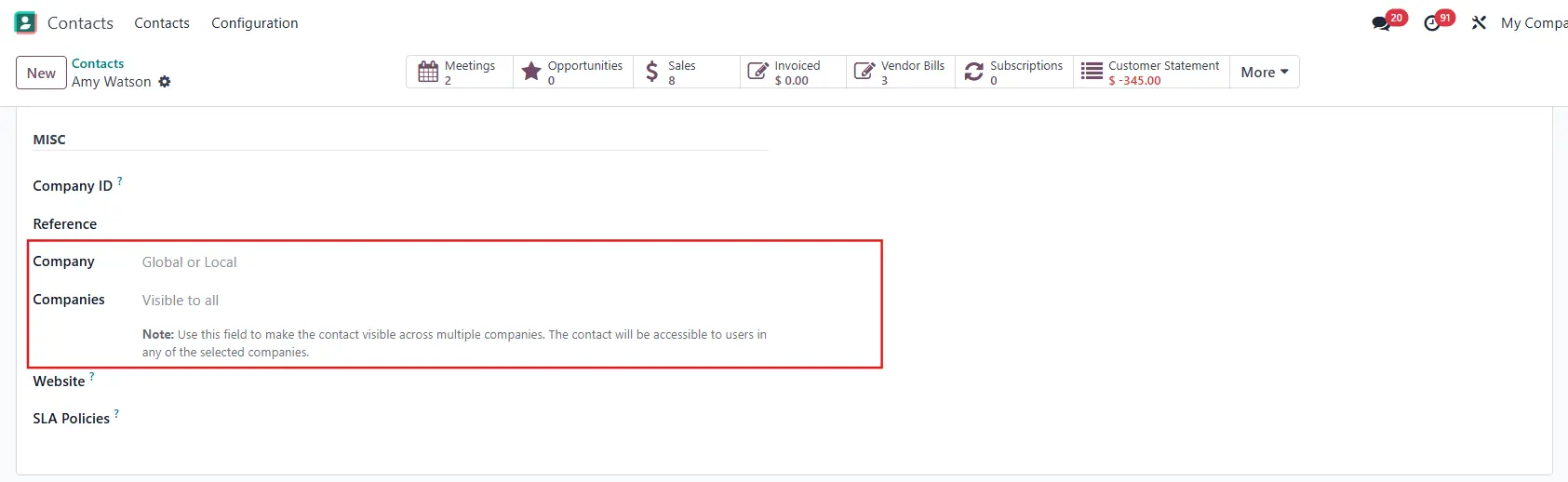 |
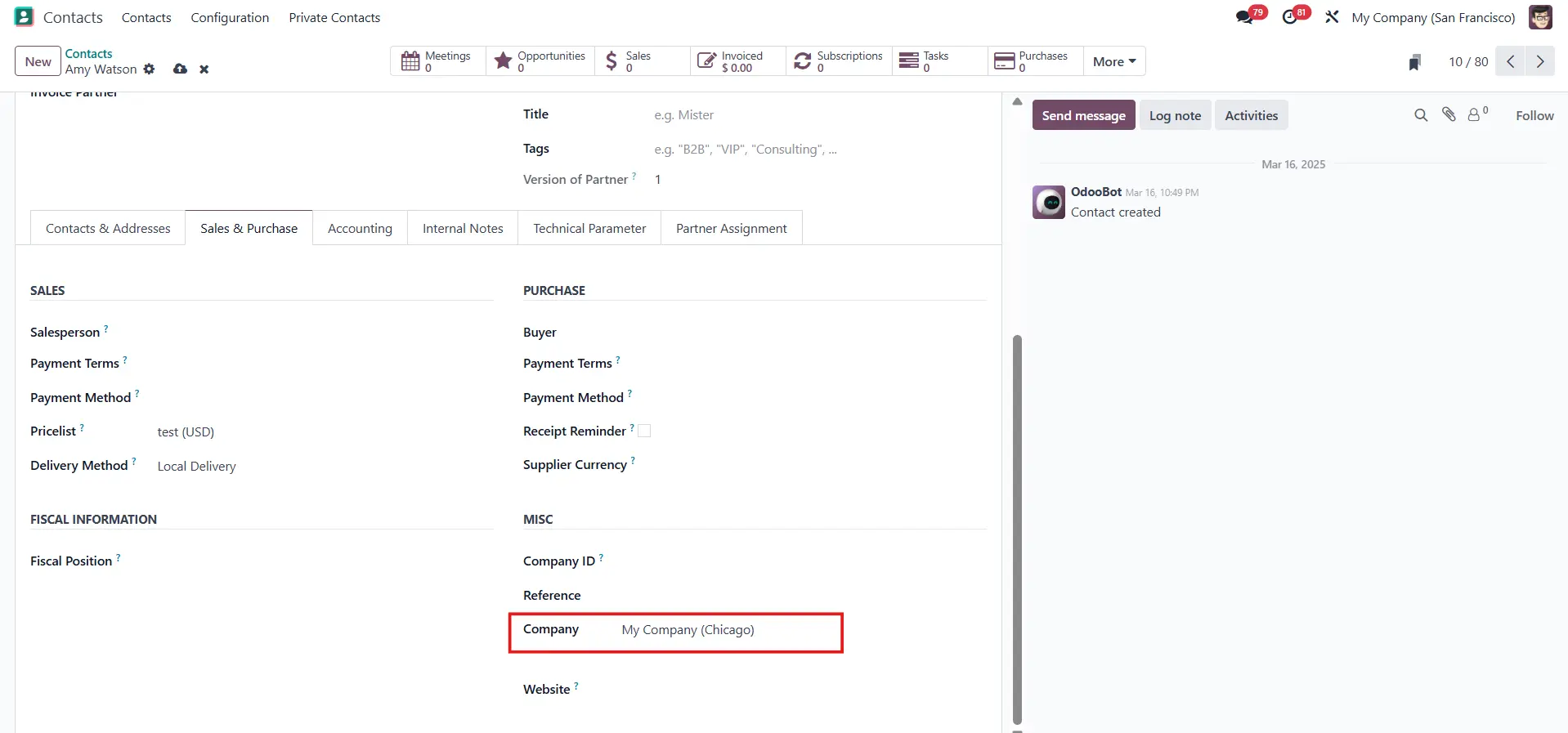
1.1. Single Company Selection In case the field "Company" is set, it means that only users from the selected company will be able to view the contact. Only one company is allowed to set.
|  |
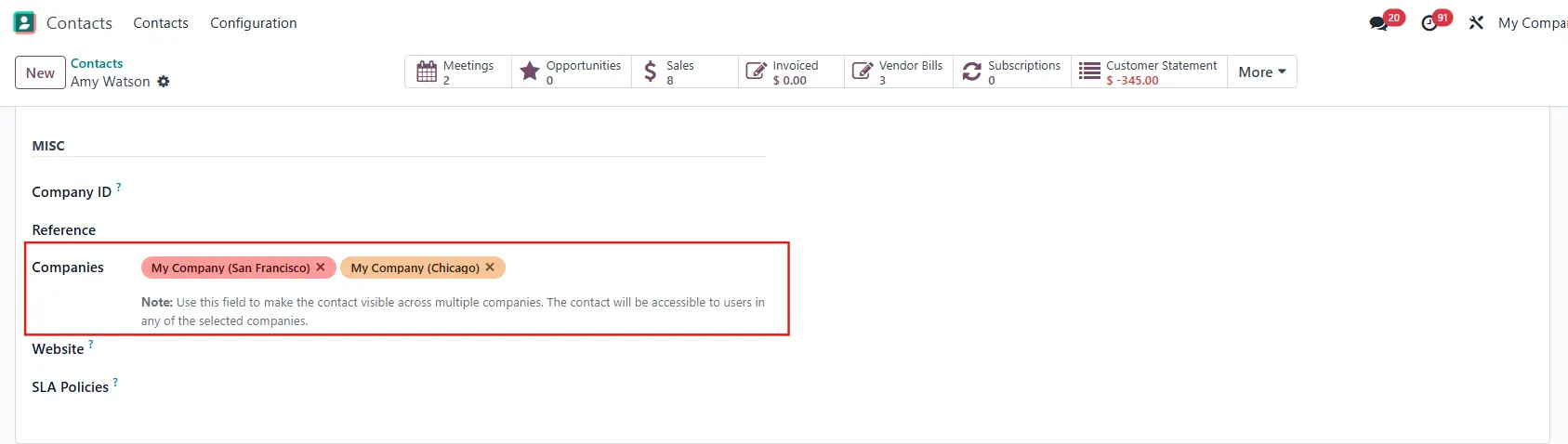
1.2. Multi-Company Selection In case the "Companies" field is set, it means that the contact will be accessible to users in any of the selected companies. Users can set more than one company in this field. The "Company" field will be disabled when the "Companies" field is set. Note: to make the contact visible across multiple companies, we need to have access rights by logging into the selected companies.
|  |