



ODOO'S FUNCTION
By default, Odoo allows the creation of Job Positions and Employees in the Recruitment and Employees modules, but it does not support associating a user template (defining Groups, Access Rights, or Record Rules) with a Job Position. When creating a user from an Employee, Odoo requires manual configuration of access rights, which is time-consuming and error-prone for organizations with standardized roles.
CLUEDOO'S FUNCTION
The CLuedoo User Template for Job Position module enhances Odoo’s HR and User management by introducing automated user template assignment based on Job Positions:
1️⃣ Enables selection or creation of a user template (defining Groups, Access Rights, Record Rules) directly within a Job Position
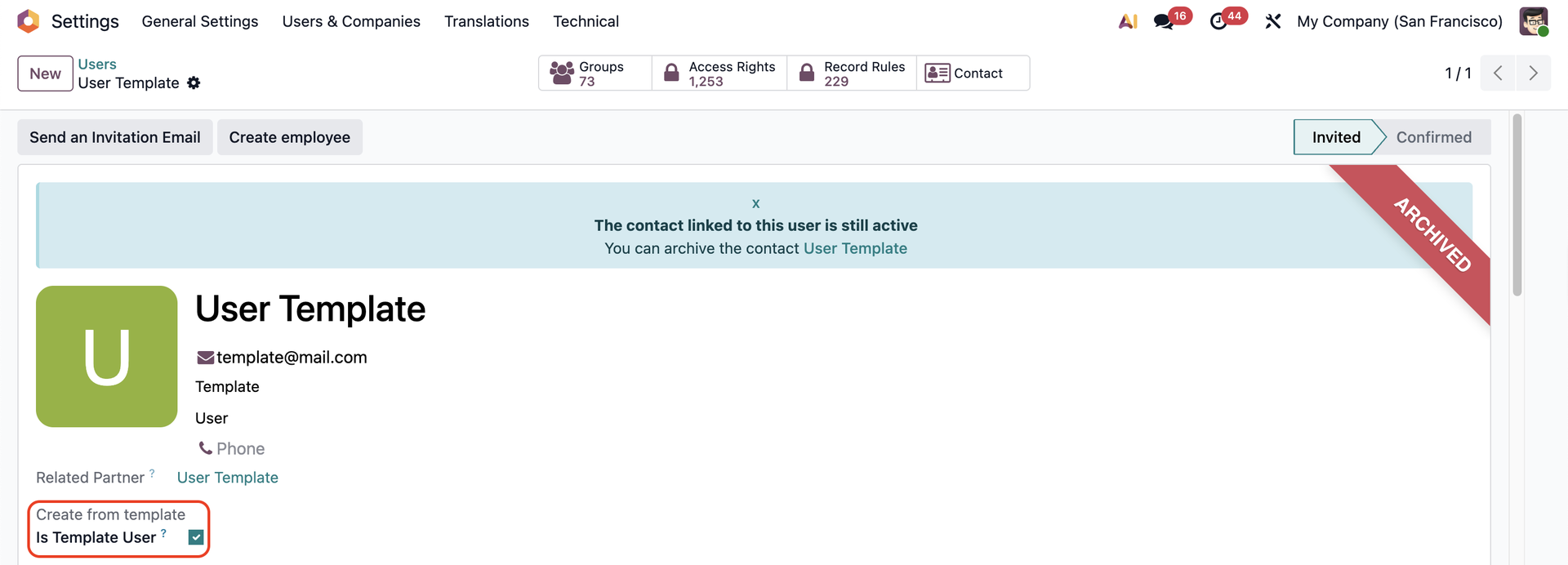
1. We have a field Is Template User to mark a user as a template Note:
|  |
2. Go to Employees > Configuration > Recruitment > Job Positions > Choose a position > Choose a user template Only user that is marked as Is Template User will appear in this field. You can also create a new user template on the fly. | 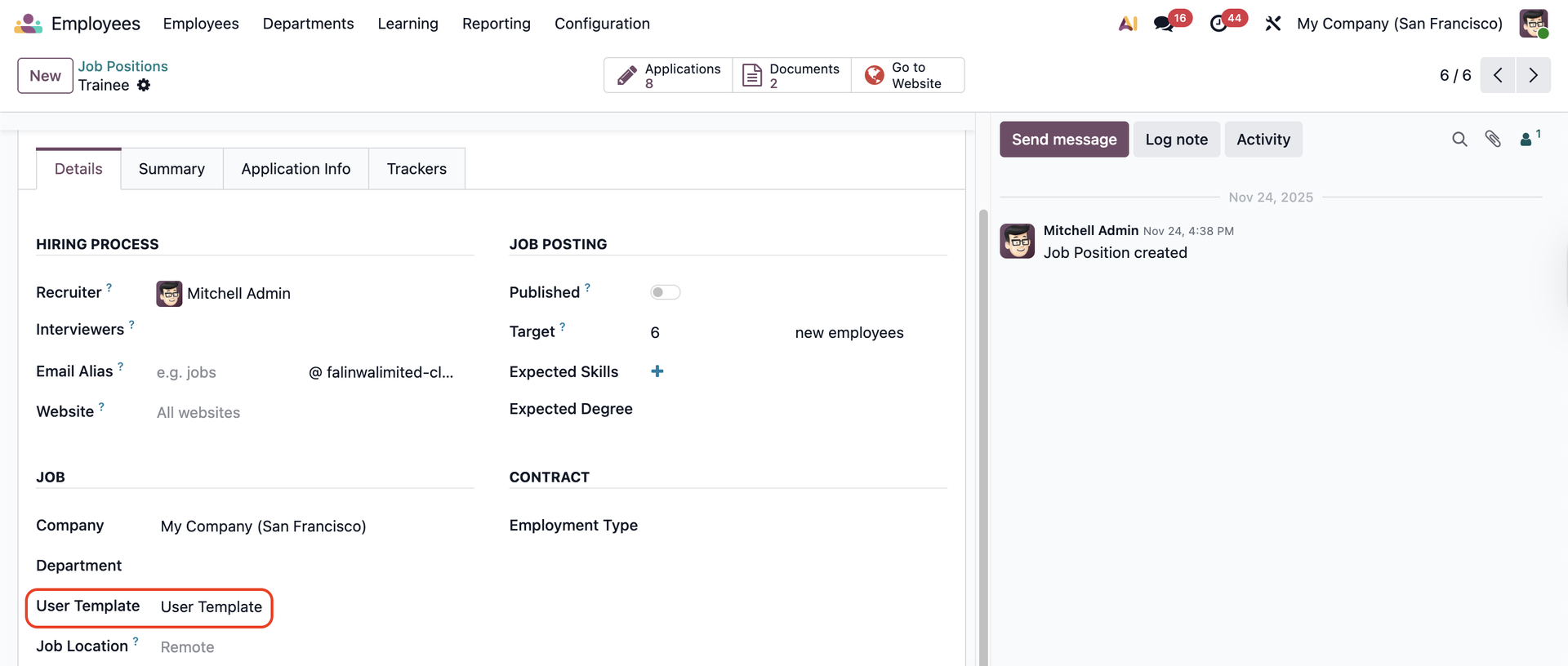 |
3. Go to Applications > Choose or create an application from this job position > When the contract is signed, you can create an employee | 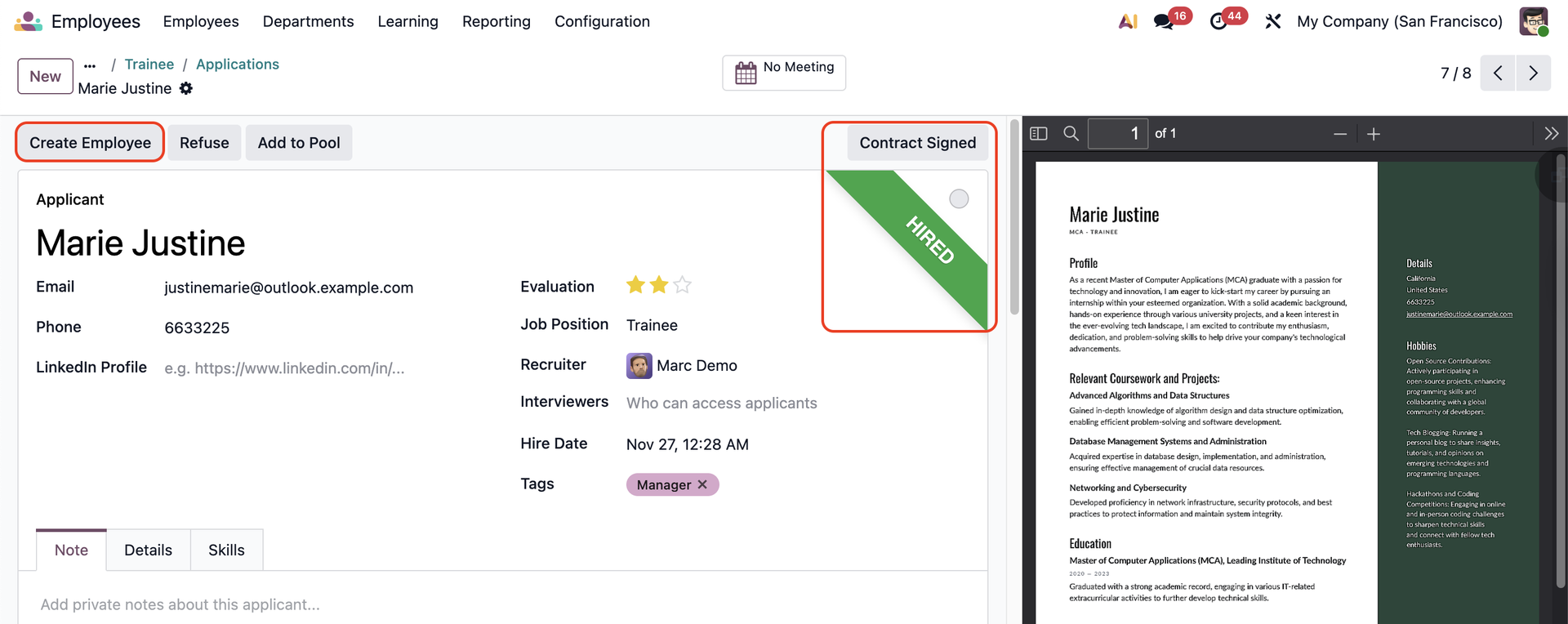 |
4. Go to that employee form > Create a user from the employee | 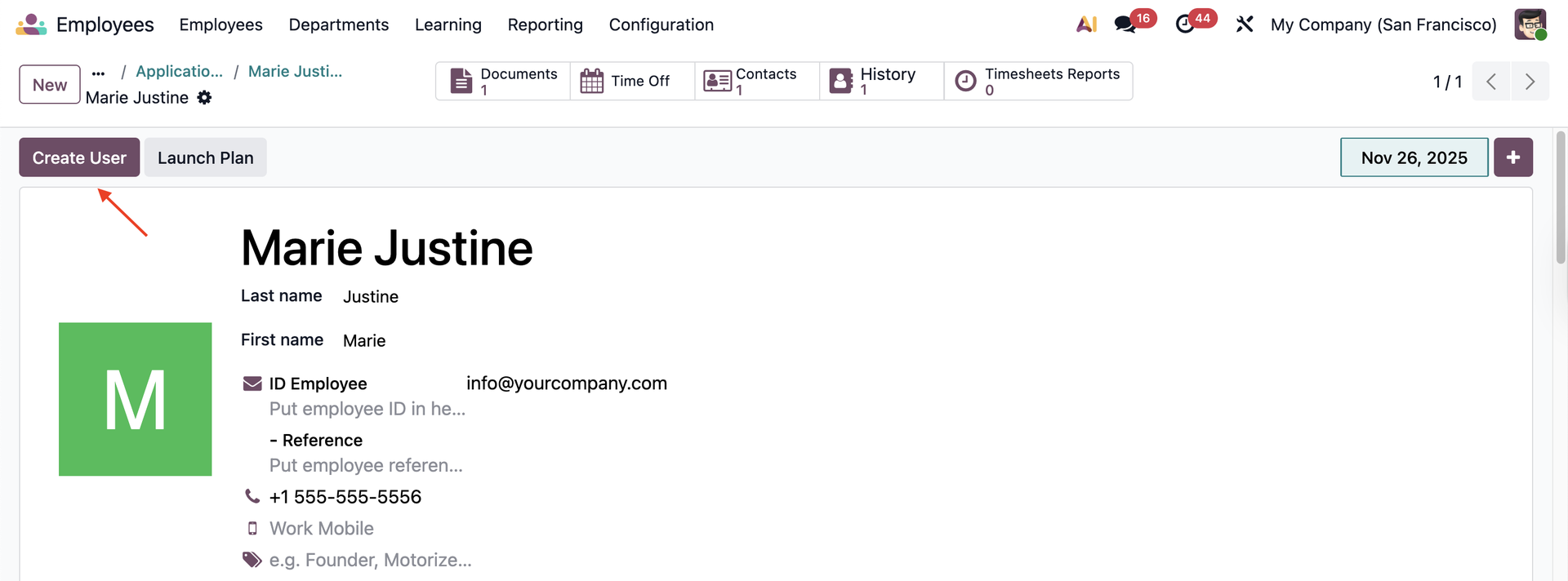 |
5. Go to Users > Choose the user that you have just created > This user will take the Groups, Access Rights, Record Rules from the user template in the job position. | 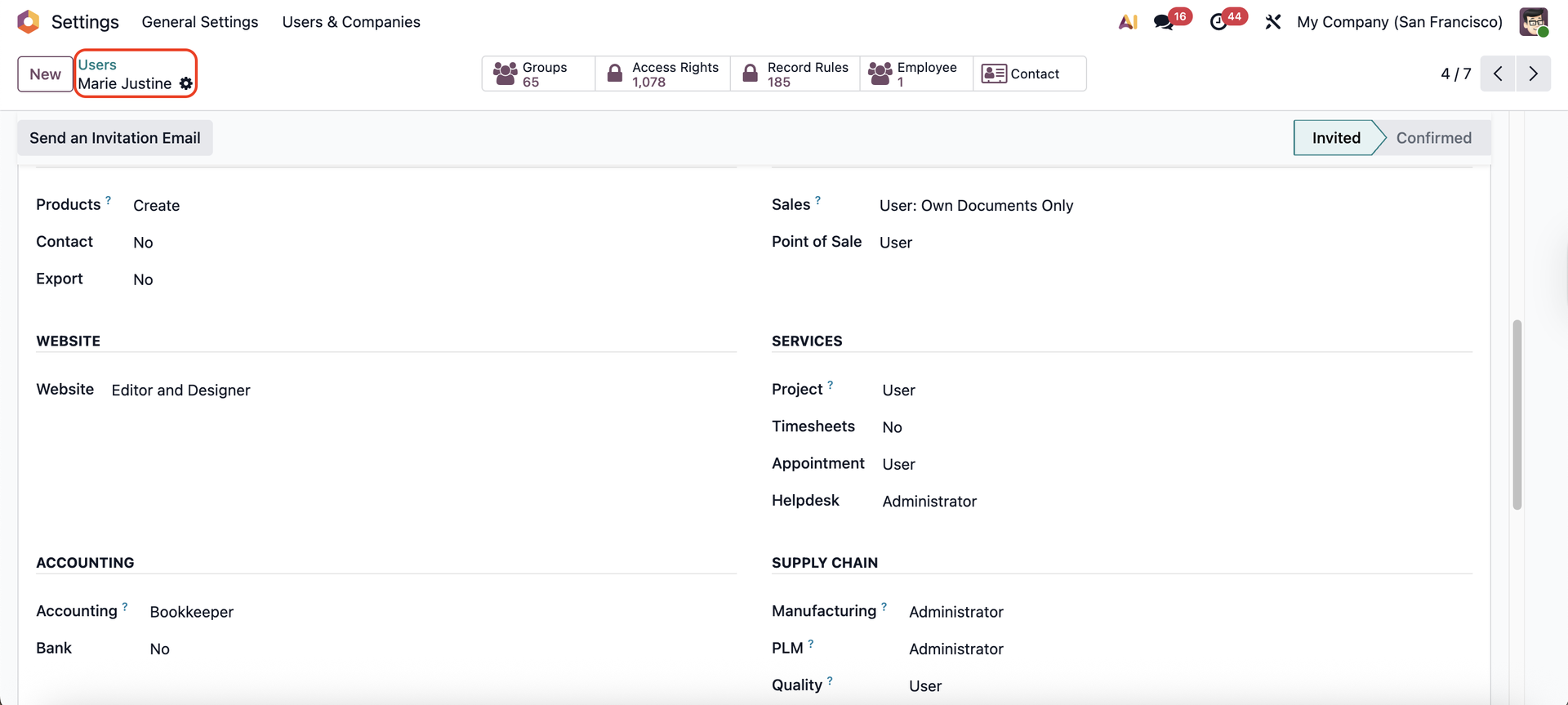 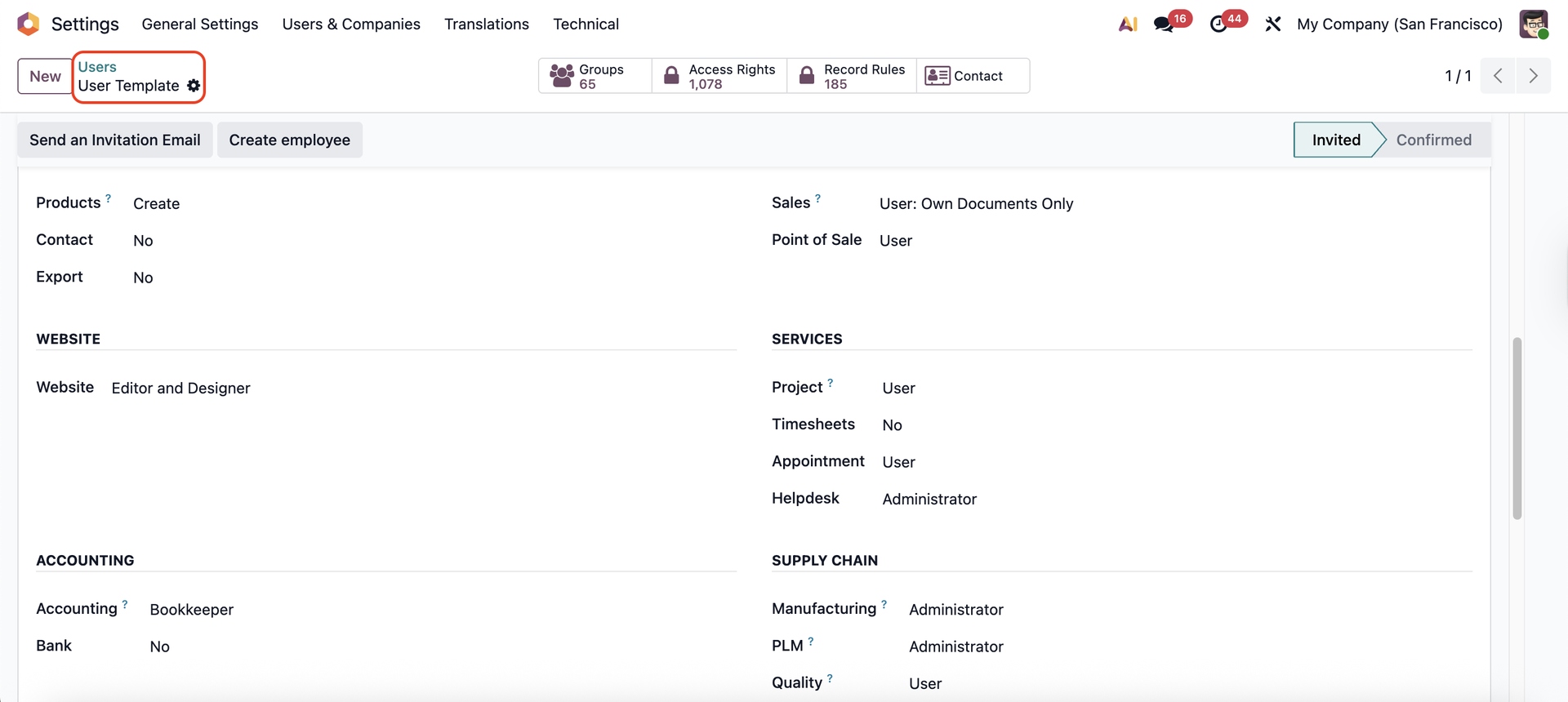 |
6. We have a filter for the templates. |  |